124
The following is a description of the Network State messages:
Network Message Description
No Response Confirmed
DSP device not found by DSP Server
First Handshaking Confirmed
DSP connection successful
Stopped Confirmed
Stop operation successful
Requesting Stopped
Stop Server button pressed
Requesting PAUSED
Pause button pressed
Requesting PLAY
Play button pressed
Requesting STOP
Stop button pressed
Requesting Sleep
Display Off button pressed
Requesting WakeUp
Display On button pressed
Requesting Sound Off
Sound Off button pressed
Requesting Sound On
Sound On button pressed
Requesting WakeUp
Display On button pressed
Stopped
DSP Server has stopped
OK
Network connection valid
Groups
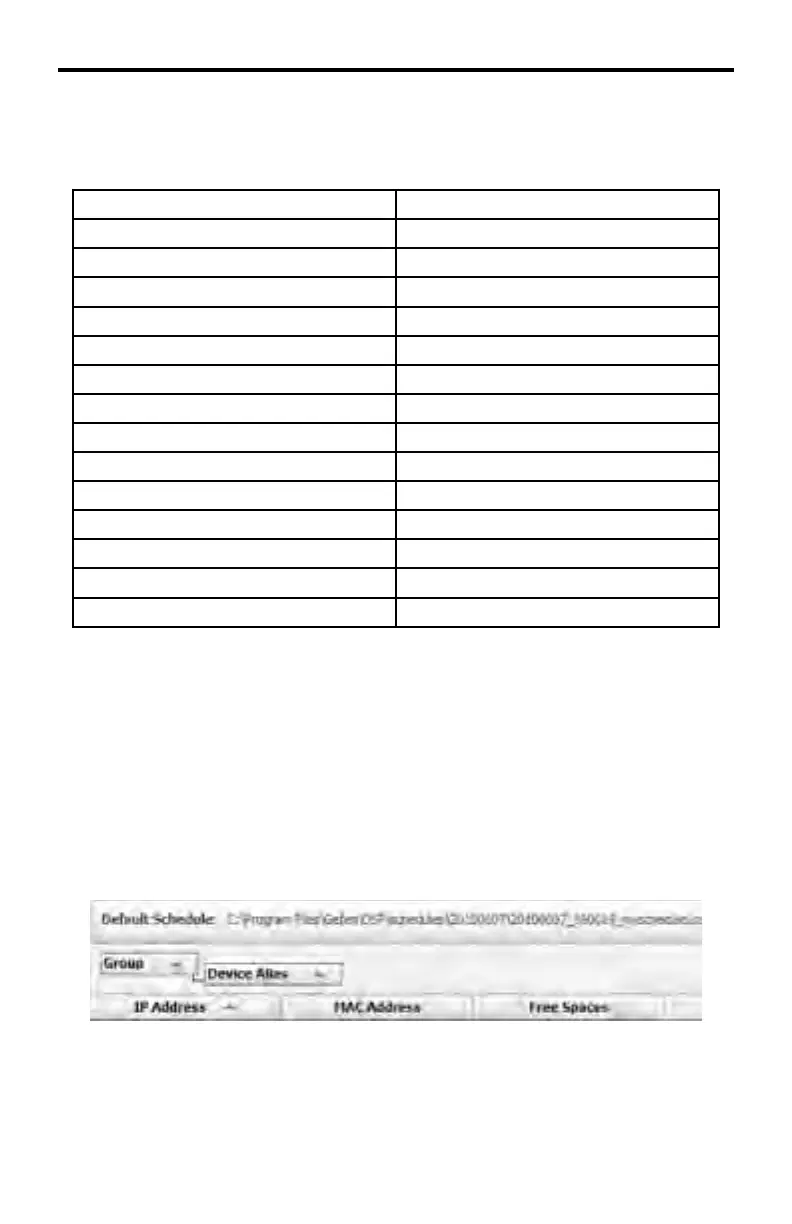
Groups allow for a graphical representation of various client attributes. Each
attribute can be sorted (ascending or descending). To attach a client attribute to
a group, click and drag the selected column to the Group box.
In the example below, the client attribute Device Alias has been moved under the
Group tag. Note that the Device Alias column is no longer a part of the original
set of columns, which identify each attribute for the client.
DSP SERVER SOFTWARE



 To Next Page