18
CONFIGURING THE HI DEF DIGITAL SIGNAGE PLAYER
Connecting the DSP:
• Connect the DSP to a display using the steps listed in the section
Connecting and Operating the Hi Def Digital Signage Player. Once the
DSP is connected the initial background splash screen should be visible on
the connected display.
The steps in this section require the use of the supplied IR
remote control.
Navigation:
• Use the navigation button on the IR remote control to navigate the on-screen
GUI. To modify an option, use the navigation keys to select the option
and press the OK button to begin making changes. Use the alphanumeric
buttons on the IR remote control to modify all fi elds that require numbers or
letters.
Setting Up the Network:
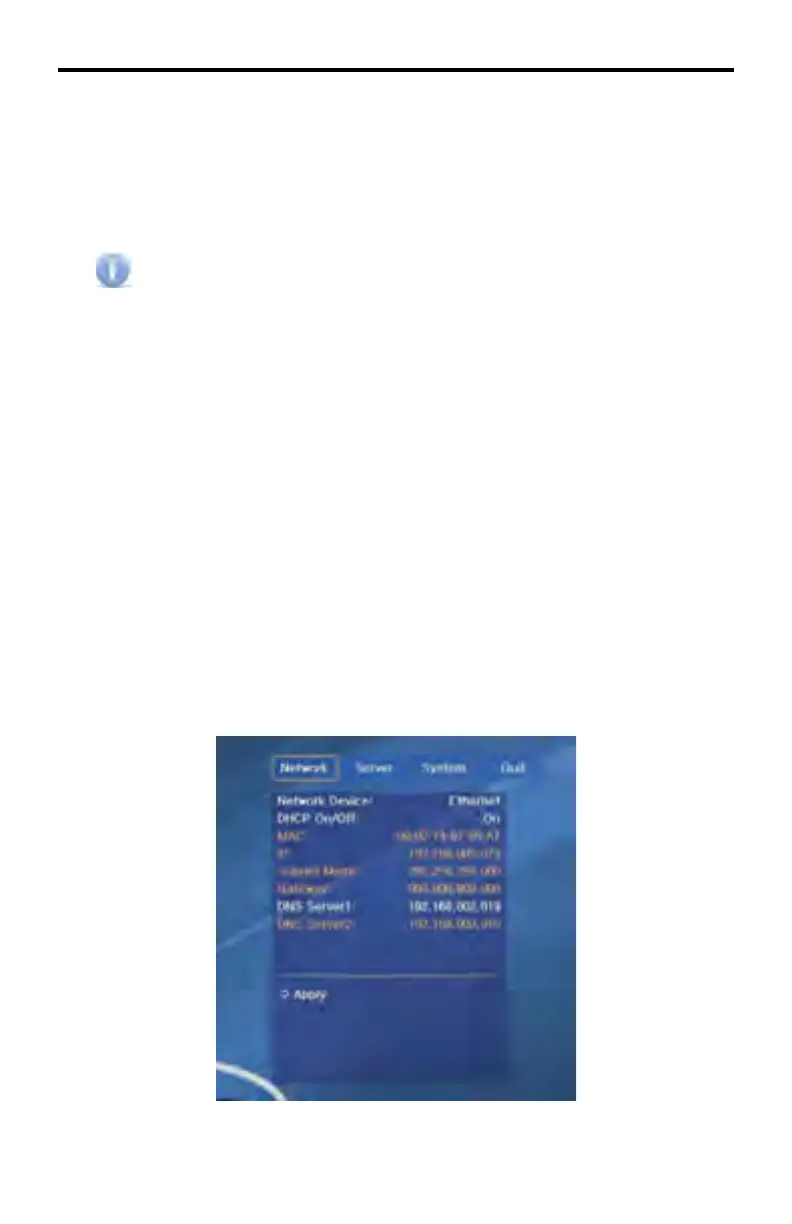
• To connect the DSP unit to the server PC its network confi guration fi rst must
be confi gured.
• Press “Setup” on the remote control and the setup screen will appear on the
splash screen.
• There are four sections in the Setup screen: Network, Server, System and
Quit.
Network Settings



 To Next Page