42
Customize > Commands
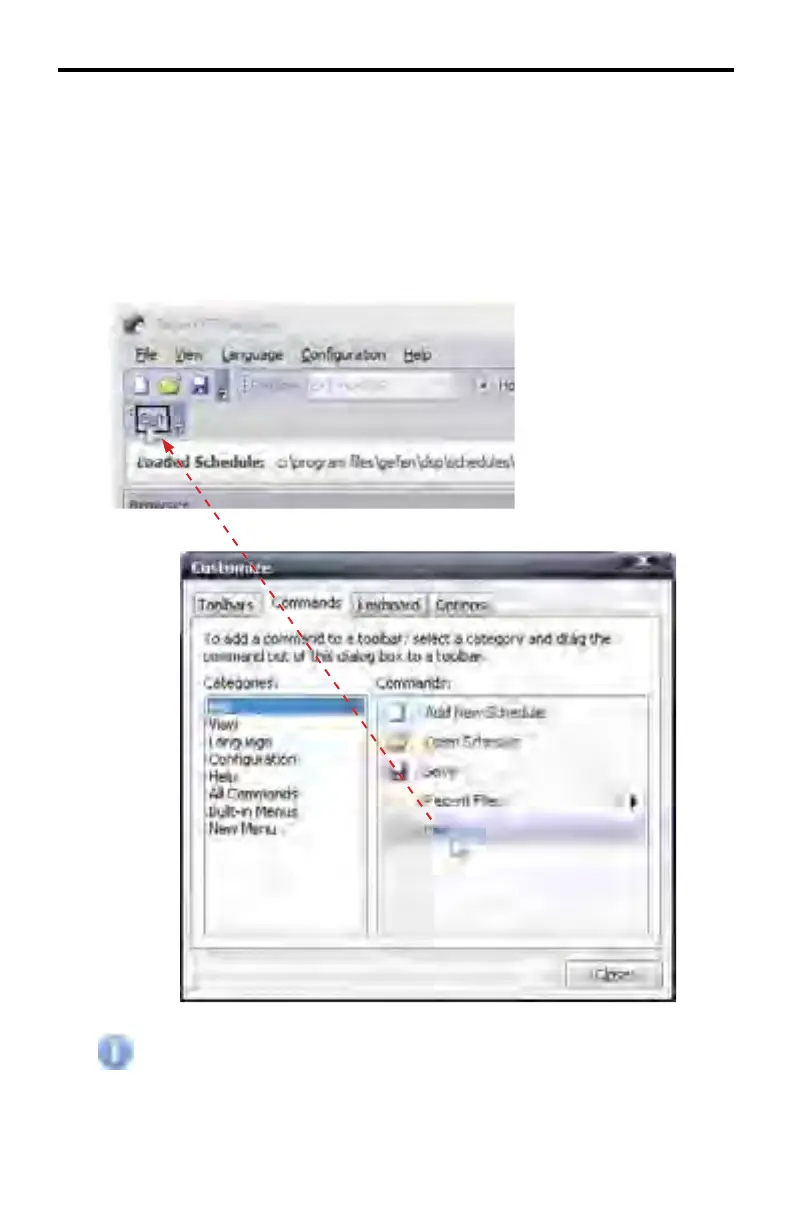
Used to add commands to a new or existing Toolbar. To add a command to a
Toolbar using the New... button (see page 36), first select a category under the
Categories window. Under the Commands window, drag the command to the
new toolbar in the DSP Toolbar.
In the example below, the Exit command has been selected. Using the mouse,
click and drag the Exit command to the Toolbar.
Commands can also be added to the existing Standard Toolbar (page
30) in the same manner. Commands cannot be added to the DSP
Toolbar.
DSP DESIGNER SOFTWARE



 To Next Page