32 / 66
1436 cPos
Example:
If user level 2 is to be disabled, user level 2 and also user level 3 must be assigned a code.
During activation or deactivation of the user levels via the RS232-interface other codes can be assigned in the same
way as the direct input of codes via the GEMÜ 1436 cPos
keypad.
This ensures specic disabling of the use of the positioner either directly via the positioner or via the RS232-interface
depending on the type of operation.
The codes for operation via the RS232-interface can only be assigned, activated or deactivated via the RS232-interface. The
codes for direct operation via the GEMÜ 1436 cPos keypad can only be assigned, activated or deactivated via the keypad on the
unit itself.
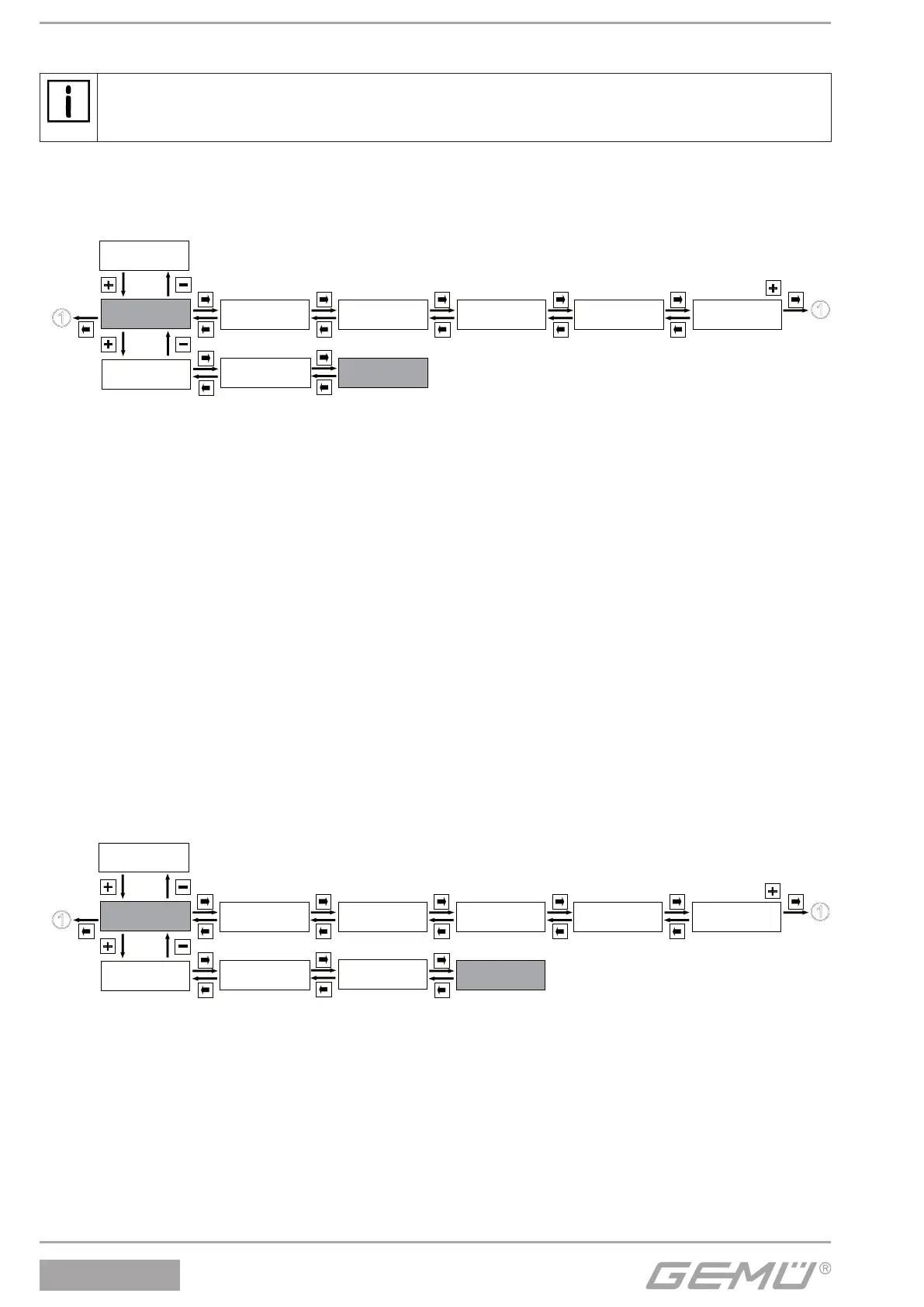
13.1.3 Reading out, deleting and deactivating error messages
Service
1
SetBasics
2
SetFunction
3
SetCalibration
4
Return
6
SETUP
Communication
5
I / O Status
1.1
Login
1.2
Diagnosis
1.3
ErrorList:
The positioner stores all error messages in this menu.
hrs:
The positioner operating hours are counted here.
Warnings:
The warning messages can be masked or displayed.
The positioner continues normal operation when a warning is given. Messages are stored in the ErrorList (see chapter 14 Error
messages).
Errors:
Error messages can be masked or displayed.
The positioner goes to the error mode when there is an error message and moves to the position dened under ErrorAction.
Messages are stored in the ErrorList (see chapter 14 Error messages).
SensTest:
Switches the monitoring of the sensor (travel sensor) ON or OFF.
The positioner goes to the error mode when there is an error message and moves to the position dened under ErrorAction.
Messages are stored in the ErrorList (see chapter 14 Error messages).
Enable1: Sensor monitoring activated
Disable: Sensor monitoring deactivated
ClearErrorList:
Use + to delete the positioner error list.
13.1.4 Display serial number, software version and ID and enter TAG no.
Service
1
SetBasics
2
SetFunction
3
SetCalibration
4
Return
6
SETUP
Communication
5
I / O Status
1.1
Login
1.2
Diagnosis
1.3
Gemü specific
1.4
V: X.X.X.X:
Displays the current software release.
S/N:
Displays the positioner serial number.
TAG1:
An 11-digit TAG number can be entered for identication of the positioner.
TAG2:
An 11-digit TAG number can be entered for identication of the positioner.


 To Next Page