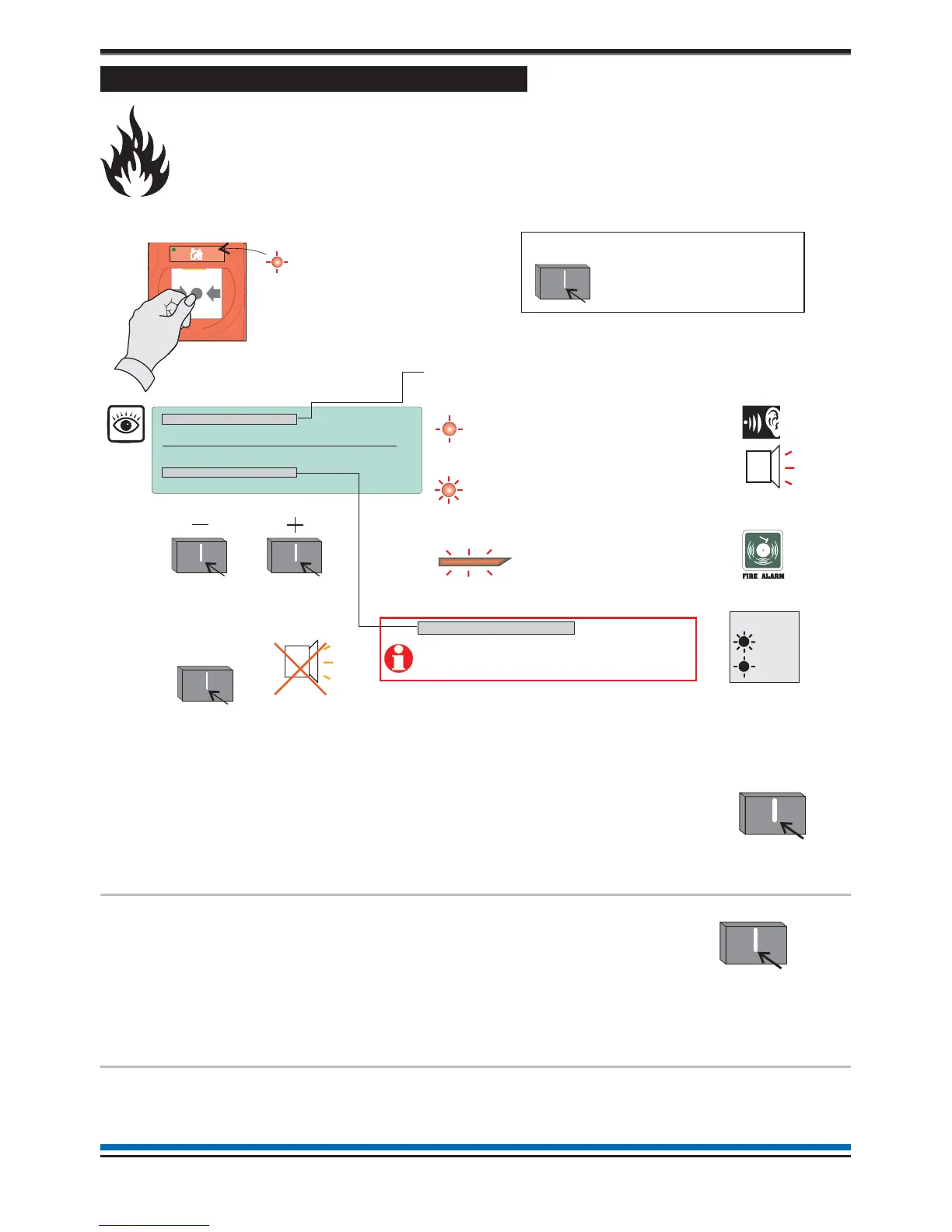
How to manually raise an alarm of FIRE
If you see a fire in the protected premises and want to raise a fire alarm to warn occupants in the
building, you can do this manually by:
¨
going to the nearest manual call point that is located away from the fire hazard.
¨
press hard with thumb onto the centre of the glass until it breaks.
To operate the alarm controls you will need to be in the Customer Mode at Access level 2, see page 9.
To silence
alarms
When the emergency is over the alarm sounders
can be silenced.
Press:
Display reads:
'Alarms silenced'
To reset system
To return the system to normal condition clear
any residual smoke or heat from devices, reset
any fire inputs and reset Manual call points.
Ensure the fire system is checked by your
servicing organisation if there has been fire
damage in the protected area.
Press:
Display reads:
'Resetting fire - please
wait.
Record the event
Make an entry in the log book of the event for
future reference.
12
Operating instructions
On
Flashing
Manual
all point
FAULT:0 DISABLE:1 TEST:0 17:53 Mon 11
FIRST FIRE:
/01/10
Zone 1 17:52
Dv 02 DEVICE 2
LATEST: Zone 4 17:53
Dv 03 DEVICE 3
MA Disabled
Menu Logout
Cancel
Buzzer
Audible
Buzzer
To view other active events
How to scroll multiple fire events
How to cancel the fire buzzer
ZONE 4 + other zone in fire
ZONE 1
FIRE
[Common fire indication]
all red LEDs
[flashing indication of first zone in fire]
[steady indication of other zones in fire]
Audible
Buzzer
Key
Typical example of multiple fires
NOTE: Where applicable the PLANT equipment will
o
erate in a Fire Condition.
MA + Sector X-Y, Z Disabled
Where ‘Master Alarm (MA)’ and/or alarm
‘Sectors’ are disabled in the system then
they will be displayed in place of ‘Total fires’.
At any time you can press
the ‘Sound Alarms button
to activate alarms site wide.
You will need to be in the
Customer Mode, see page 9.
Sound
Alarms
Displayed if Fault, Disablement or Test Event is present.
Silence Alarm



 To Next Page