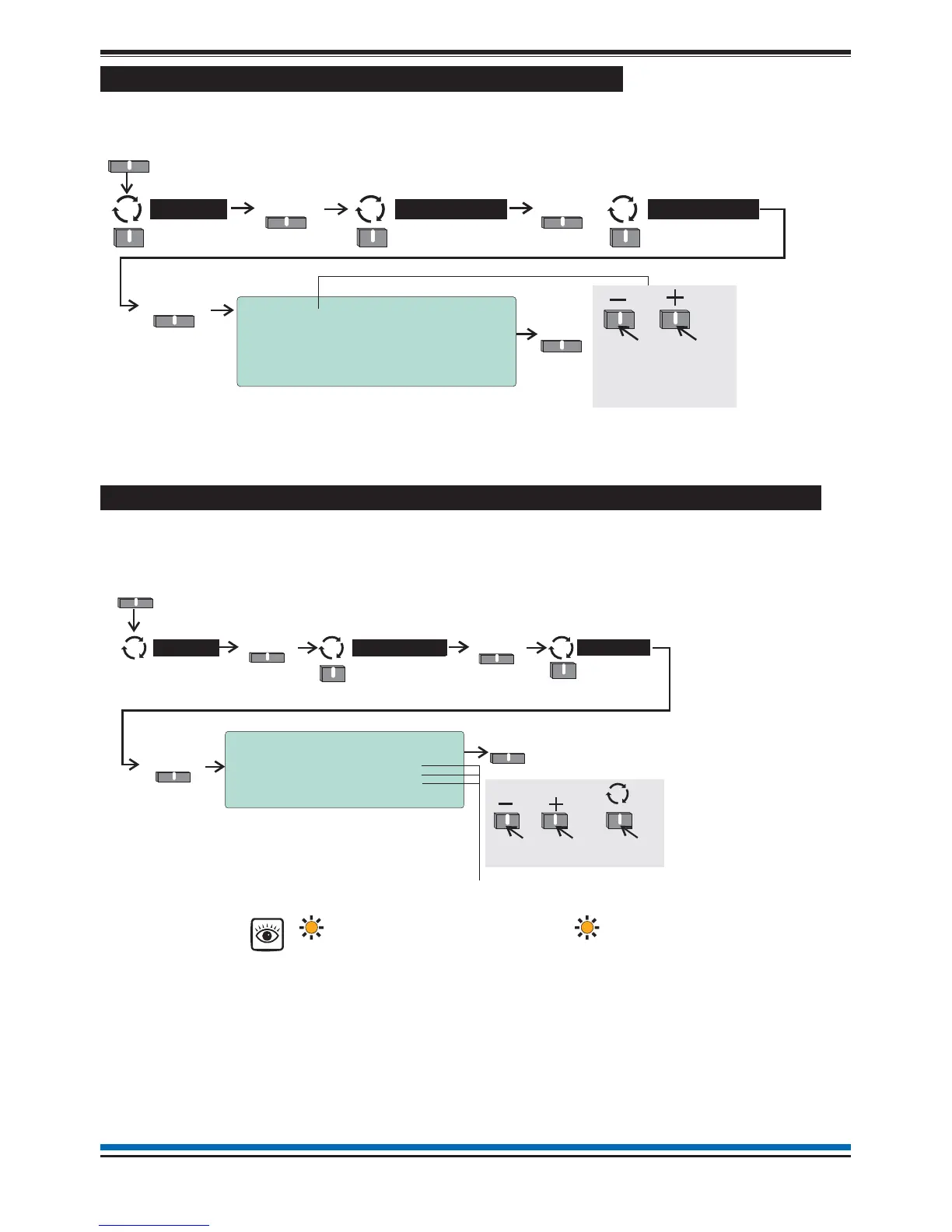
How to view channel details of interface devices
The 'Channels' form show details of a 4-channel interface device on the loop circuit. To view the details of a
4-channel device you will need to be in Customer mode at access level 2.
How to enable/disable master alarms, fire relay and evacuate input
The 'Other alarms' form allows the disablement or enablement for Master alarms, Fire relay and Evacuate
input. If any of these features are disabled then the 'Disablement light(s) are lit, you will need to be in the
Customer Mode at Access level 2, see page 9.
23
NANO fire system
10:15 Tue 12/01/10
Channel:[Device 18 Channel 1]
Label : Channel Label
Status : ENABLED
WARNING: Find will action relay outputs!
Back
Save
Menu
Select
Loop >
Select
User
Select
To scroll range
of channels of
4-channel interface
devices
on the loo
Channels
10:15 Mon 11/01/10
Alarms Status
State Enable Status
Master Alarms : INACTIVE [ ENABLED ]
Fire Relay : INACTIVE [ ENABLED ]
Evacuate Input: INACTIVE [ ENABLED ]
Save Quit
Alarm status of:
Master Alarm can be (INACTIVE) ENABLED [Factory default setting) or DISABLED
Fire Relay can be (INACTIVE) ENABLED [Factory default setting) or DISABLED
Evacuate Input can be (INACTIVE) ENABLED [Factory default setting) or DISABLED
Save
Menu
Select
Alarms >
Select
User
Other
Select
To scroll range
To m o ve to
next setting
Disablement



 To Next Page