To cancel buzzer
You can stop the panel buzzer from sounding
by pressing the CANCEL BUZZER button.
Press:
Display reads ' Local
buzzer cancelled'.
To silence alarms
When the emergency is over the alarm
sounders can be silenced by pressing the
SILENCE ALARM button. At any time you
can resound the alarms by pressing the SOUND
ALARMS button.
Press:
Display reads:
'Alarms silenced'
To reset system
To return the system to normal condition clear
any residual smoke or heat from device(s),
reset manual call point(s) and reset any fire
inputs. Then press the RESET button
Ensure the fire system is checked by your
servicing organisation if there has been fire
damage in the protected area.
Press:
Record the event
Make an entry in the log book of the event for
future reference.
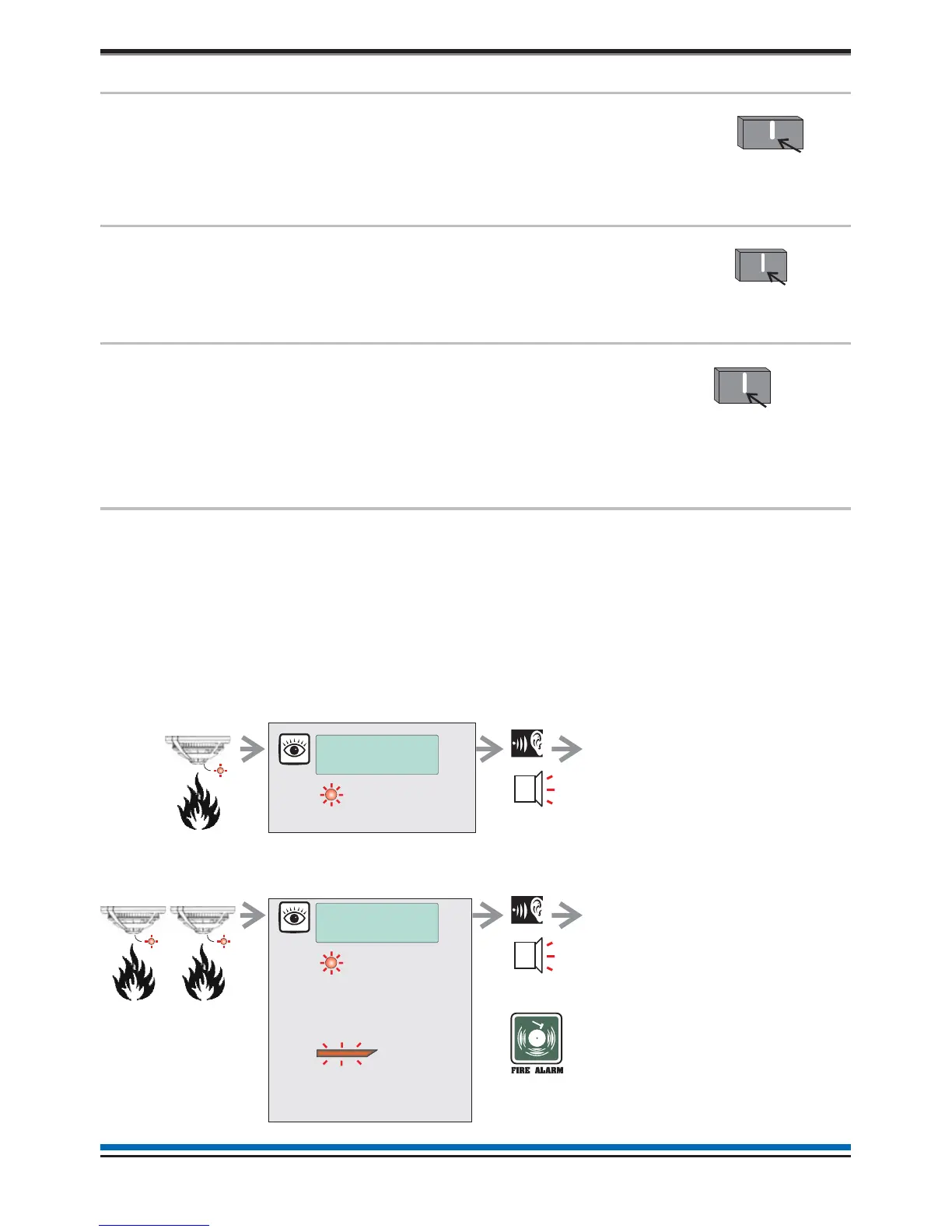
Coincidence Fire Detection
If there are area(s) in your protected building configured to operate coincidence fire detection, then the first
automatic detection of fire event in that area will cause a PRE FIRE indication at the panel.
When a second fire is detection in the area(s) then the system will go into a FULL FIRE condition and sound
the fire alarms.
14
Operating instructions
eset
Audible
Buzzer
FIRE
[Common fire indication]
all red LEDs
PRE FIRE MESSAGE
ZONE n
[steady indication of a fire]
FIRE MESSAGE
ZONE n
[steady indication of fires]
Audible
Buzzer
After investigation in to
the cause of PRE-FIRE
and if it is appropriate to
do so you can RESET the
system as described abov



 To Next Page