Normal condition
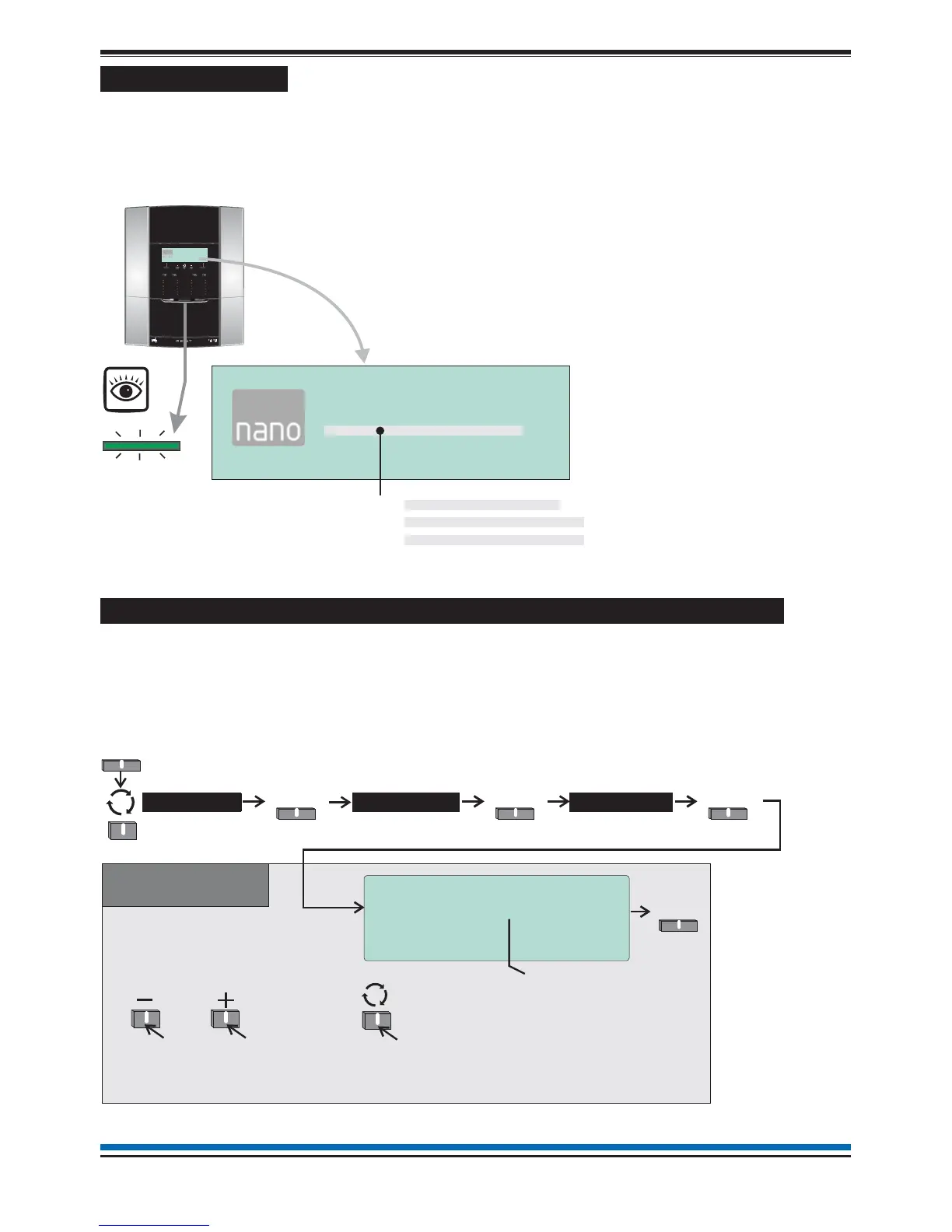
When the system is operating normally with no fault or disablement condition present then the panel indications
are as follows:
¨
the display will show the Nano system message
¨
and only the POWER light is lit.
NOTE: The Engineering and Maintenance Modes are not covered in this manual.
How to enter 'Customer mode' PIN for access to Level 2 menus
A Customer mode PIN code is normally set up by the servicing organisation during commissioning of the
system. The Customer mode PIN code (password) is for the end user, the person(s) responsible for the fire
alarm system. The Customer mode allows access to menu options that are required to be protected by coded
entry. It is important the PIN code is changed on a regular basis for security, ask your servicing organisation for
advice on changing the PIN code.
9
NANO fire system
by Honeywell
POWERFAULT
FIRE
Test
Delay
Verify
SounderFault
Zone2
Zone6
Zone10
Zone14
Zone3
Zone7
Zone11
Zone15
Zone4
Zone8
Zone12
Zone16
Disablement
Zone1
Zone5
Zone9
Zone13
SystemFault
Sound
Alarms
Silence
Alarms
PowerFault
Reset
Cancel
Buzzer
Sounder
Disablement
042bc
EN54Parts 2 & 4
16:15 Mon 11/01/10
Nano Fire Alarm System
Gent by Honeywell
Menu
16:15 Mon 11/01/10
Nano Fire Alarm System
Gent by Honeywell
Menu
POWER
[green LED]
When at access level 2 the display reads :PANEL IN CUSTOMER MODE
When at access level 3 the display reads :PANEL IN ENGINEERING MODE
When at access level 4 the display reads :PANEL IN MAINTENANCE MODE
10:15 Tue 12/01/10
User Access Code Entry
Enter User Code : [0***]
Accept Quit
Accept
System >
Select
User
Select
Menu
To move to the next
character (or PIN
Code) position.
Factory set access level
code for customer mode is:
Other Access levels exist
for engineering use only
and are not covered in this
document.
0000
Use these buttons to scroll to a
required number of your PIN from
arange0to9.
Then repeat the sequence for the
next character (or PIN code) position.
When prompted for
a PIN code only these
procedures apply.
Code
Select



 To Next Page