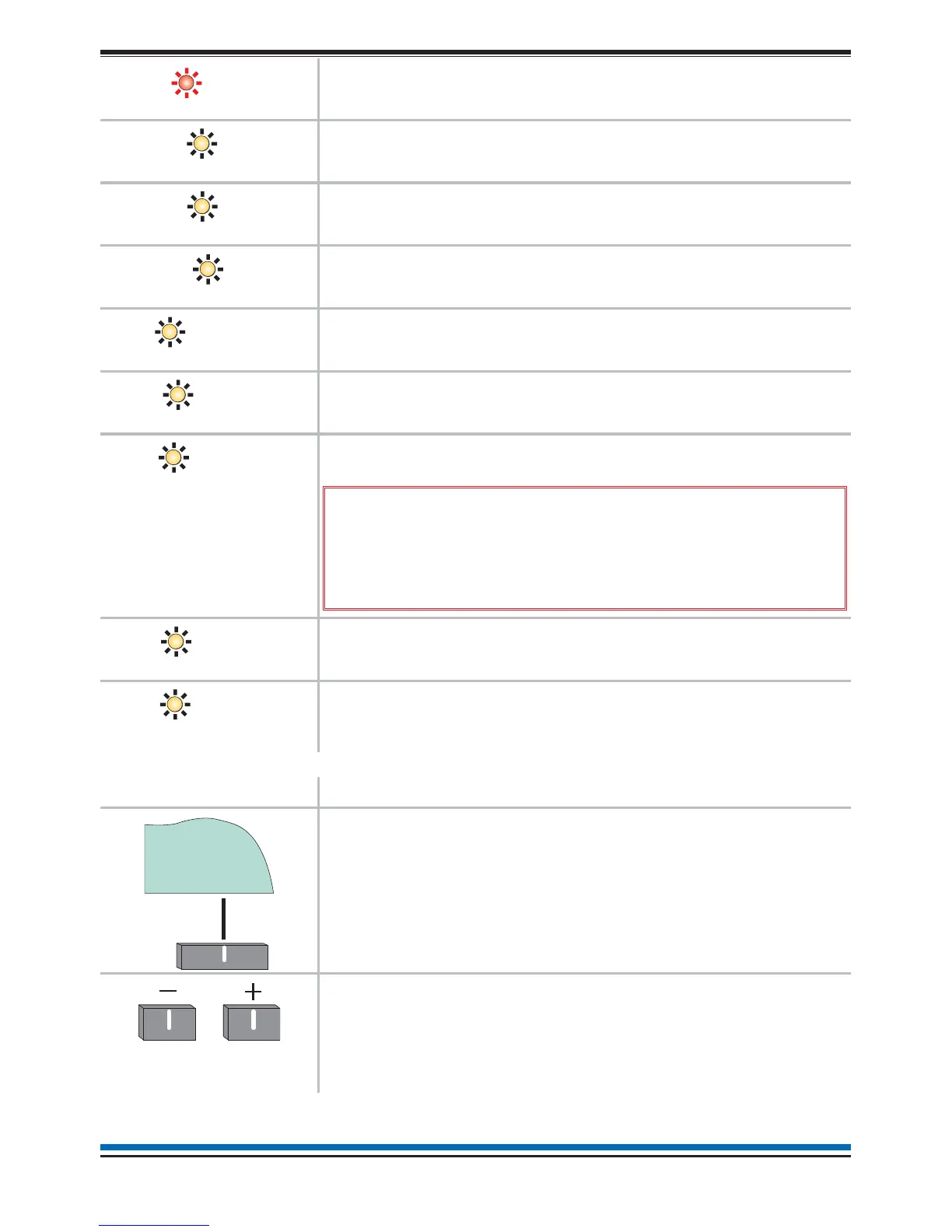
The ZONE 'n' light when illuminated indicates that a FIRE has
been detected in the respective zone(s). ('n'=zone number)
The DELAY light when illuminated indicates that Day Mode
delays are setup and active on the panel.
The VERIFY light when illuminated indicates the verification
delay is active.
The TEST light when illuminated indicates that one or more
zones are in Test mode.
The SOUNDER FAULT light is always illuminated with the
FAULT light, which indicates that there is a sounder fault.
The POWER FAULT light when illuminated indicates the
battery or mains supply to the panel has failed.
The SYSTEM FAULT light when illuminated indicates that a
fault has occurred with the system processor.
&
It is very important to investigate this fault
because the fire alarm system may not be able to detect
fires.
The DISABLEMENT light when illuminated indicates that a part
of the system has been disabled.
The SOUNDER DISABLEMENT light is always illuminated with
the DISABLEMENT light, which indicates that there is sounder
disablement.
Controls Description
The two selection buttons with a line above allow selection of
an option on the display. In this example the option is MENU
and on pressing the corresponding button the menu is
displayed.
These buttons are used to scroll through a range in a form.
They are also used to scroll through the alphabet or number
range when entering a label or a PIN code.
7
NANO fire system
Sounder Faul



 To Next Page