Internal And External Storage
Aerial survey data is stored on a 32 GB internal drive. There are two ways to copy them
to an external storage:
• Connection with PC via USB Type-C cable
• Copying data to SD card
Install The Flight Battery in UAV slot (see Battery installing and ejecting section for
details), turn the UAV power on (see Battery Indication And Control section for details).
Plug USB cable in UAV USB Type-C port and USB port of your computer.
At the first connection your computer will detect a new device and automatically install
drivers.
When the driver installation is complete, the internal drive will be shown in the OS list
of available devices.
Select the Gemini to access the UAV file system.
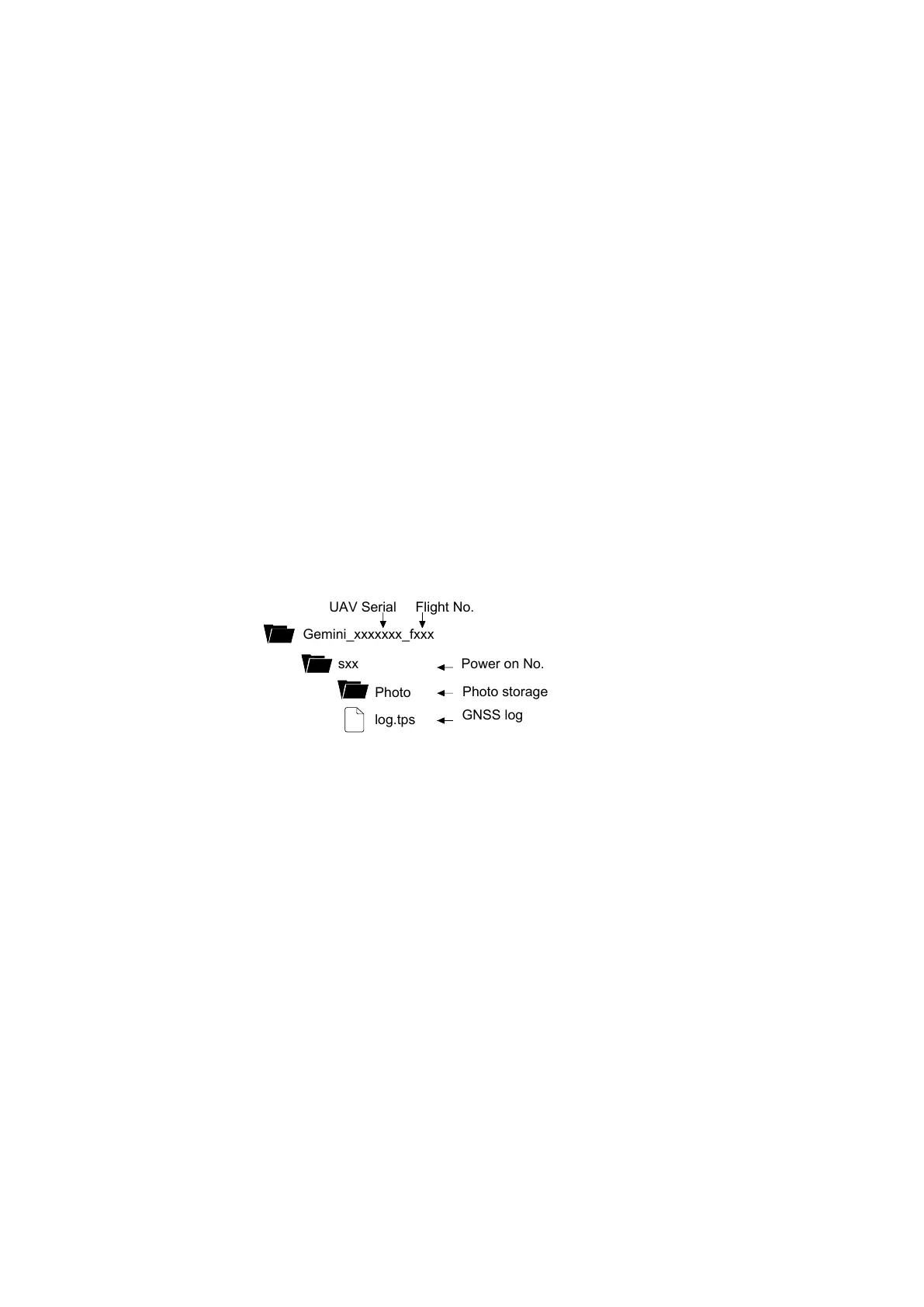
Internal file structure:
Gemini_xxxxxxx_fxxx
Photo storage
Power on No.
GNSS log
Current arieal survey data will be automatically copied to the SD card after passing the
last point of a flight task.
Press Copy Data to SD button in Geoscan Planner software to copy data from previous
flights.
Please see Geoscan Planner Software section for more information.
See SD Card Installation section for more information about SD card preparing.
12



 To Next Page