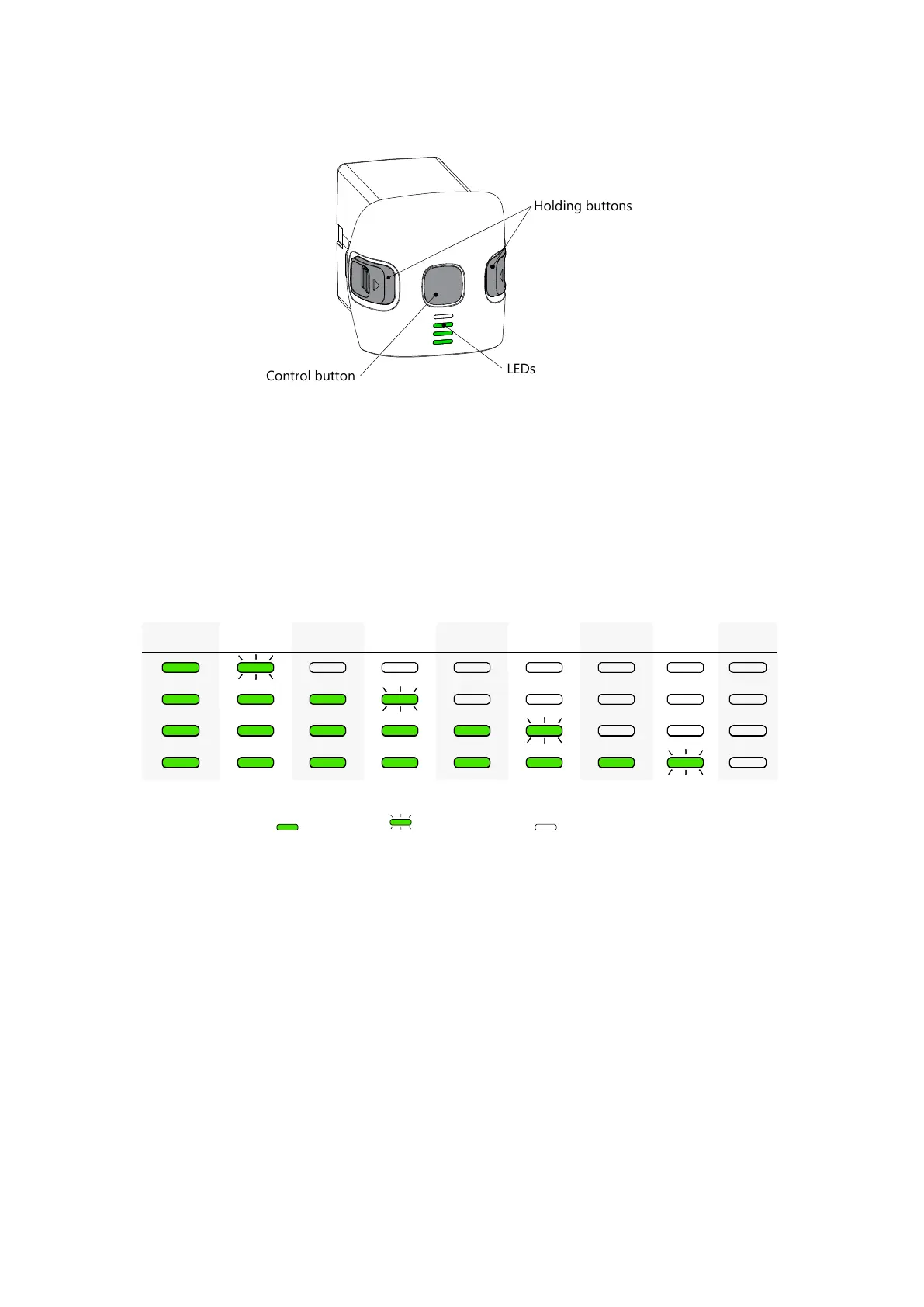
Battery LEDs and buttons
Battery Indication And Control
Press the Control Button to turn the Flight Battery on. LED indicators will show the
battery charge level.
The battery LEDs are indicating charge level. Each turning on LED is a 25% of charge.
Flashing LED is a 12,5% of charge.
The table shows battery the charge level:
100—87,5% 87,5—75% 75—62,5% 62,5—50% 50—37,5% 37,5—25% 25—12,5% 12,5—0% 0%
— LED is on; — LED is flashing; — LED is off.
Press the Control Button once, again, and hold until all LEDs are lights first time ( 2
seconds), to turn UAV on or off.
Wait for initialization of systems. The UAV Status Indicator will change the color to green,
when all the systems are ready.
UAV turning off may require up to 1 minute. There is no need to keep the button pressed
all this time.
21



 To Next Page