Getting Started with the GERBER EDGE 13
Loading the material into the GERBER EDGE.
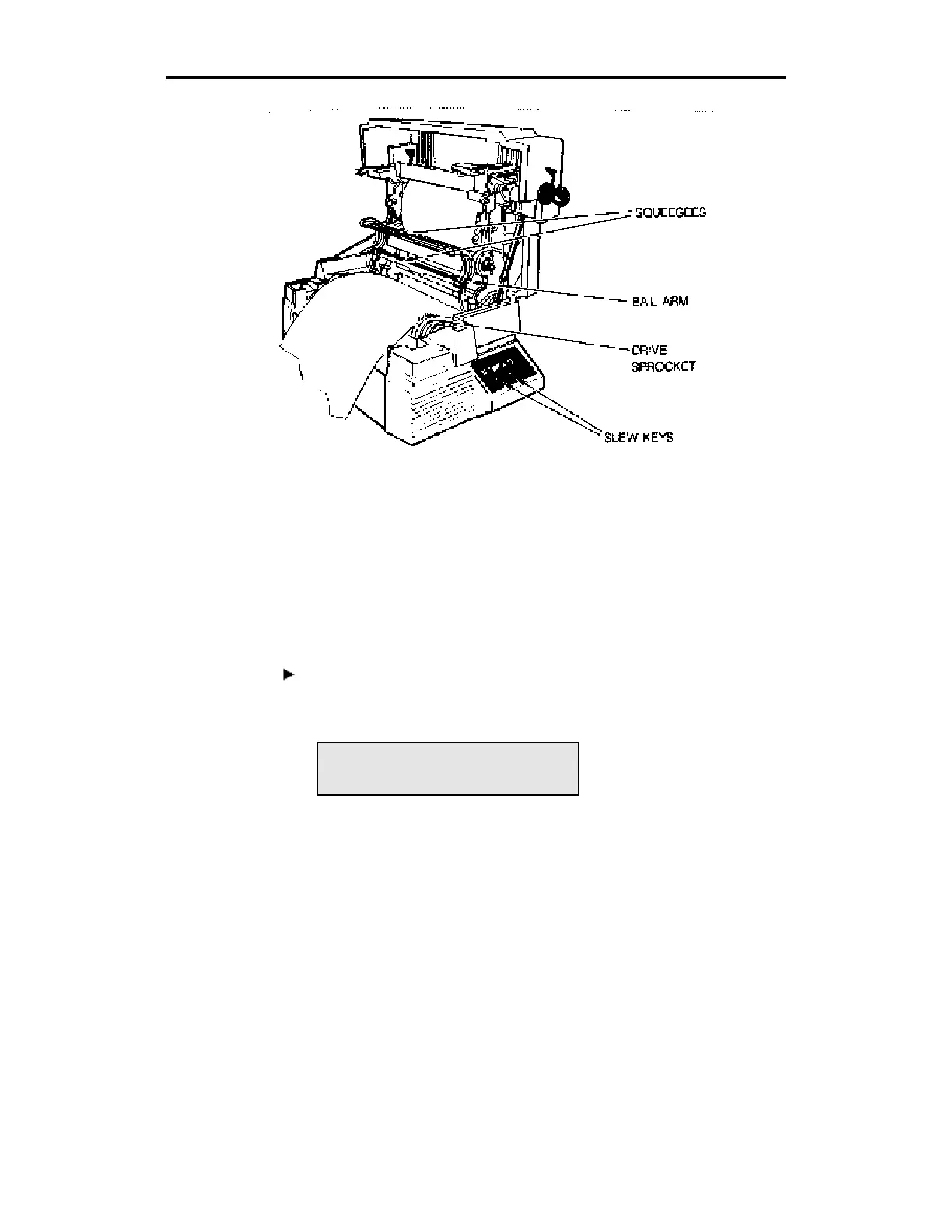
9. Put the vinyl into the back of the GERBER EDGE and seat the
three-hole pattern in the vinyl over the three closely-spaced teeth in
each sprocket and close the bail arms.
10. Slew the vinyl back and forth so that the squeegees clean the area to
be printed. Leave a leader of at least 2 inches beyond the front
squeegee.
To load the color cartridge
1. Press ONLINE on the keypad. The display shows:
Foil: BLACK
2. Clean the printhead with the pen printhead cleaner or use a pad
moistened with 91% isopropyl alcohol as shown in the following
illustration. Gently rub the entire length and width of the printhead
and the surrounding metal. Dry with a clean, lint-free pad.



 To Next Page