
EasyManua.ls Logo

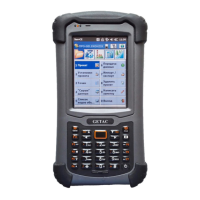
Getac PS336 - User Manual

Getac PS336
133 pages
To Next Page IconTo Next Page
Loading...
Rugged Mobile Computing Solutions
PS336
USER MANUAL

Table of Contents

Other manuals for Getac PS336

Questions and Answers

Getac PS336 Specifications

General IconGeneral
Drop ResistanceMIL-STD-810G certified
TouchscreenYes
GPSYes
Wireless ConnectivityBluetooth
I/O PortsMicro USB, Docking connector
Barcode ScannerOptional 1D/2D
NFCOptional

Summary

Chapter 1 Getting Started

Identifying Hardware Components

Details front, back, top, and bottom components of the device.

Device Setup and Preparation

Guides on installing SIM, battery, charging, and initial startup procedures.

Quick Help and Synchronization

Accessing quick help and synchronizing device data with a computer.

Using Device Accessories

Instructions for using the stylus tether, hand strap, and microSD card.

Chapter 2 Basic Skills

Power Saving and Turning Off

Covers backlight, suspend mode, and device power-off procedures.

Screen Navigation and Interaction

Explains touchscreen gestures, keypad navigation, and screen interaction.

Home Screen and Navigation Bar

Describes the Home screen layout, shortcuts, and navigation bar functions.

Running Programs and Menus

How to launch applications and use shortcut menus.

Input Methods and Text Entry

Methods for entering information: on-screen keyboards, physical keypad, writing.

Security Features

Procedures for locking the screen and SIM card.

Chapter 3 Using the Phone (Select Models Only)

Phone Operation Basics

Turning the phone on/off, starting the program, and status icons.

Making and Responding to Calls

Details on dialing, answering, rejecting, and ending calls.

In-Call Operations

Adjusting volume, mute, speakerphone, and managing multiple calls.

Call History and Speed Dial

Using call history, adding contacts, and creating speed dial entries.

Customizing Phone Settings

Changing sounds, security, network, and other phone settings.

Chapter 4 Managing Your Device

Power Management

Managing device power, low battery signals, and power-saving tips.

Device Customization

Personalizing device settings like Bluetooth, alarms, and display.

Working with Programs and Folders

Adding, removing, searching, and organizing programs and files.

Chapter 5 Microsoft Pocket Outlook

Calendar: Scheduling Appointments

Scheduling and managing appointments and meetings using the Calendar.

Contacts Management

Creating, editing, and assigning ringtones/pictures to contacts.

Tasks and Notes

Managing to-do lists and capturing thoughts with Notes.

Messaging: Email and Text

Sending and receiving email and text messages, and account setup.

Chapter 6 More Programs

ActiveSync and Data Synchronization

Using ActiveSync for data synchronization and direct Exchange Server sync.

Office Mobile and Internet Explorer

Using Office Mobile for documents and Internet Explorer for browsing.

Multimedia and Camera Features

Viewing pictures/videos, taking photos, recording clips, and using Getac Camera.

Connectivity and GPS Tools

Internet Sharing, E-Compass, TacLink, RFID Demo functionalities.

Chapter 7 Getting Connected

Types of Connections

Overview of Cellular, Dial-up, Wi-Fi, Bluetooth, and USB connection types.

Wireless Network Setup

Switching Wi-Fi on/off and connecting to wireless networks.

Bluetooth Functionality

Using Bluetooth for device visibility, file transfer, and partnerships.

Chapter 8 Troubleshooting and Maintenance

Device Reset and Restoration

Procedures for resetting the device and restoring factory default state.

Common Troubleshooting Solutions

Solutions for common problems like power issues, slow response, and connection errors.

Device Care and Precautions

Guidelines for maintaining the device and preventing physical damage.

Chapter 9 Regulatory Information

Compliance and Notices

European and FCC regulatory statements and compliance standards.

Safety and Charging Precautions

Important safety warnings and guidelines for charging the device.

Battery and RF Exposure Information

Information regarding battery handling and radio frequency exposure limits.