Getting Started 1-3
Connecting to AC Power
The computer operates either on the external AC power or internal battery
power. It is suggested that you use AC power when you start up the
computer for the very first time.
CAUTION: Use only the AC adapter included with your computer. Using
other AC adapters may damage the computer.
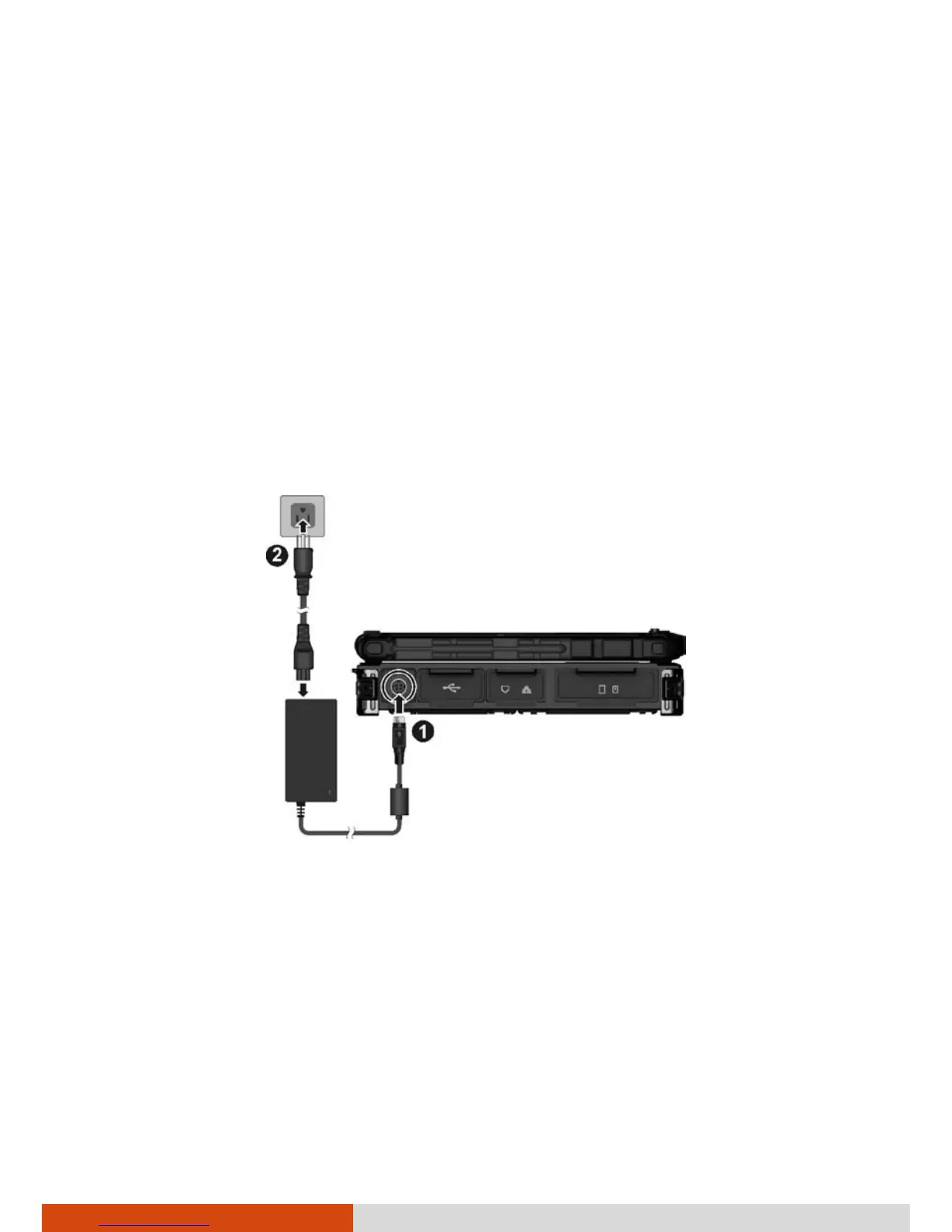
1. Plug the DC cord of the AC adapter to the power connector of the
computer (
).
2. Plug the female end of the AC power cord to the AC adapter and the
male end to an electrical outlet (
).
3. When the AC adapter is connected, power is being supplied from the
electrical outlet to the AC adapter and onto your computer. Now, you
are ready to turn on the computer.
CAUTION:
When you disconnect the AC adapter, disconnect from the electrical
outlet first and then from the computer. A reverse procedure may
damage the AC adapter or the computer.
When unplugging the connector, always hold the plug head. Never pull
on the cord.



 To Next Page