6-2
Using Getac Software
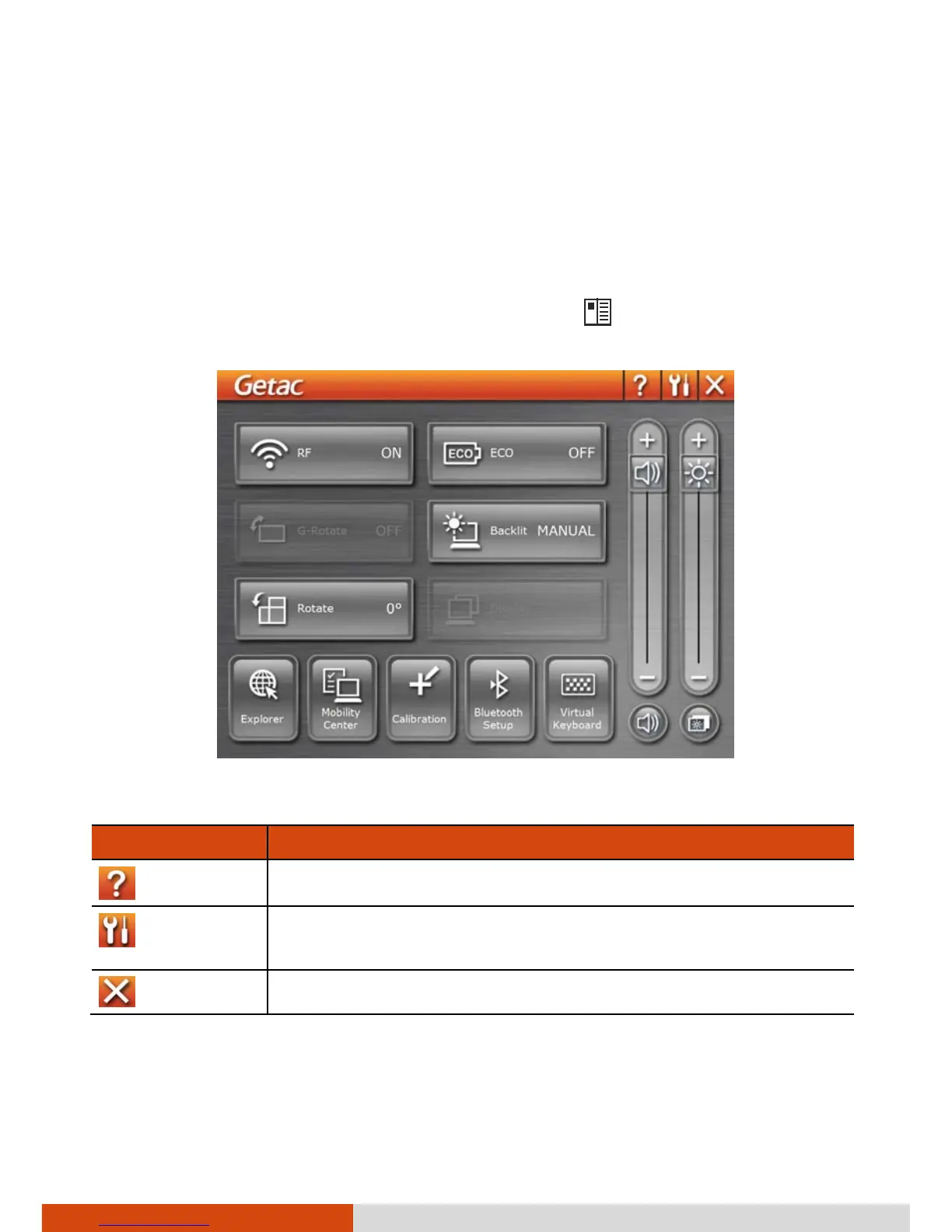
Using the OSD Control Panel
The OSD (On Screen Display) Control Panel provides a user-friendly interface
for you to quickly activate or operate certain functions on your computer
with a simple tap of the screen.
To open the OSD Control Panel, press the button
on the front of your
computer. The following screen appears.
The following table shows the various functions on the OSD Control Panel.
Icon Function
Opens the Help file explaining the OSD Control Panel.
Opens the Quick Button Setup menu (refer to the next
section for details).
Closes the OSD Control Panel.



 To Next Page