2-24
Operating Your Computer
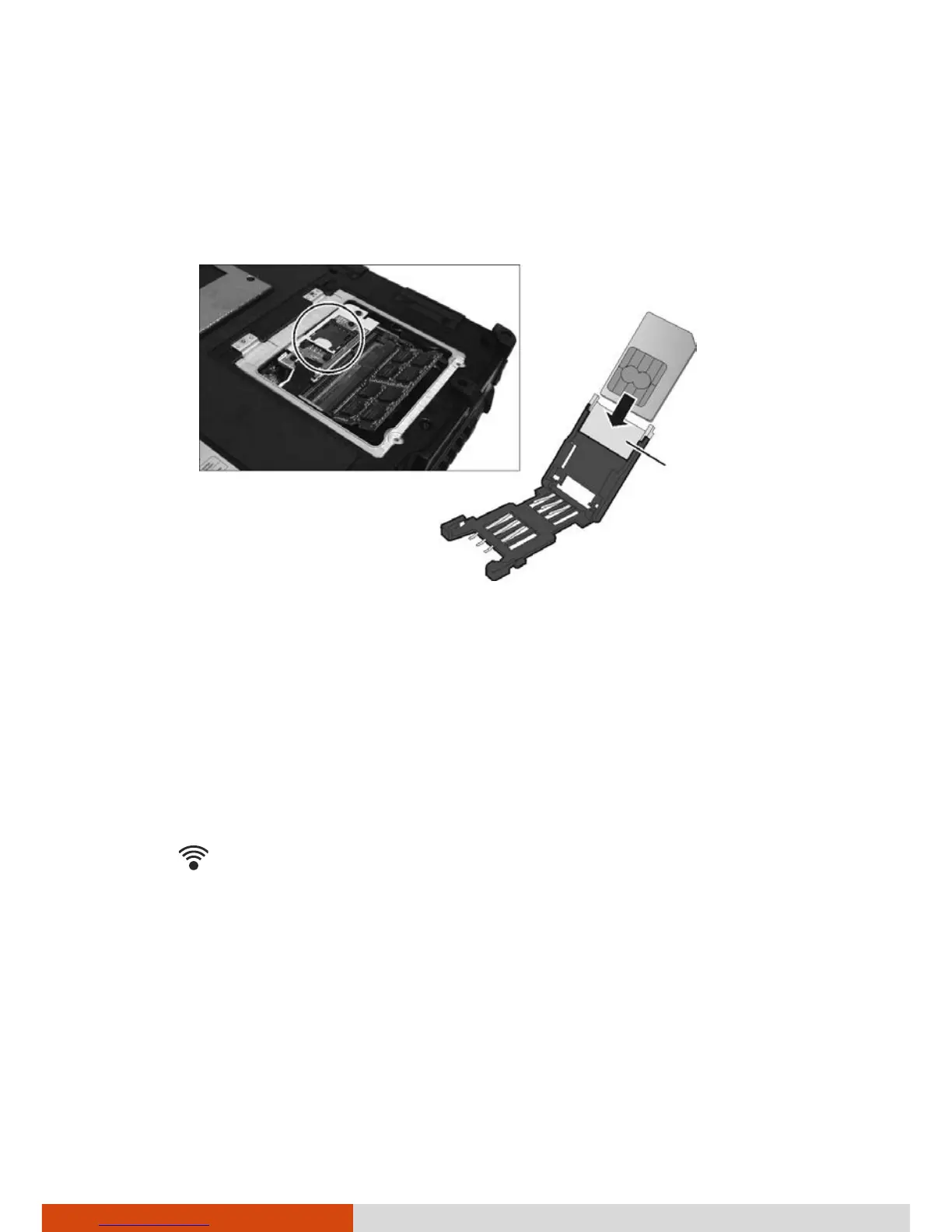
4. Locate the SIM card slot.
Slide the locking tab of the SIM card slot inward to unlock. Lift the slot
up and, noting the orientation, insert the SIM card into the slot. Close
the slot and slide the locking tab outward to secure the card in place.
5. Close the compartment cover and secure with four screws.
Turning Off/On the WWAN Radio
NOTE: For body worn operation, this device has been tested and meets FCC
RF exposure guidelines when positioned at 0 cm from the body. SAR
(Specific Absorption Rate) of the WWAN transmitter is 0.142W/kg (1g).
To turn on or off the wireless radio (including the WWAN radio), press the
button
located on the front of your computer. A small window pops up
on the screen to indicate the status.
Locking tab



 To Next Page