Operating Your Computer 2-5
Key Description
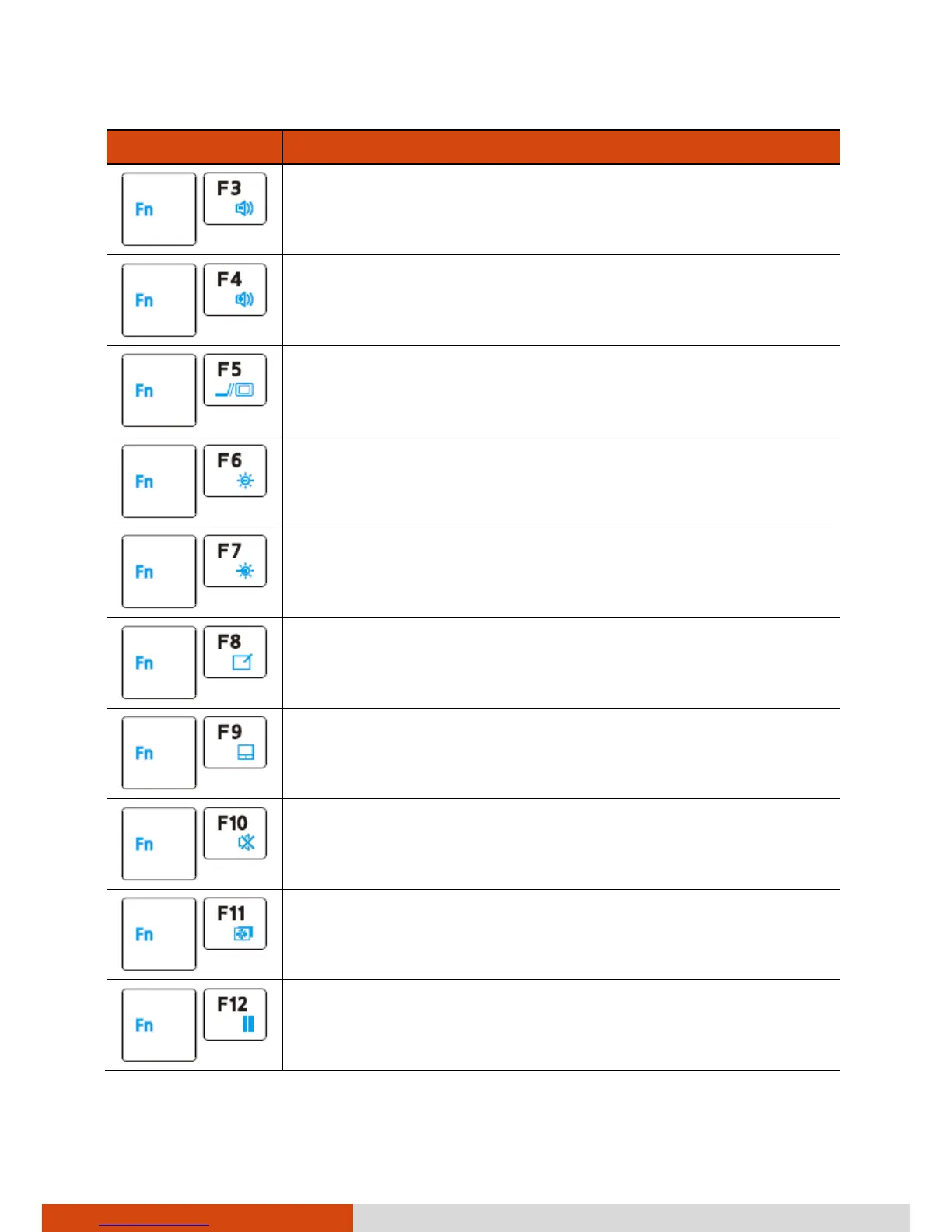
Decreases the sound volume.
Increases the sound volume.
Switches the display output when external devices are
connected.
Decreases the LCD brightness (20 levels).
Increases the LCD brightness (20 levels).
Switches the touchscreen on and off (option).
Switches the touchpad on and off.
Switches the system sound output off (mute) and on.
Switches LCD backlight on and off.
Serves as the sleep button that you can define with
Windows’ Power Options. (See the “Power
Management” in Chapter 3.)



 To Next Page