Interruption to photo cell operation
Menu "3.2"
Function Interruption to photo cell operation
"0" Off
"1" On
Teach-in mode first active when exiting the program.
Warning!
Presence detection is disabled in the teach-in mode
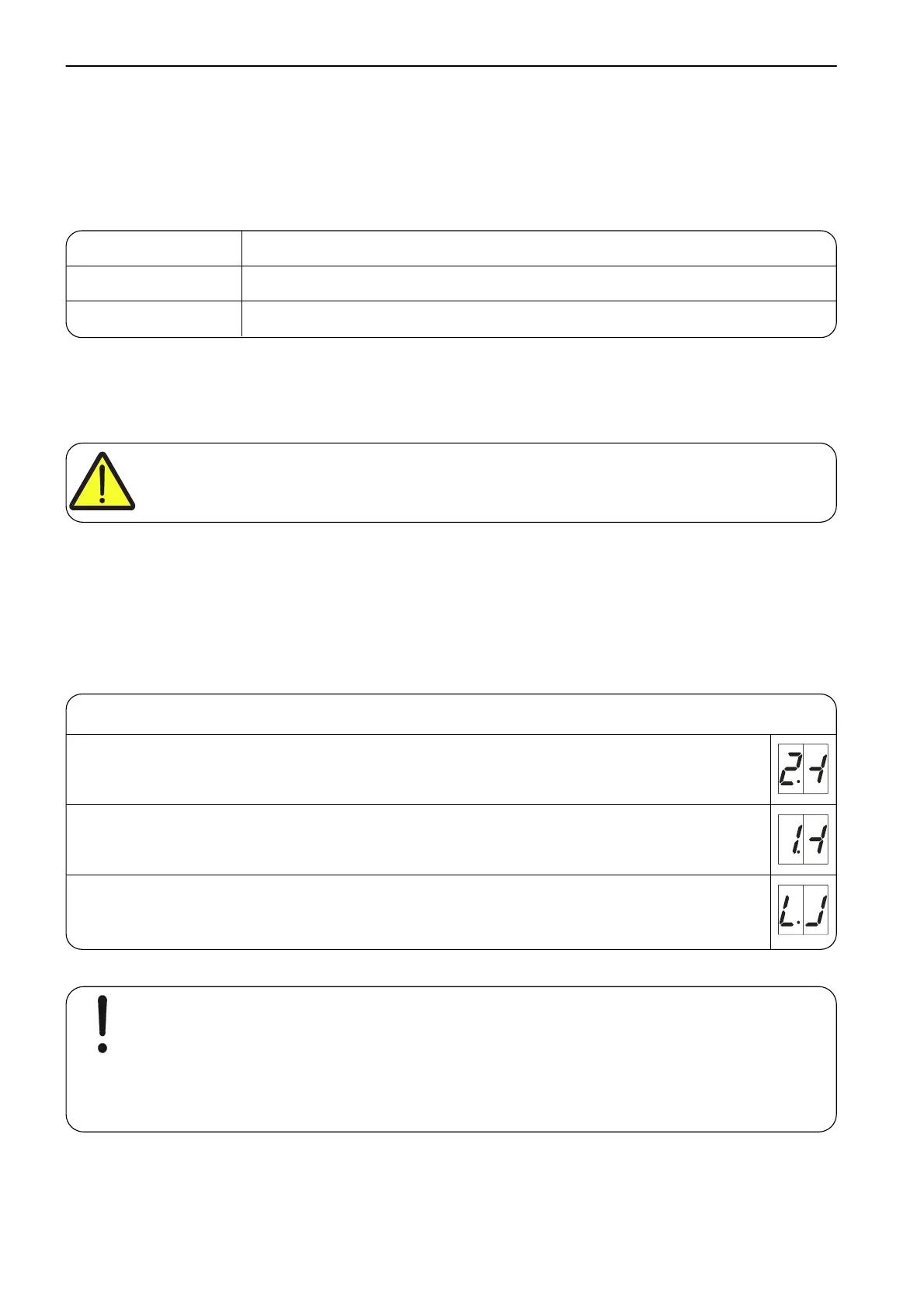
In the teach-in mode, the door must be fully opened and closed twice. The light beam must
be interrupted twice at the same door position. The teach-in mode is then terminated. The
photo cell has no function below this stored door position.
Teach-in mode display
Upon exiting the program
When the light beam is interrupted for the first time
After the second interruption to the light beam at the same door position, and with
the CLOSE final limit position reached
Note!
If the teaching in is not successful, open and close the door again, so that two
identical door positions are stored.



 To Next Page