GD-Link V2 Adapter User Guide
10
3. Software features
3.1. Firmware updates
GD-Link V2 provides firmware update functionality. Firmware updates are used to:
Support the latest MCUs released by GD32.
Fix issues present in the firmware.
GD-Link V2 can be updated using the GD-Link Programmer software. Users can visit the
GD32MCU official website to obtain the latest version of the GD-Link Programmer software,
unzip it after downloading, and follow these firmware update steps:
1. Disconnect GD-Link V2 from the computer's USB port.
2. While holding down button K1, plug GD-Link V2 back into the computer's USB port. At
this time, LED3 is always on, indicating that the programmer is in firmware upgrade mode.
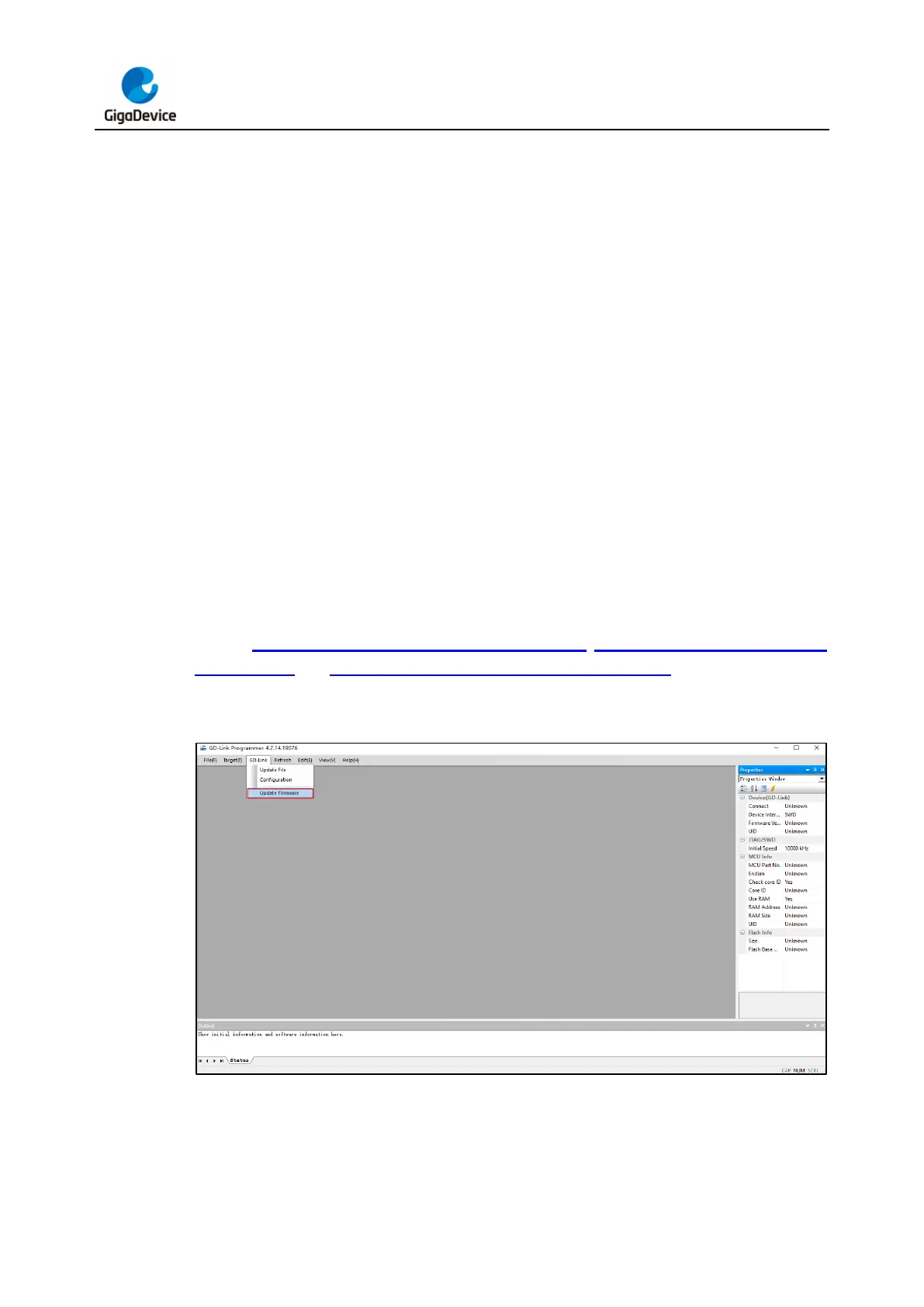
3. Release button K1 and click the "GD-Link" menu in the GD-Link Programmer software.
Choose "Update Firmware" to start the firmware update process.
4. A progress bar will pop up in the GD-Link Programmer software, indicating the progress
of the update. Wait for it to reach 100% and show a successful update message.
Refer to Figure 3-1. GD-Link V2 firmware update step 1, Figure 3-2. GD-Link V2 firmware
update step 2 and Figure 3-3. GD-Link V2 firmware update step 3 for visual guidance on
the firmware update process.
Figure 3-1. GD-Link V2 firmware update step 1



 To Next Page