GD-Link V2 Adapter User Guide
15
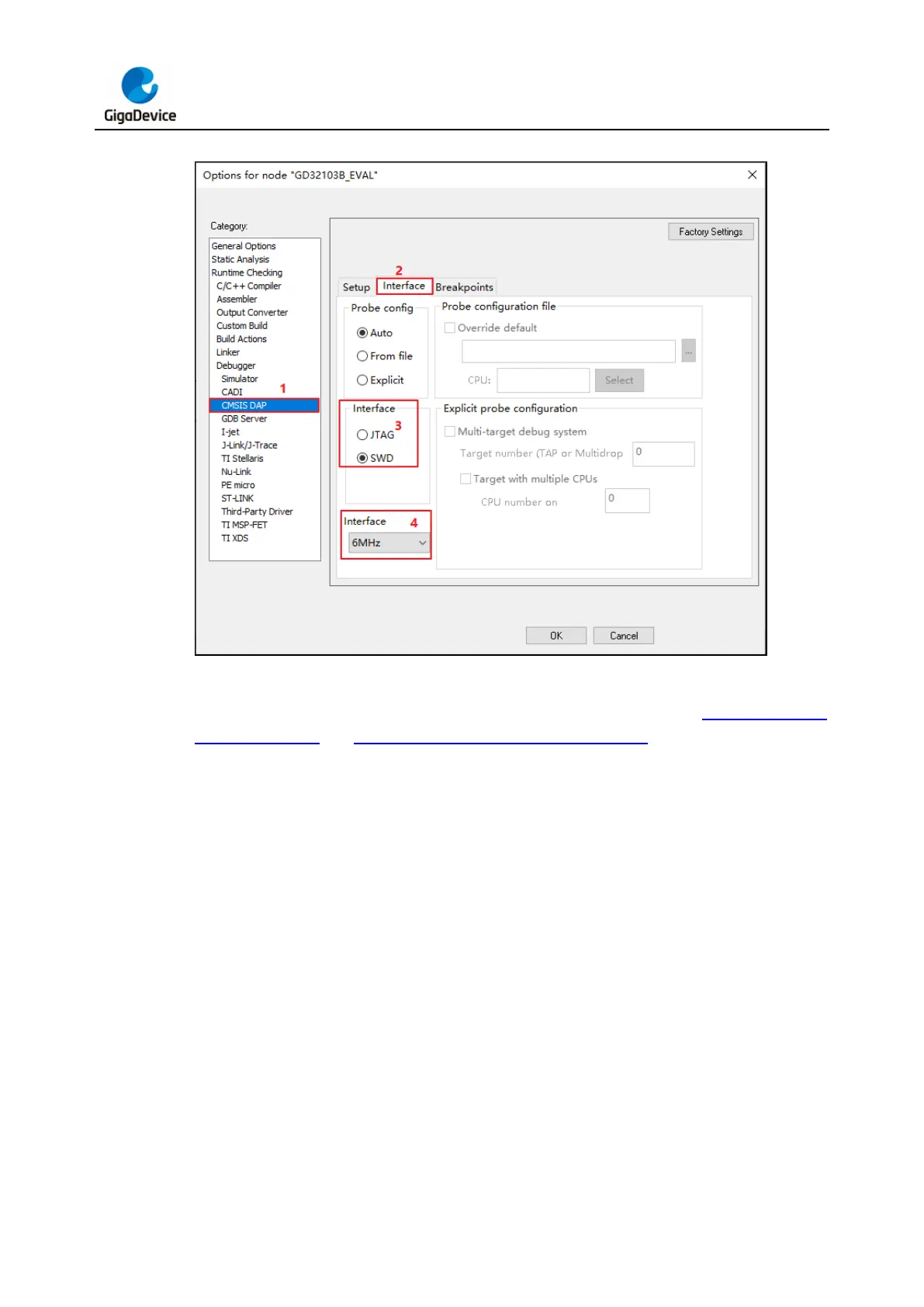
Figure 3-10. IAR CMSIS DAP configuration
In the menu bar "Project" drop-down option "Download", click "Download active application"
and wait for the progress bar to complete the burning, as shown in Figure 3-11. IAR
download button and Figure 3-12. IAR download progress bar.



 To Next Page