GD-Link V2 Adapter User Guide
13
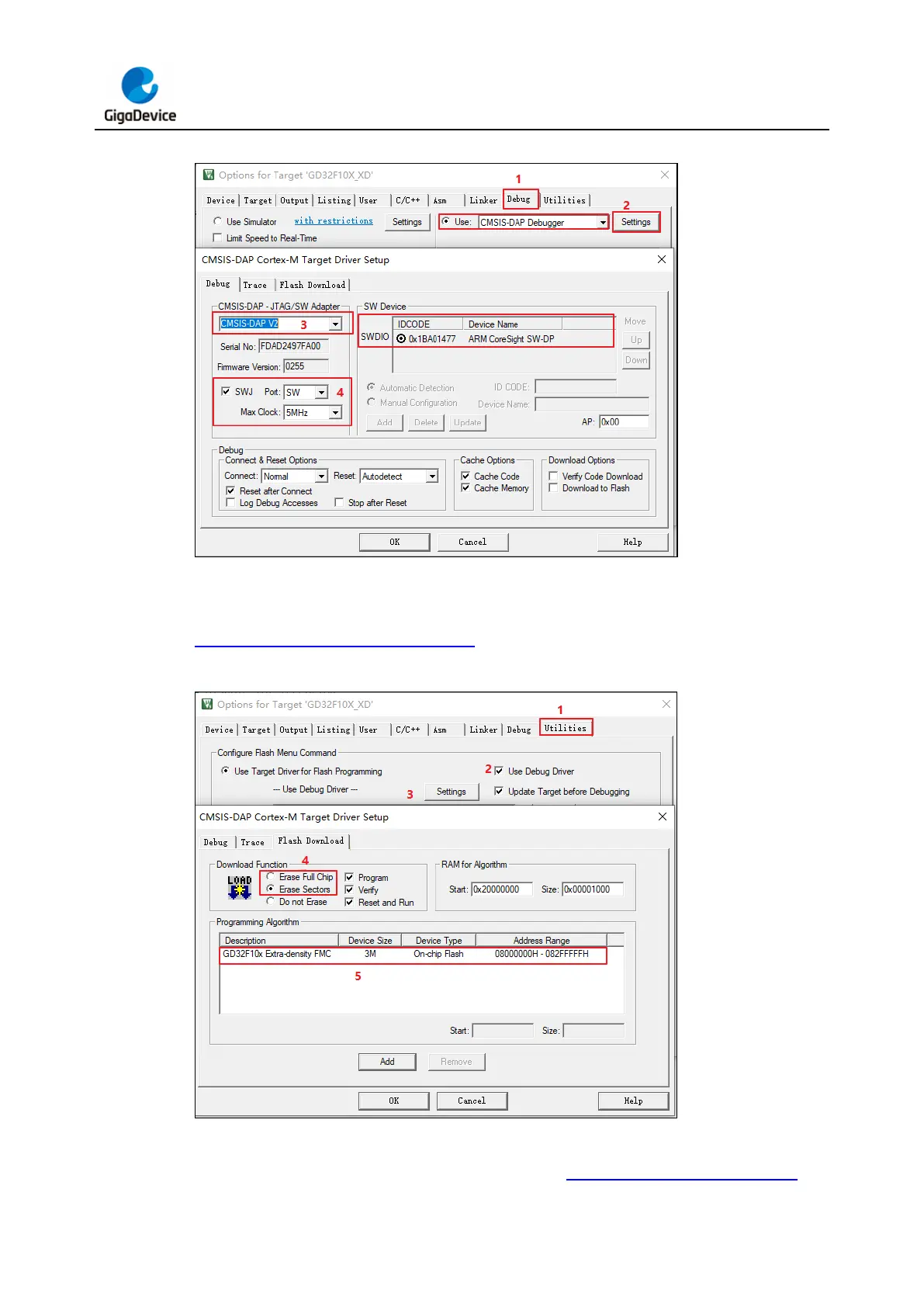
Figure 3-5. KEIL debug configuration
In the "Utilities" tab, select "Use Debug Driver" and click the "Setting" button to choose the
MCU download algorithm and configure the erase mode and other settings, as shown in
Figure 3-6. KEIL utilities configuration.
Figure 3-6. KEIL utilities configuration
Click the "Download" icon in the KEIL menu bar. In the "Build Output" window, the
programming progress can be monitored, as shown in Figure 3-7. KEIL Download Icon and



 To Next Page