GD-Link V2 Adapter User Guide
17
the "Debug" button, and when the "Confirm Perspective Switch" window appears, click "YES"
to confirm. This will initiate the code download and take to the debugging interface, as
illustrated in Figure 3-15. Enter the debugging interface in Eclipse.
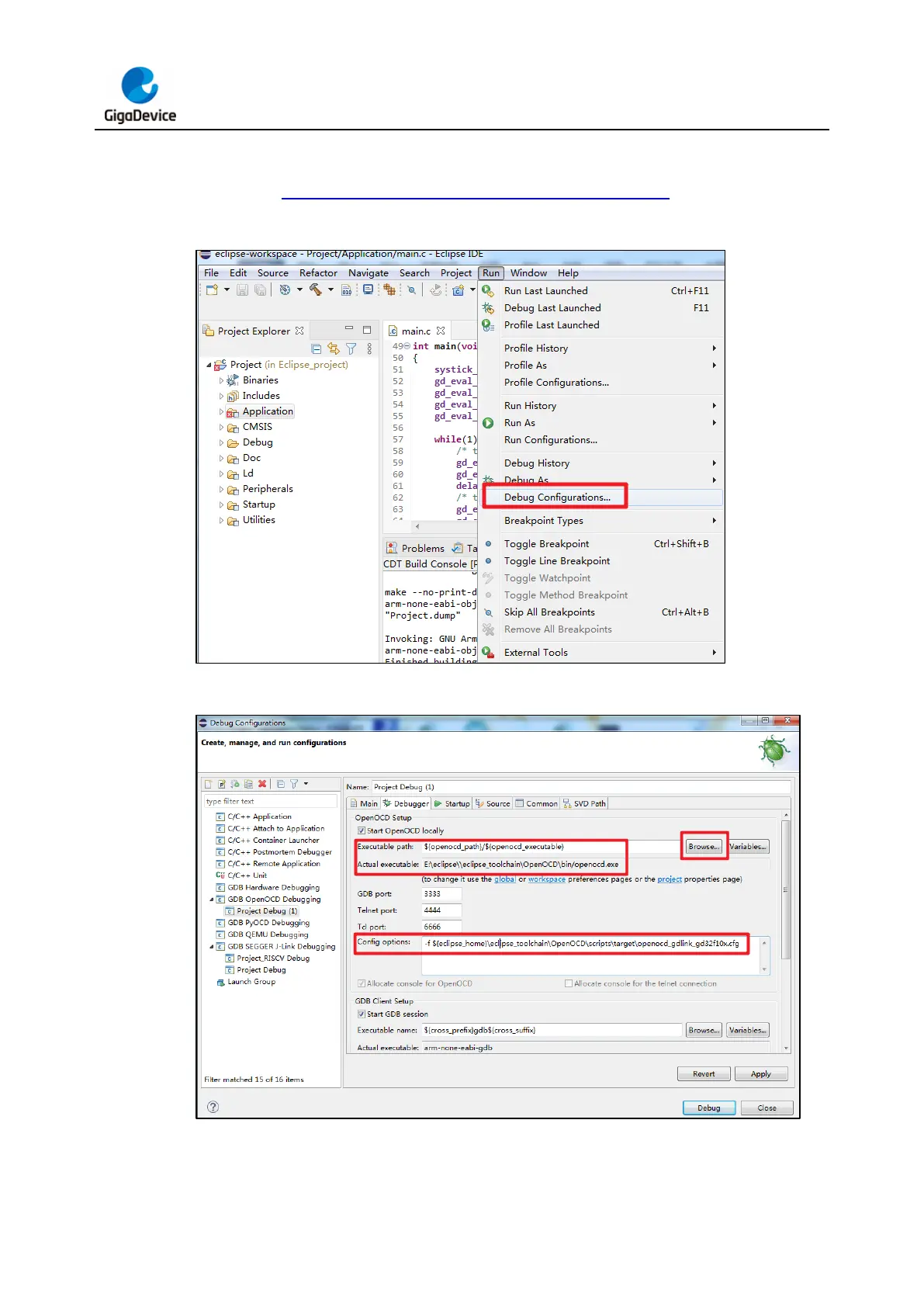
Figure 3-13. Access the "Debug Configurations" interface
Figure 3-14. Configure the "Eclipse Debug" tab



 To Next Page