EasyManua.ls Logo

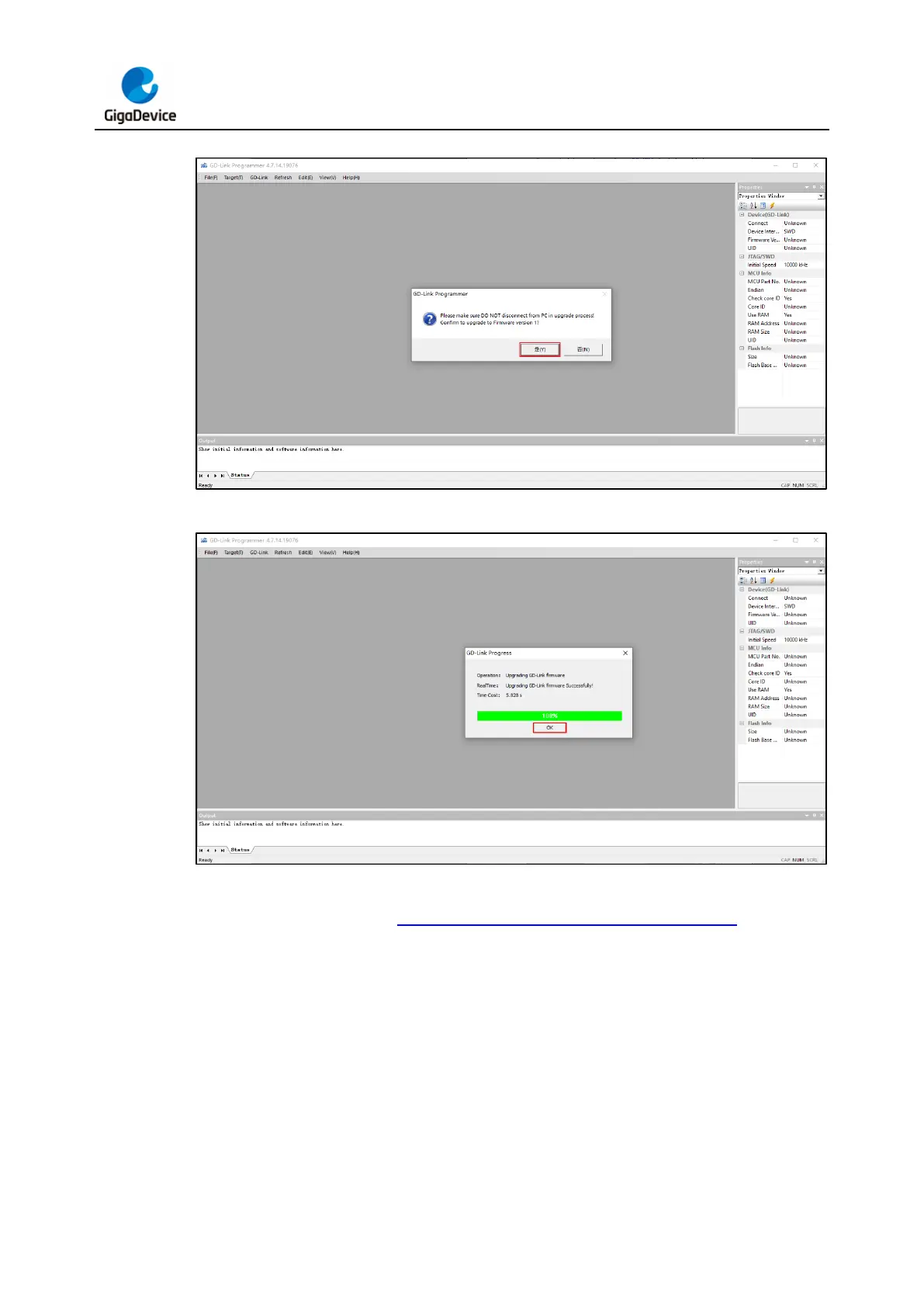
GigaDevice Semiconductor GD-Link V2 - Figure 3-2. GD-Link V2 Firmware Update Step 2; Figure 3-3. GD-Link V2 Firmware Update Step 3

Default Icon
34 pages
Print Icon
To Next Page IconTo Next Page
To Previous Page IconTo Previous Page
Loading...
GD-Link V2 Adapter User Guide
11
Figure 3-2. GD-Link V2 firmware update step 2
Figure 3-3. GD-Link V2 firmware update step 3
After the update is completed, user can check the current firmware version number in the
properties pane, as shown in Figure 3-4. GD-Link V2 firmware update step 4.

Table of Contents