GD-Link V2 Adapter User Guide
28
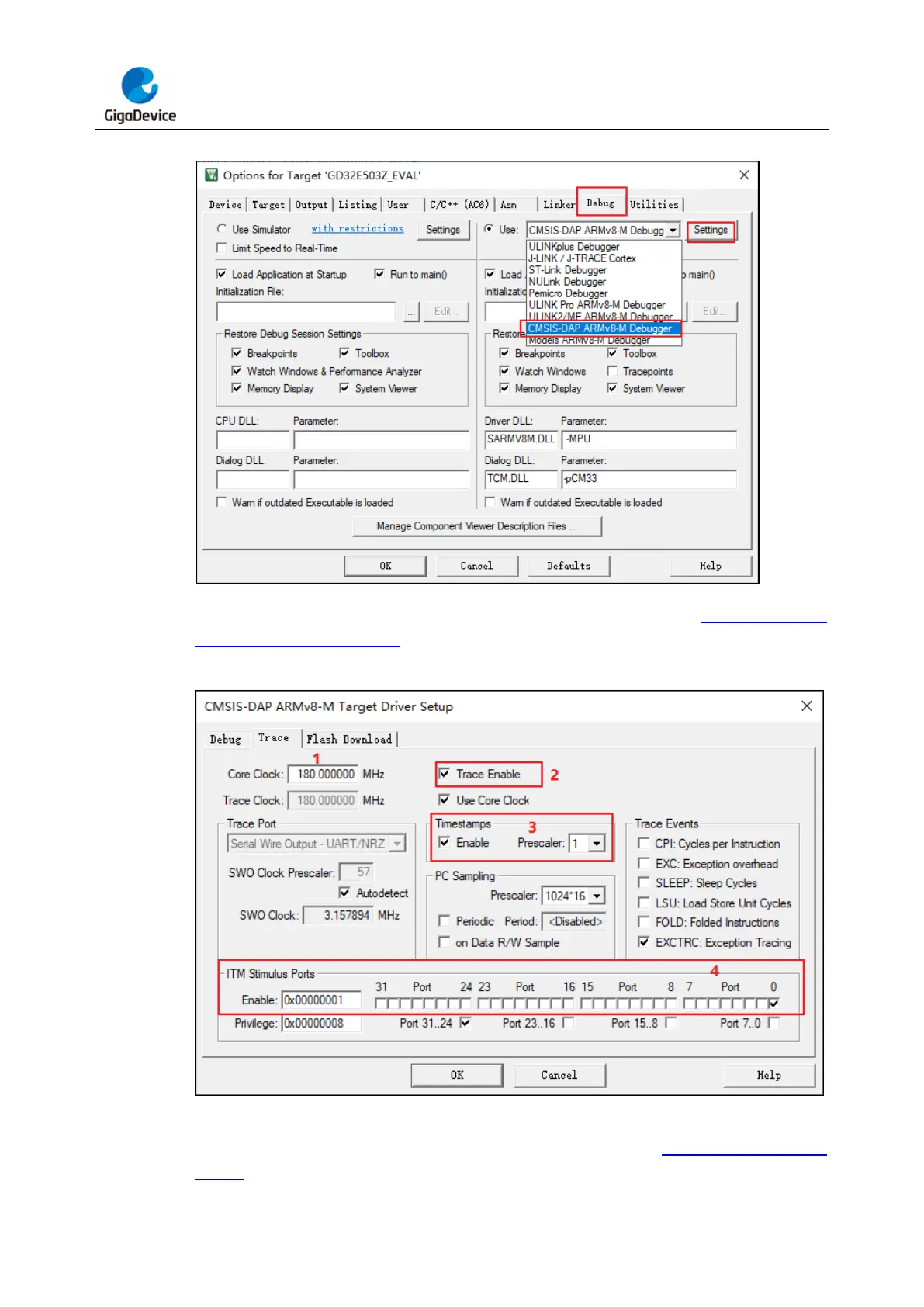
Figure 3-29. SWO configuration step 1 in KEIL
Select the Trace tab in Settings, and the configuration interface is shown in Figure 3-30. SWO
configuration step 2 in KEIL.
Figure 3-30. SWO configuration step 2 in KEIL
The Trace pin is enabled in the code. For an MCU with Trace mode configuration, the Trace
mode needs to be configured as asynchronous mode, as shown in Table 3-4. Trace mode
enable. For details about how to enable Trace mode, see the Debug chapter in the user



 To Next Page