16
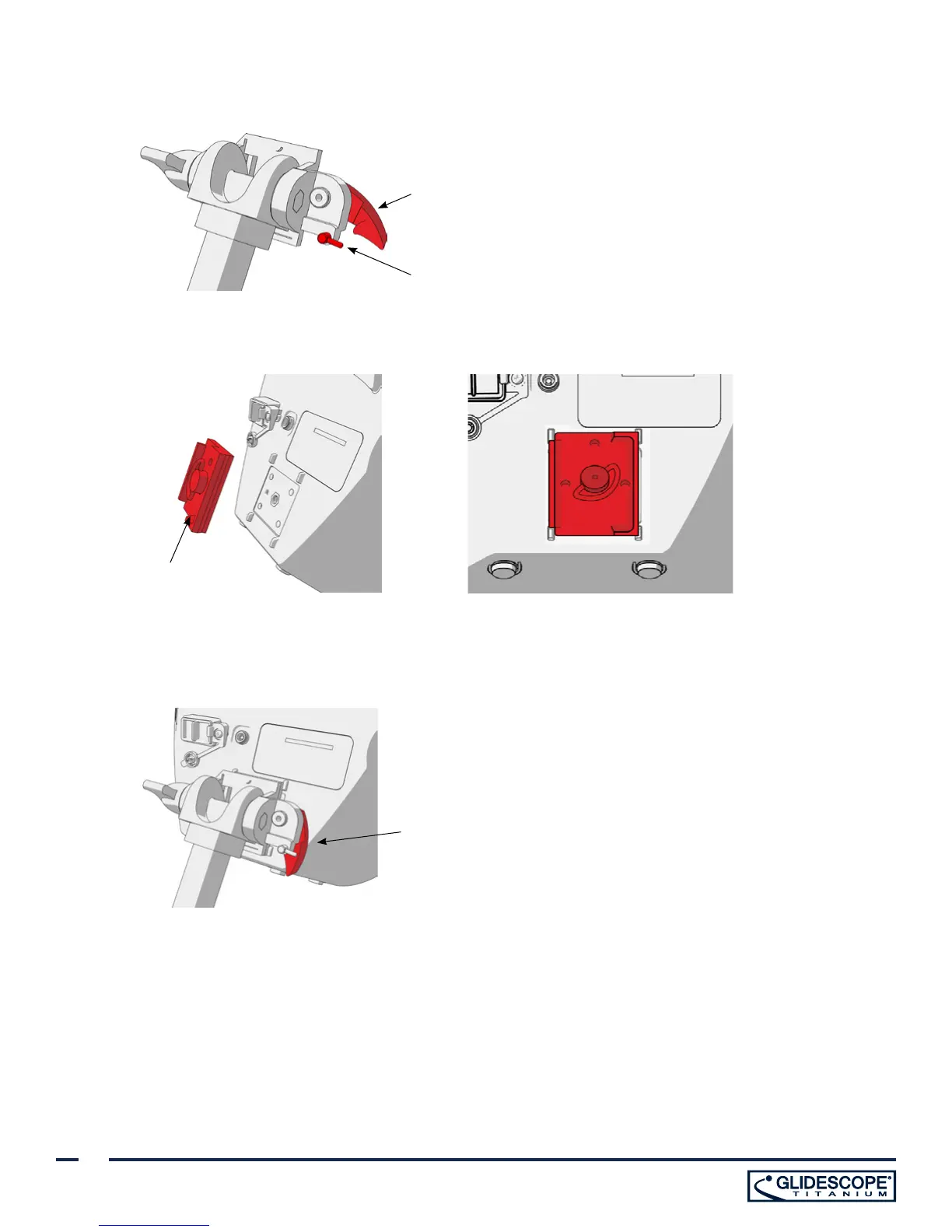
3. On the cart mount or the IV pole mount, ensure that the locking pin and quick-release lever are in the
unlocked (horizontal) position.
Quick-release lever
in unlocked position
Locking pin in
unlocked position
4. Using the orientation shown in the following images, screw the quick-release locking plate to the back panel
of the monitor.
Quick-release
locking plate
5. Seat the locking plate of the monitor on the quick-release mount. When properly situated, the monitor sits
securely on the mount, and the quick-release lever automatically snaps into the locked (down) position.
6. Ensure that the quick-release lever is fully in the locked (down) position. This secures the monitor in place.
Quick-release lever
in locked position


 To Next Page