17
Operations & Maintenance Manual: Setting Up
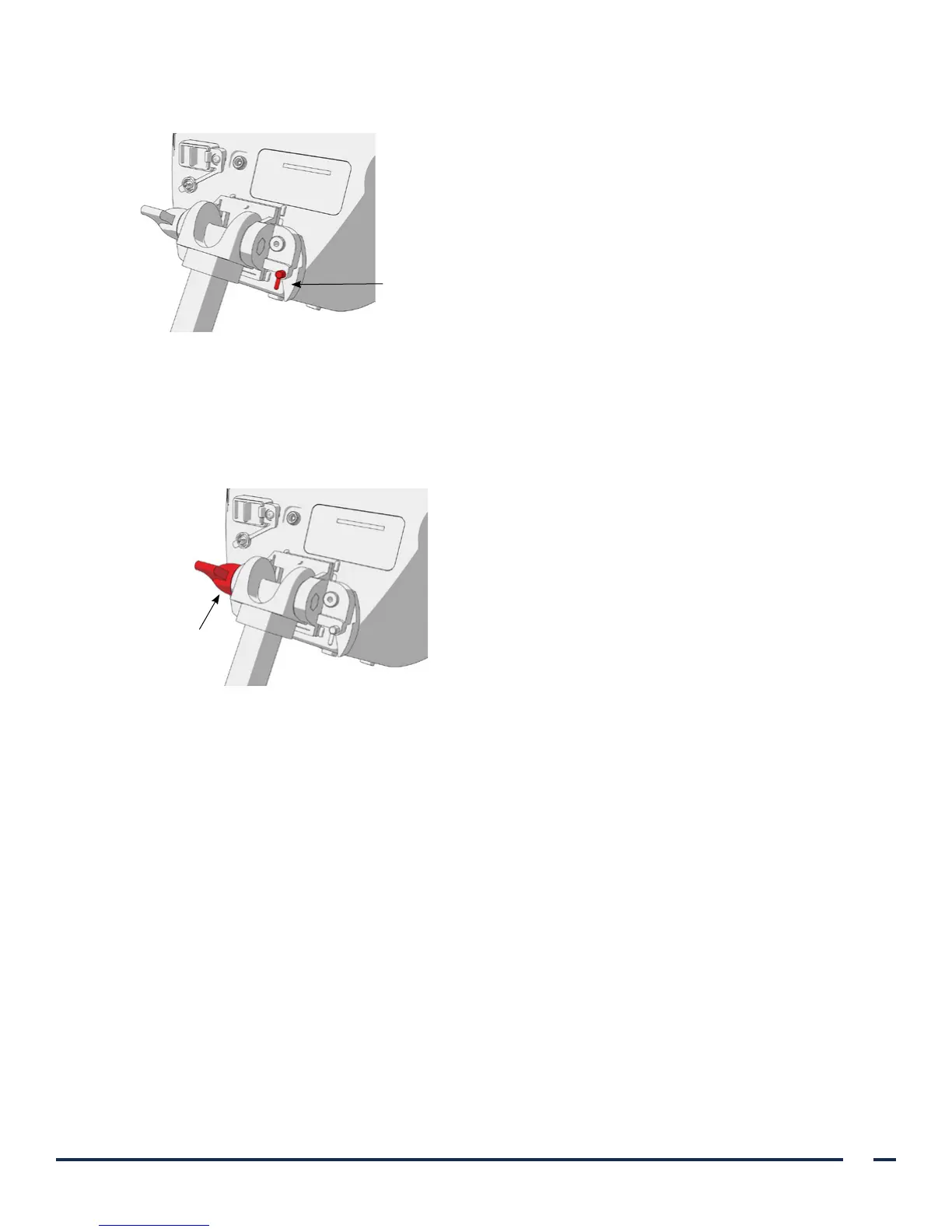
7. Adjust the locking pin to the locked (down) position. This secures the quick-release lever in the
locked position.
Locking pin in locked position
ADJUST THE MONITOR ANGLE
Before you start using the video monitor, adjust the angle of the monitor for optimal viewing. The ideal angle
minimizes glare and maximizes visibility.
8. Turn the angle adjustment knob counterclockwise.
Angle
adjustment
knob
9. Tilt the monitor to the desired angle.
10. Turn the angle adjustment knob clockwise. This secures the monitor at the desired angle.


 To Next Page