FC8600-UM-251-9370 7-41
7 ADJUSTMENT
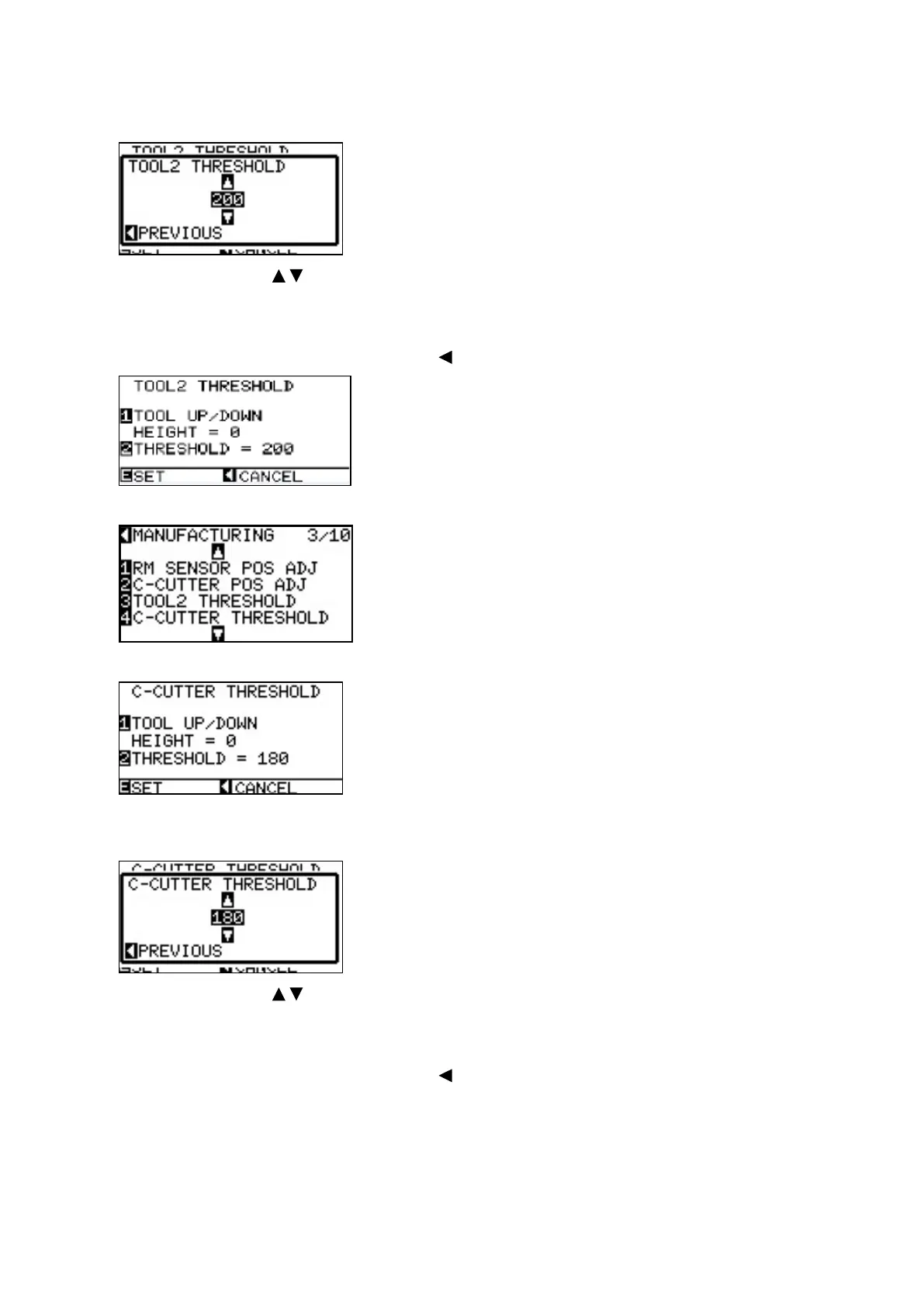
Input the reading value +10 to the THRESHOLD value of TOOL2.
Press the [2] key.
Press the POSITION ( ) key to increase or decrease the value to set.
For Example:
Input the 185 (= 175+10) to the Tool 2 threshold if the reading height value is 175.
(9) ConrmthesettingandpressthePOSITION[ ] key (PREVIOUS).
(10) Press the [ENTER] key.
(11) Press the [4] key to select “C-CUTTER THRESHOLD”.
Input the value of TOOL 2 value -5 which was displayed at the Tool 2 adjustment.
Press the [2] key.
Press the POSITION ( ) key to increase or decrease the value to set.
For Example:
Input the 170 (= 175-5) to the Cross Cutter threshold if the Tool 2 reading height value is 175.
(12) ConrmthesettingandpressthePOSITION[ ] key (PREVIOUS).
(13) When the corrective values have been entered, press the [ENTER] key. The display returns to the menu
shown in Step 10.
(14) Turn off the power for the plotter.










 To Next Page