FC8600-UM-251-9370 7-29
7 ADJUSTMENT
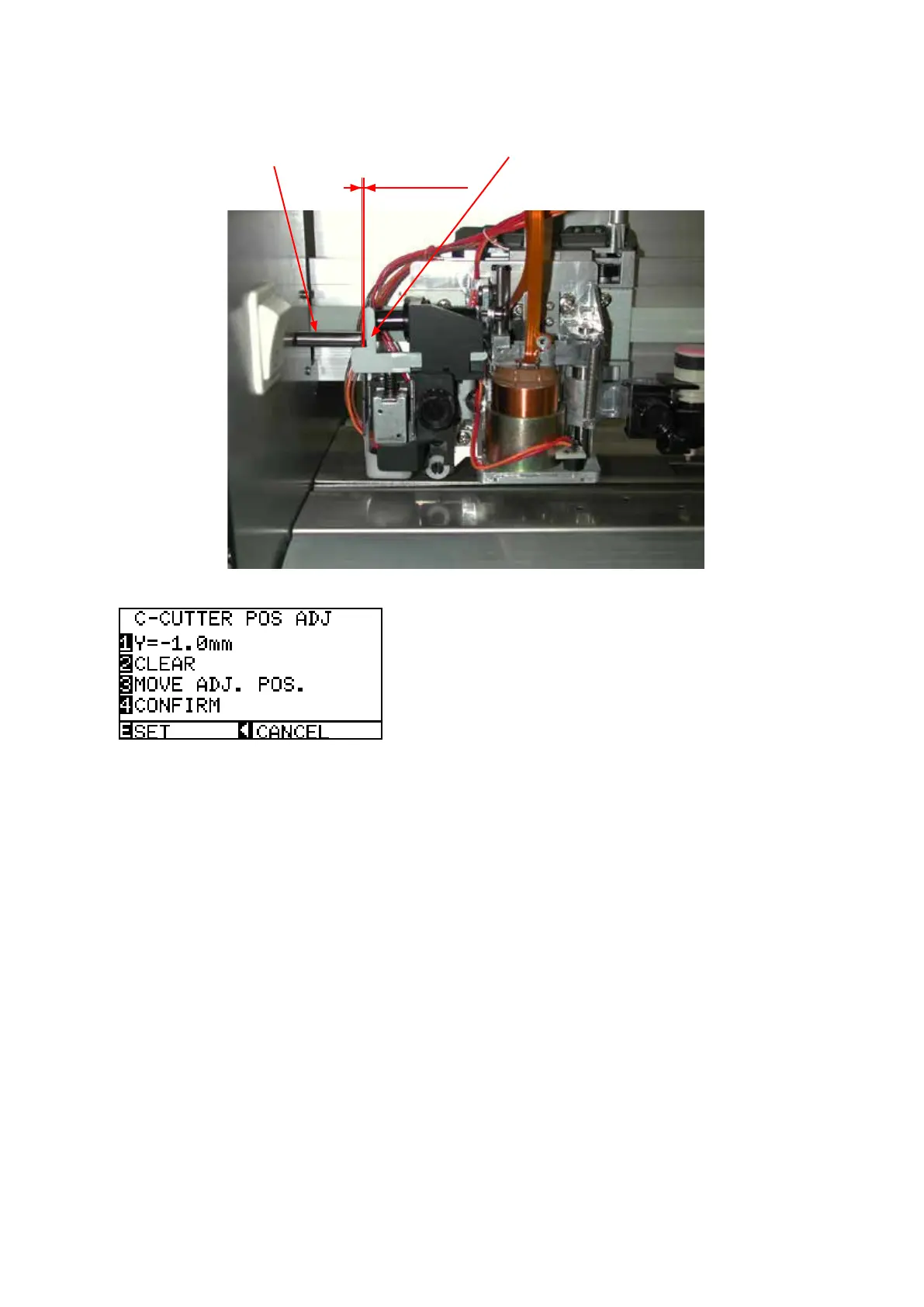
(8) Adjust the gap to a value in the range of 0 mm to 0.2 mm.
Press the UP or DOWN ARROW key to adjust the gap.
Cross cutter dog
Cross cutter release plate
0 to 0.2 mm
(9) Press the left arrow key to display the menu shown below.
(10) PresstheF4keytoconrmthegap.
If the cross cutter dog presses on the cutter release plate too much, a position alarm error will be
displayed.
At this time reduce the C-CUTTER POS ADJ value.
(11) Press the ENTER key to store the setting.
(12) Turn off the power to exit from the adjustment menu.










 To Next Page