FC8600-UM-251-9370 7-38
7 ADJUSTMENT
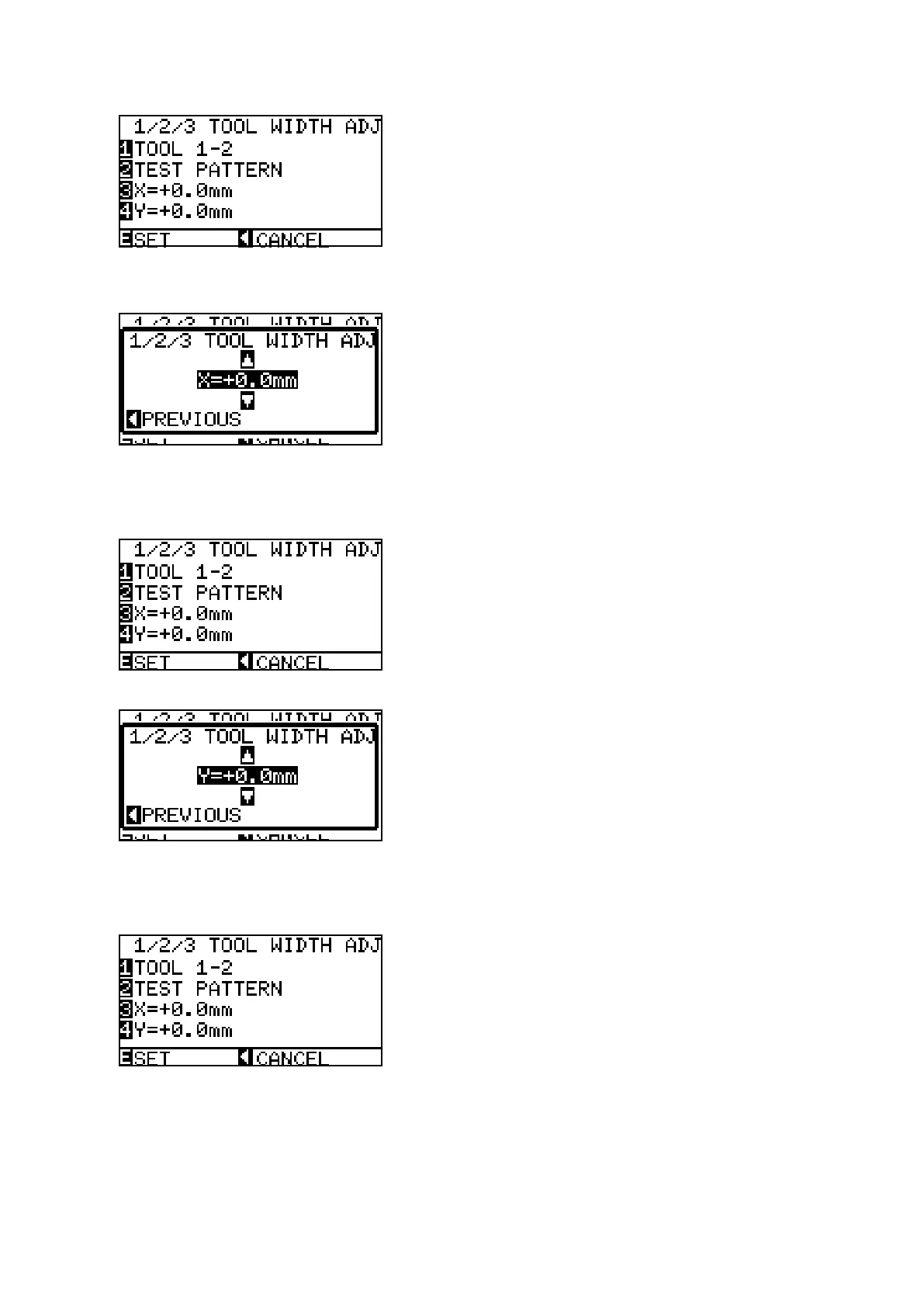
(16) When they have been plotted, the menu shown below is displayed.
(17) Measure the offset between the pen 1 cross mark and the pen 2 lines.
(18) Press the F3 key to display the menu shown below.
(19) Set the X-offset value. Press the UP ARROW key or DOWN ARROW key to change the number based
on the pen 1 cross mark.
(20) Press the left position key when the X direction is adjusted.
(21) Press the F4 key to display the menu shown below.
(22) Set the Y-offset value. Press the UP ARROW key or DOWN ARROW key to change the number based
on the pen 1 cross mark.
(23) Press the left position key when the Y direction is adjusted.










 To Next Page