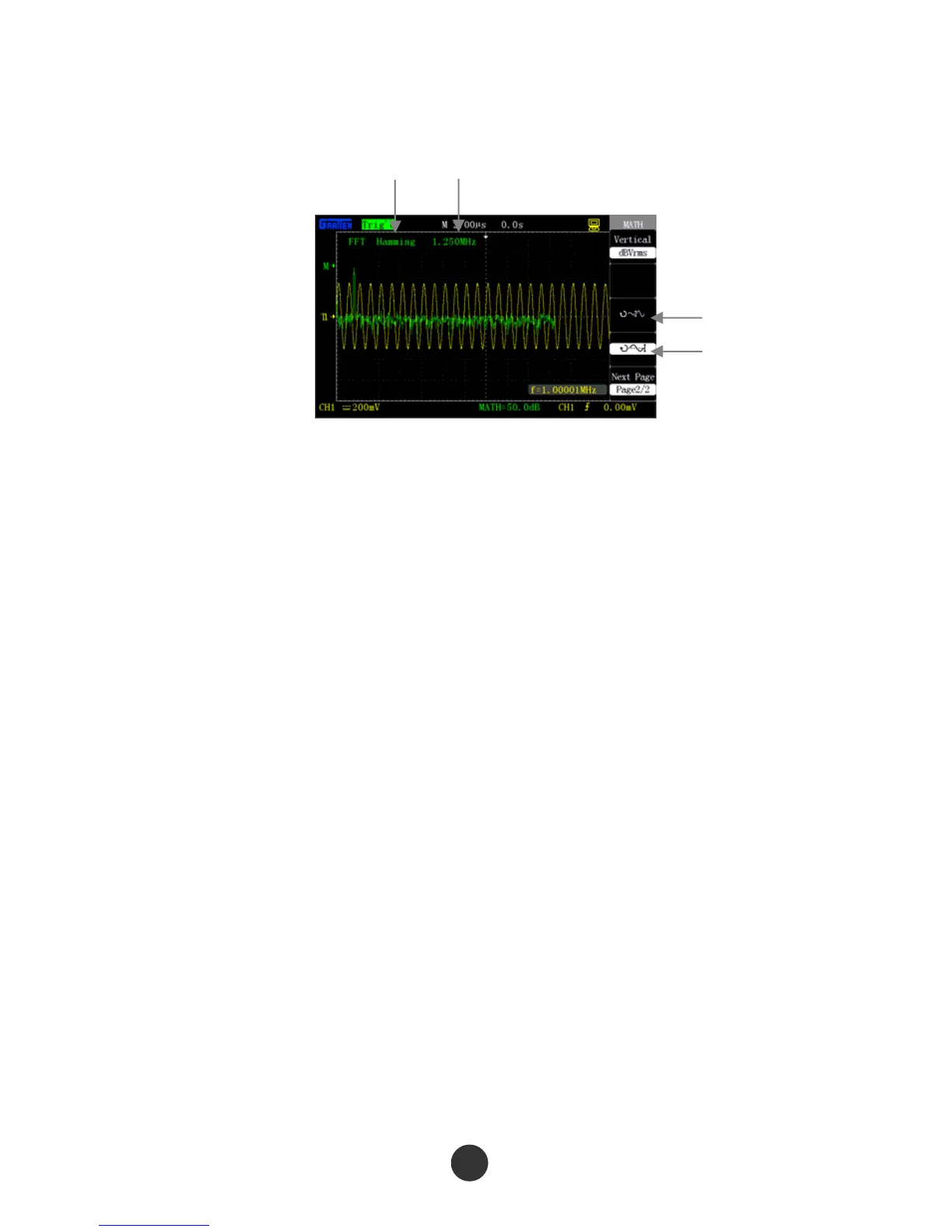
so as to better observe FFT operation result.
Figure 2-19 FFT
Frequency interval
Window function
FFT spectrum amplitude
FFT spectrum offset
Use cursor t
o measure the FFT spectrum
Measure two items of the FFT spectrum: amplitude and frequency. The cursor
measurement takes 2.11.2 for reference.
Use the horizontal cursor to measure the amplitude and use the vertical cursor to
measure the frequency.
1. Measure FFT spectrum amplitude, and use CH2 as an example, the operation is as
follows:
1) Input a sine signal to CH2, and press [AUTO].
2) Press [MATH], and skip to menu “MATH”.
3) Press “Operation”, and select “FFT”.
4) Press “Signal source”, and select “CH2”.
5) revolve [s/div] to regulate the sampling rate (larger than double of the input
frequency).
6) Press [CURSORS], and skip to menu “CURSOR”.
7) Press “Cursor mode”, and select “manual”.
8) Press “Type”, and select “Voltage”.
9) Press “Signal source”, and select “MATH”.
25



 To Next Page