Operation description:
Carry out the following steps to select “Slope trigger” type:
1. Input a signal to channel 1 or channel 2.
2. Press [AUTO].
3. Press [TRIG MENU] to skip to “TRIGGER” menu.
4. Press “Type” to select “Slope”.
5. Press “Signal source” to select “CH1” or “CH2”.
6. Press “Condition” to select slope condition.
7. Press “Time setup”, and revolve the [UNIVERSAL] knob to regulate the slope time.
8. Press “Next Page1/2” to skip to Page 2 of the slope trigger menu.
9. Press “Vertical window” to select window boundary.
10. Revolve the trigger electric level [LEVEL] knob until the waveform is stably
triggered.
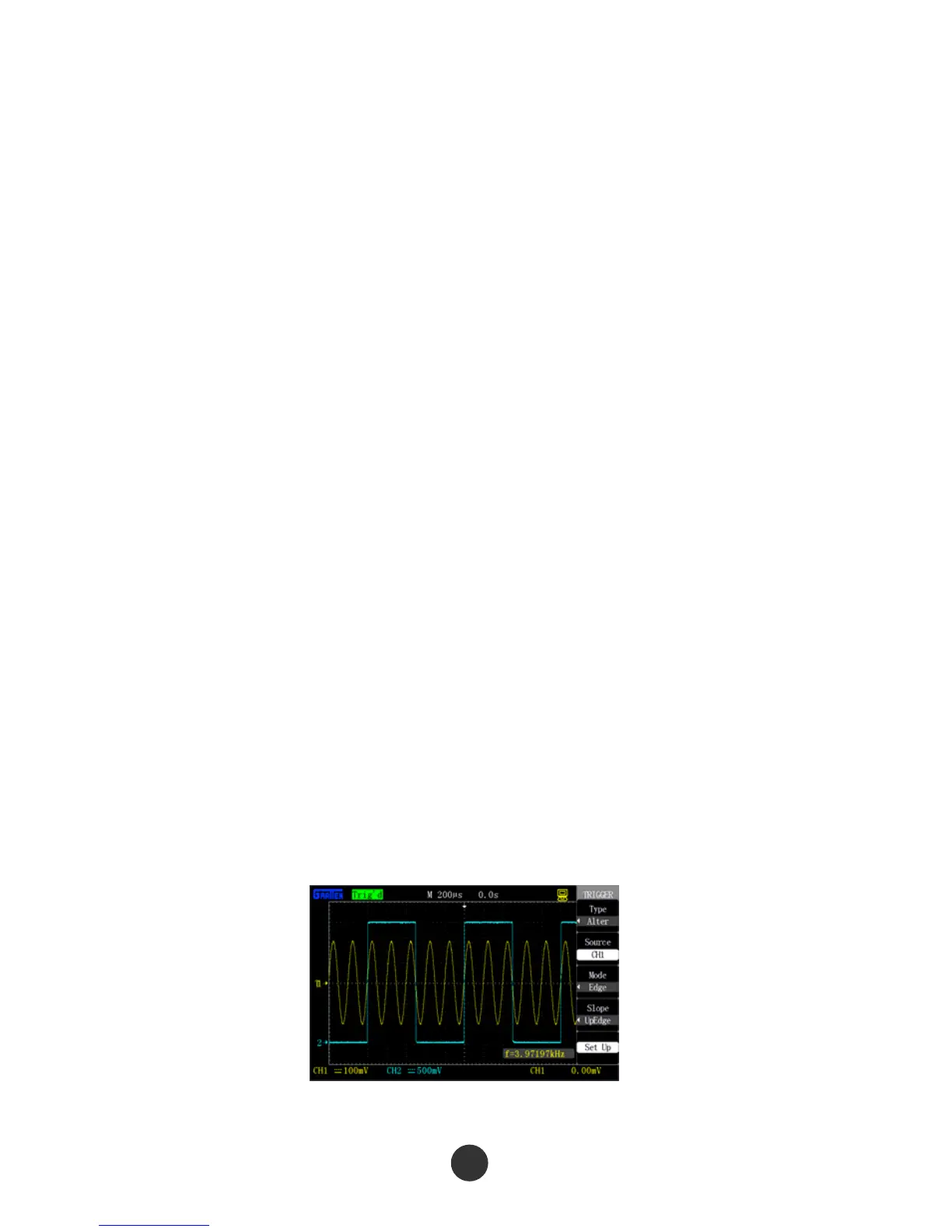
Alternating trigger
When alternating trigger is selected, the trigger signal comes from two channels. The
mode is used for simultaneously observing two unrelated signals. Two different trigger
types (edge, pulse, video and slope) can be selected for the signals from the two
channels. During setup, the trigger types of the two channels and the trigger electric
level information are respectively displayed in the right lower corner of the screen. The
setups of the four trigger types are seen in section 2.7.2.
Figure 2-35 Alternating trigger
41



 To Next Page