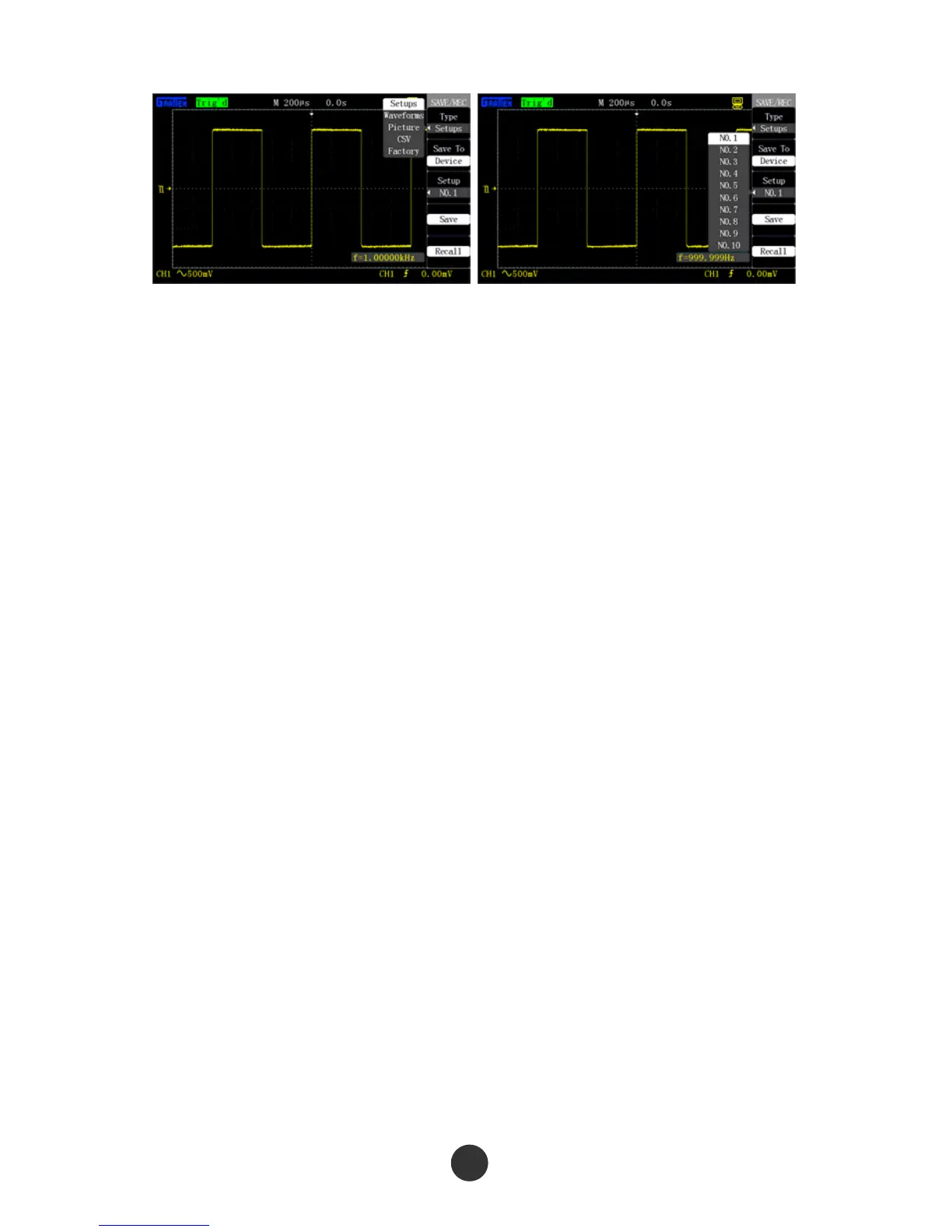
Figure 2-57 Save type Figure 2-58 Save to equipment
■ Save the setups in equipment:
As shown in figure 2-58, the setups are saved in equipment (the equipment is the
oscilloscope), and 20 groups of data (NO.1-NO.20) can be saved. The save steps are as
follows:
1. Press [SAVE/RECALL] to skip to the “SAVE/RECALL” display menu.
2. Press “Type” to select “Setup save”.
3. Press “Save to” to select “Equipment”.
4. Press “Equipment” to select “NO.1” save position.
5. Press “Save” to save the current setups in equipment NO.1.
Prompt “Data is saved successfully” after storage is ended.
■ Recall the setups from the equipment:
1. Press [SAVE/RECALL] to skip to the “SAVE/RECALL” display menu.
2. Press “Type” to select “Setup save”.
3. Press “Save to” to select “Equipment”.
4. Press “Equipment” to select “NO.1” save position.
5. Press “Recall” to recall the setup data from the save position.
“Data is read successfully”: The setups are successfully recalled and executed; “Blank
save unit”: The current save position has no setup data.
64



 To Next Page