65
■ Save the setups in a USB flash disc:
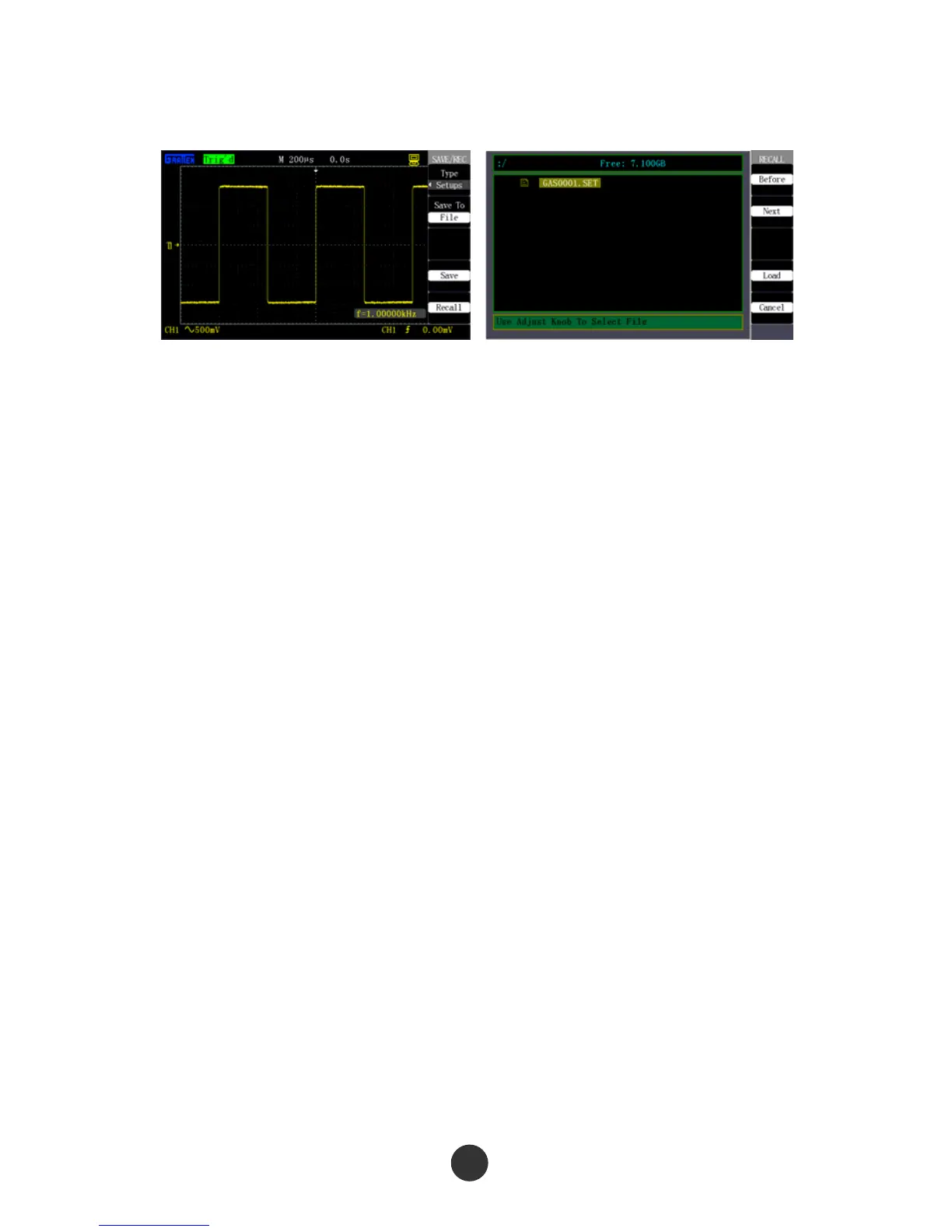
Figure 2-59 Save setups in Figure 2-60 Recall setups from
USB flash disc USB flash disc
Save the setups in a USB flash disc:
1. Press [SAVE/RECALL] and select the “Setup save” type, as shown in figure 2-59.
2. Plug the USB flash disc, and prompt “USB save equipment is connected
successfully” after the connection is normal.
3. Press “Save to” to select “USB flash disc”.
4. Press the “Save” option to save the setups.
The data is saved in root directory of the USB flash disc, and the file name is defaulted
as GASxxxx.SET, such as GAS0001.SET.
Recall the setups from the USB flash disc:
1. Press [SAVE/RECALL], and select the “Setup save” type, as shown in figure 2-60.
2. Plug the USB flash disc, and prompt “USB save equipment is connected
successfully” after the connection is normal.
3. Press “Save to” to select “USB flash disc”.
4. Press “Recall” to skip to a USB flash disc file interface, as shown in figure 2-60.
5. Use the [UNIVERSAL] knob to select the recalled file.
6. Press “Recall” to recall the setup data from the save position.
“Data is read successfully”: The setups are successfully recalled and executed; “Blank
save unit”: File is corrupted.



 To Next Page