79
4. Press the “Mode” key to select “Record”.
5. Press the “Signal source” key to select the signal channel to be recorded.
6. Select the “Time interval” option, and use the [UNIVERSAL] knob to regulate the time
interval of frame to frame in waveform recording.
7. Select the “End frame” option, and use the [UNIVERSAL] knob to regulate the
maximal frame number in the waveform recording.
8. Press the “Operation” option to record the waveform.
Recording replay: Replay the current recorded waveforms.
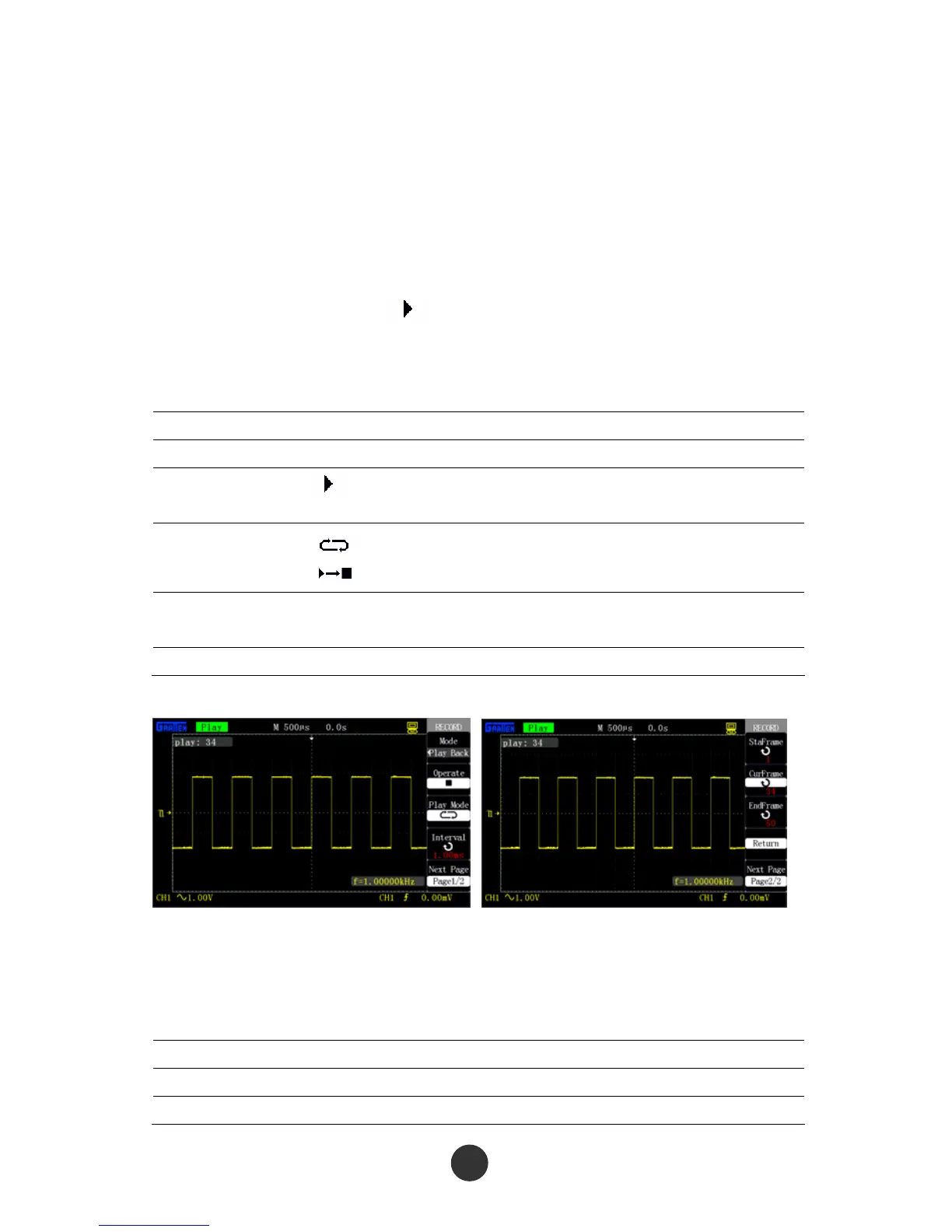
Table 2-52 Page 1 of the waveform replay function menu:
Option Setup Description
Mode Replay Set a replay function menu.
Operation
■
Start to replay the waveform.
Stop replaying the waveform.
Replay mode
Repeatedly replay the recorded waveform.
Replay the recorded waveform in single run.
Time interval
Set the time interval of the replayed frame to
frame.
Next Page 1/2 Skip to page 2 of the replay function menu.
Figure 2-79 Page 1 of waveform Figure 2-80 Page 2 of waveform
replay menu replay menu
Table 2-53 Page 2 of the waveform replay function menu:
Option Setup Description
Start frame Set a start replay frame.
Current frame Display the current frame on the screen.



 To Next Page