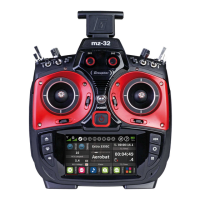
Graupner mz-32 Help Reference Manual
Page 7 of 42 Help-Ref-EN-V1.0
RF SET
In the RF Set menu you will manage all RF and
Telemetry communications between the radio and
receiver as well as binding your model to the radio.
BINDING
You can bind in total 4 receivers to the mz-32. The
binding process requires you to place the receiver in
bind mode, which can be done by pressing the SET
button on the receiver. After 2-3 seconds, you can tap
the bind button on the radio.
You need to bind RX1 first. When binding has been
successful the Rx column will show the channel count
of the receiver and below in small letters the current receiver firmware version. For
example, a GR-24 will show as R12 and a GR-12L will show as R6.
Depending on the receiver model you may need to follow a slightly different procedure to
successfully bind the receiver to the radio.
Bind Method A:
Press the SET button and keep it pressed for 2-3 seconds and press the bind button on the
radio.
GR-12/GR-18/GR-24 PRO/GR-16(L)/GR-24(L)/GR-32(L):
Green LED on – Receiver bound
GR-12L:
Red LED off – Receiver bound
Bind Method B:
Receiver goes automatically into binding mode (Flight Controllers after 15 seconds with
blinking red LED)
GR-10C/GR-12SC & SH/Falcon 12/Alpha 110/S1038, S1039
Red LED off – Receiver bound
Notes:
If binding was not successful, repeat the bind procedure.
Make sure that the receiver is at least 50cm/2ft away from the radio.
Verify that the power source is sufficient to power the receiver.
Make sure that the power polarity is properly connected. The GR-12 6 channel
receivers require that the negative wire is facing up.
Verify that the bind SET button is properly pressed.
RX
Tap on the selected blue Rx field (a receiver must be bound) and a dialog will show with
the available channels and channel numbers for that receiver. Here you can remap the
channels or assign a digital switch output by tapping on the icon next to the channel
number.
Tap on the channel you want to remap and use the arrow keys to map the channel to
another channel.
Tapping on the Reset button will restore all channels to default.
T.Sel (Telemetry Select)
Tap on the receiver which you want to designate as the active telemetry receiver. There
can be only one telemetry receiver active at any time.
Modulation
The default modulation is set for HoTT (Hopping Telemetry Transmission)


 To Next Page
 Loading...