5
Live Mode
Readings
Once the probe is attached, WolfSense IAQ LAP will display live readings from the
probe in real time.
To see current values from the probe,
click on or tap View, Readings.
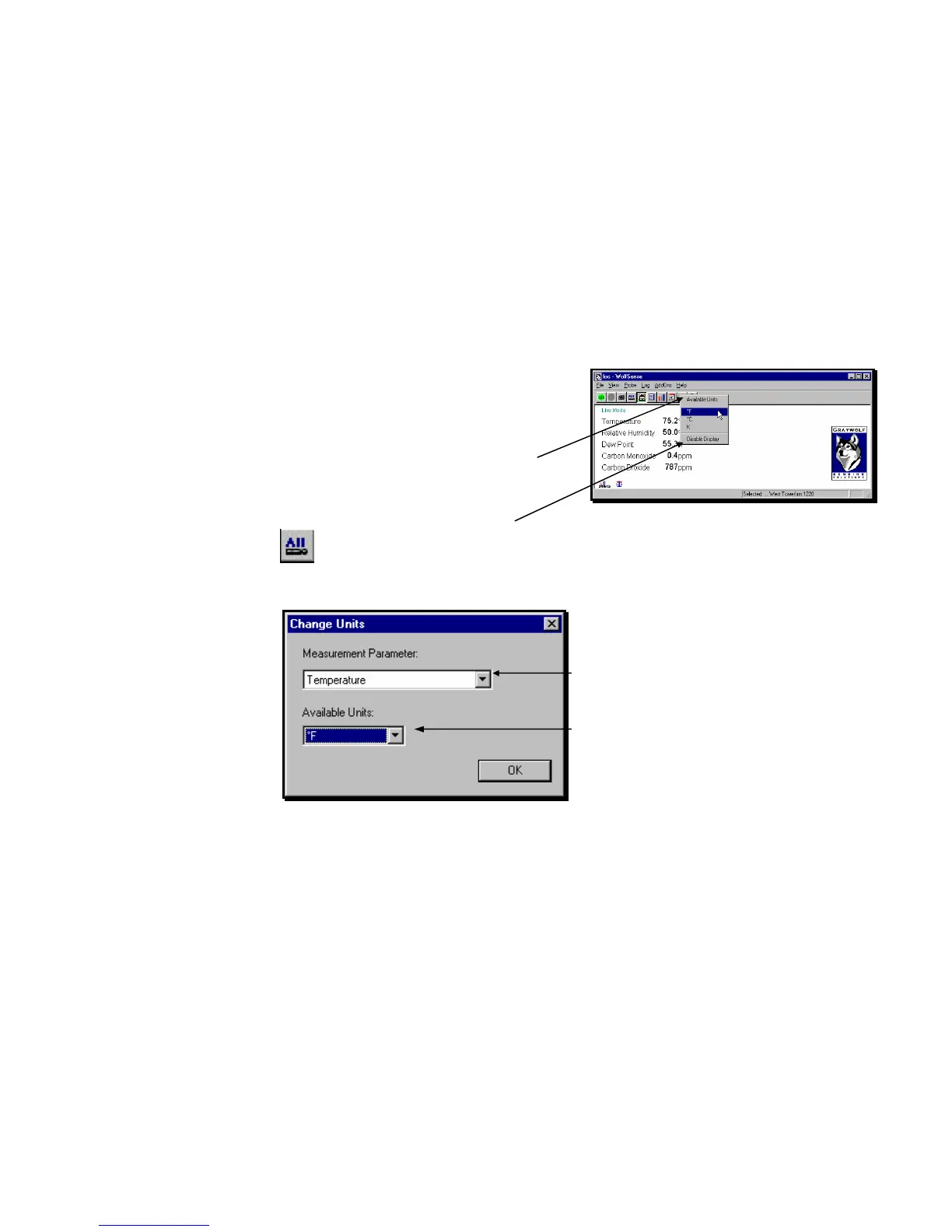
To change the units of measure, double-click or
double-tap on the current value. (Also see CHANGE
UNITS below.)
When the AVAILABLE UNITS dialog box appears,
click on or tap the desired unit of measure: for
example, Fahrenheit, Celsius or Kelvin (absolute).
To remove a parameter from the display,
click on or tap Disable Display.
To restore all parameters, click on or tap the
ALL toolbar button or View, View All, or type Ctrl-A.
Another way to change the units of measure is to
click on or tap View, Change Units.
In the CHANGE UNITS dialog box, click on or tap the
pull-down menu arrow for Measurement Parameter.
Click on or tap the desired measurement parameter.
Click on or tap the pull-down menu arrow for
Available Units.
Click on or tap the unit of measure you want to
display.
Click on or tap OK.
Figure 5 - Live Mode - Readings (DirectSense 100)
Figure 6 - CHANGE UNITS dialog box



 To Next Page