19
Probe Information
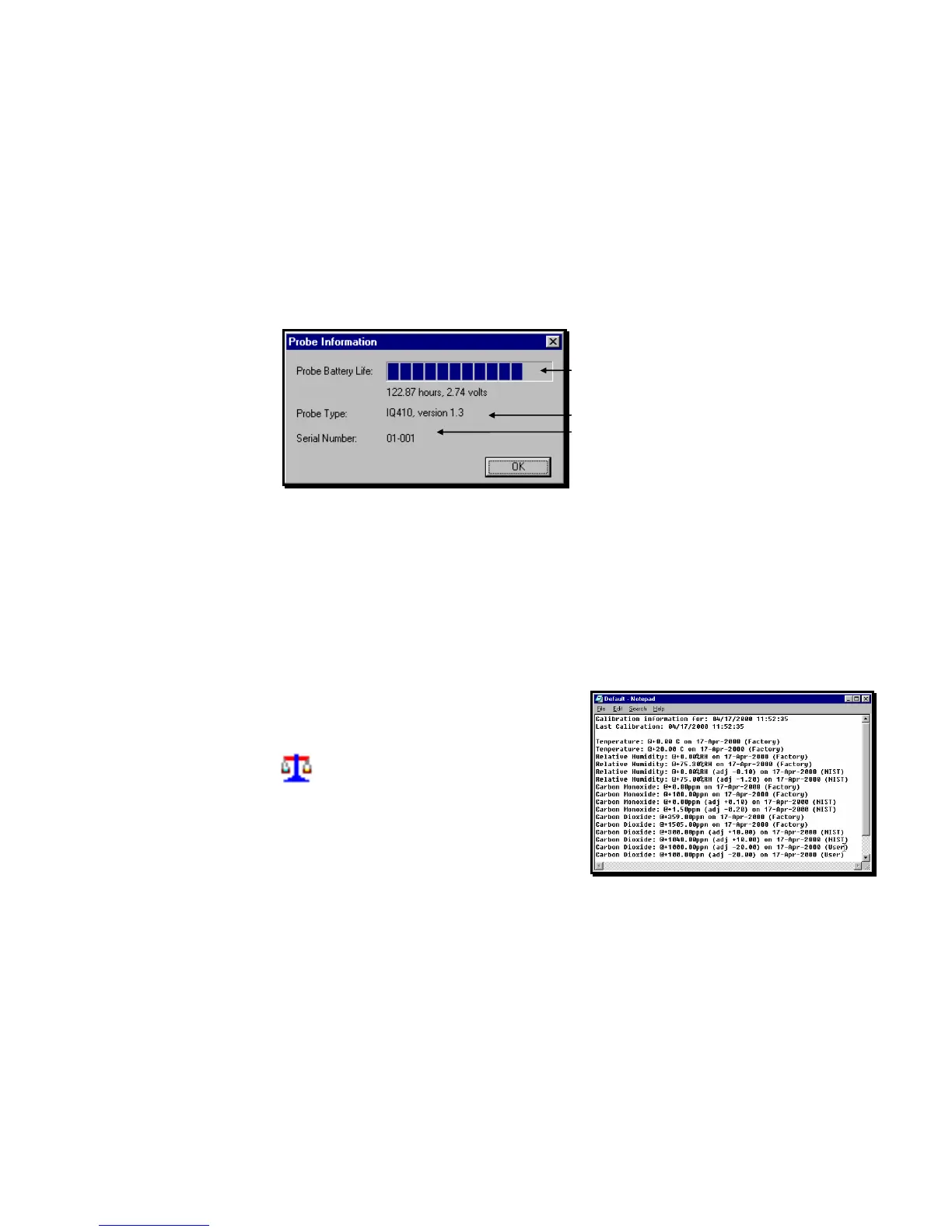
To display the status of the probe from the WolfSense IAQ LAP main screen, click on
or tap Probe, Information.
Probe Battery - how much battery time is left.
Battery life calculations are based on standard
alkaline batteries used at 70ºF (21ºC). Battery life
will vary depending on the battery manufacturer and
the ambient temperature at which the probe is used.
Probe Type - model number of probe.
Serial Number - unique identifier of probe.
Probe Calibration Data
Calibration data includes date, time, last factory calibration, last user calibration and
settings for each parameter. It is stored in the probe and a copy is made (along with
the measurement data) for every location file. Any time calibration data changes, the
new data is appended to the calibration data already associated with the location file
so you have a complete record of calibrations for all measurement data in each
location file. You may view calibration data for location files from WolfSense PC.
Open a location file from the WolfSense IAQ LAP or
WolfSense PC main screen.
Click on or tap the Calibration Data icon in
the lower right-hand corner of the screen.
You may also view calibration data for a probe attached to the Lap PC in live mode.
In that case, click on or tap the Calibration Data icon in the lower left-hand corner of
the screen.
Figure 33 - PROBE INFORMATION display
Figure 34 – Probe Calibration Data



 To Next Page