Saavutustenkatu 3, 33720 Tampere, Finland
©2022 Grundium. All rights reserved.
6-8G, 33720 Tampere, Finland
©2022 Grundium. All rights reserved.
Exporting can be done as background task, and the status of ongoing export(s) is shown to the user. Export destination and
file format can be set by the user and these settings, a.k.a. export recipe, are stored per user account and are applied when
the user logs into the scanner.
These export destinations are available by default: “Export to USB”, “Export to Web Download”
The following file formats are available when exporting to USB or to Web Download:
• SVS format
• SVS file per z layer
• TIFF (Tagged Image File Format)
• Pyramid TIFF (Multipage Tagged Image File Format)
• SZI format
More destination options can be added by activating them in Settings / Plugin management.
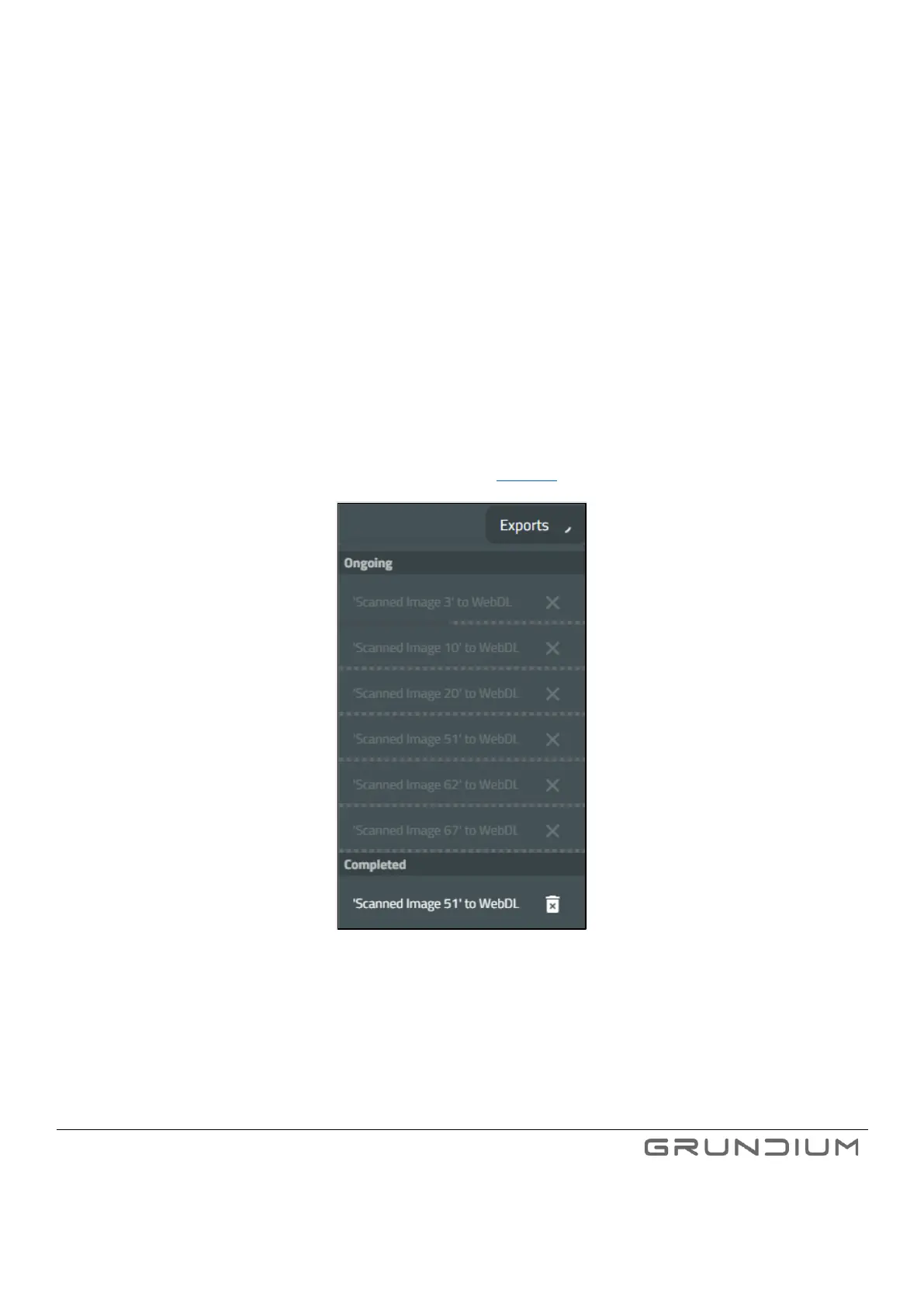
The progress of ongoing scans can be followed in Exports list (see image 30).
Image 30. Ongoing and completed exports.
Note: Some export destinations are not available until they are enabled from plugin settings.
Note: The time stamp of the exported USB files is by default in UTC time zone. Some file systems are naturally always in UTC and
will therefore display the time stamps properly in local times. If your file system is not, then it is possible to see time stamps
differing from your local time.



 To Next Page