User Manual 9065/9065plus
MAN10772-00 105
Replacing the Ribbon Cartridge
1. Make sure that the printer is turned off for at least 15 minutes.
CAUTION:
The printhead may get hot during operation. Be careful when removing or replacing the
ribbon..
2. Open the top printer cover.
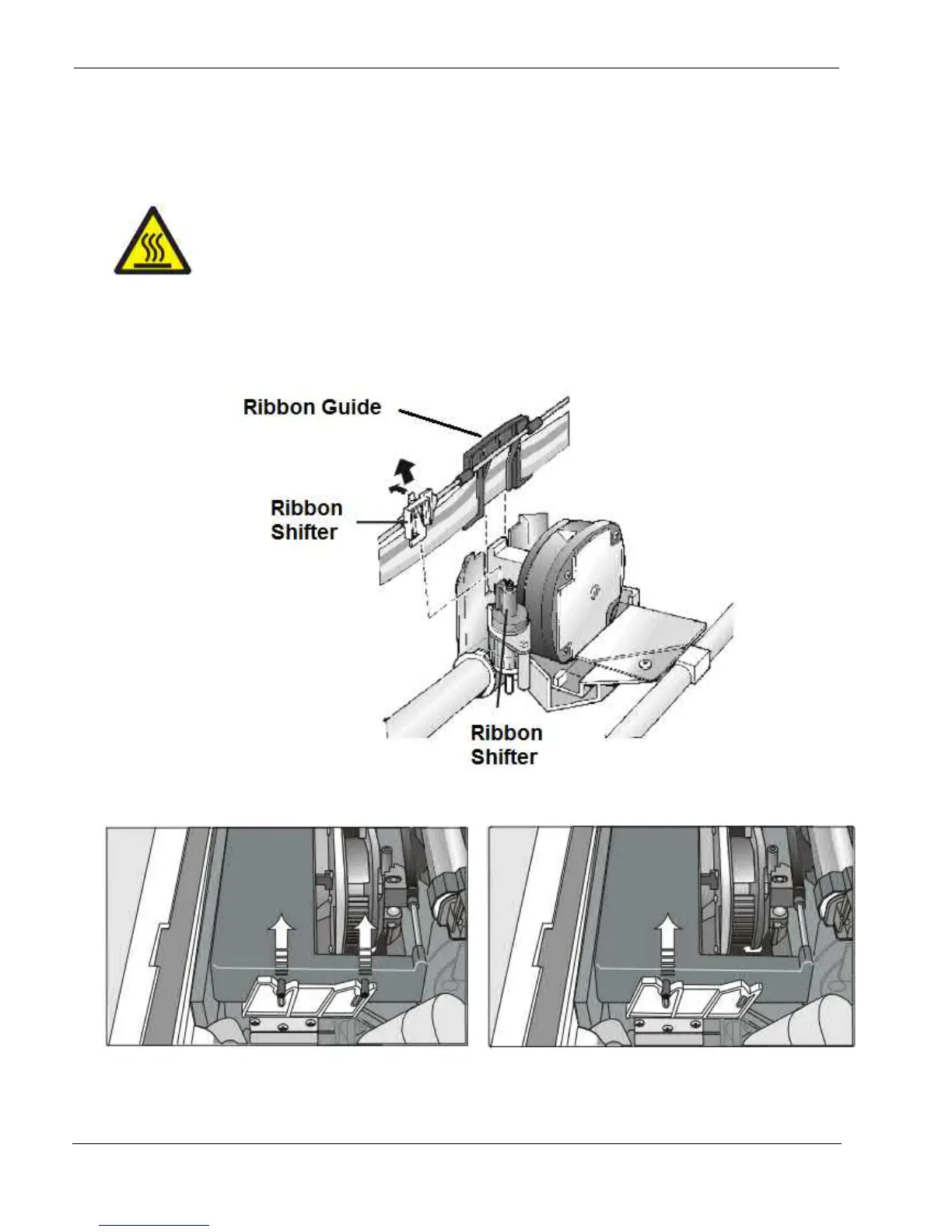
3. Slide the ribbon guide out of the print head. If the Ribbon Shifter kit is installed on the printer, free the
shifter holder pushing the tab towards the rear and pulling the shifter holder up.
3. Remove the used ribbon cartridge by lifting it up.
Black cartridge when the ribbon shifter option is not
installed
Black “Long Life” cartridge when the ribbon shifter
option is installed
Now, you are ready to insert the new ribbon cartridge. See before “Ribbon Cartridge Installation”.



 To Next Page