User Manual 9065/9065plus
MAN10772-00 115
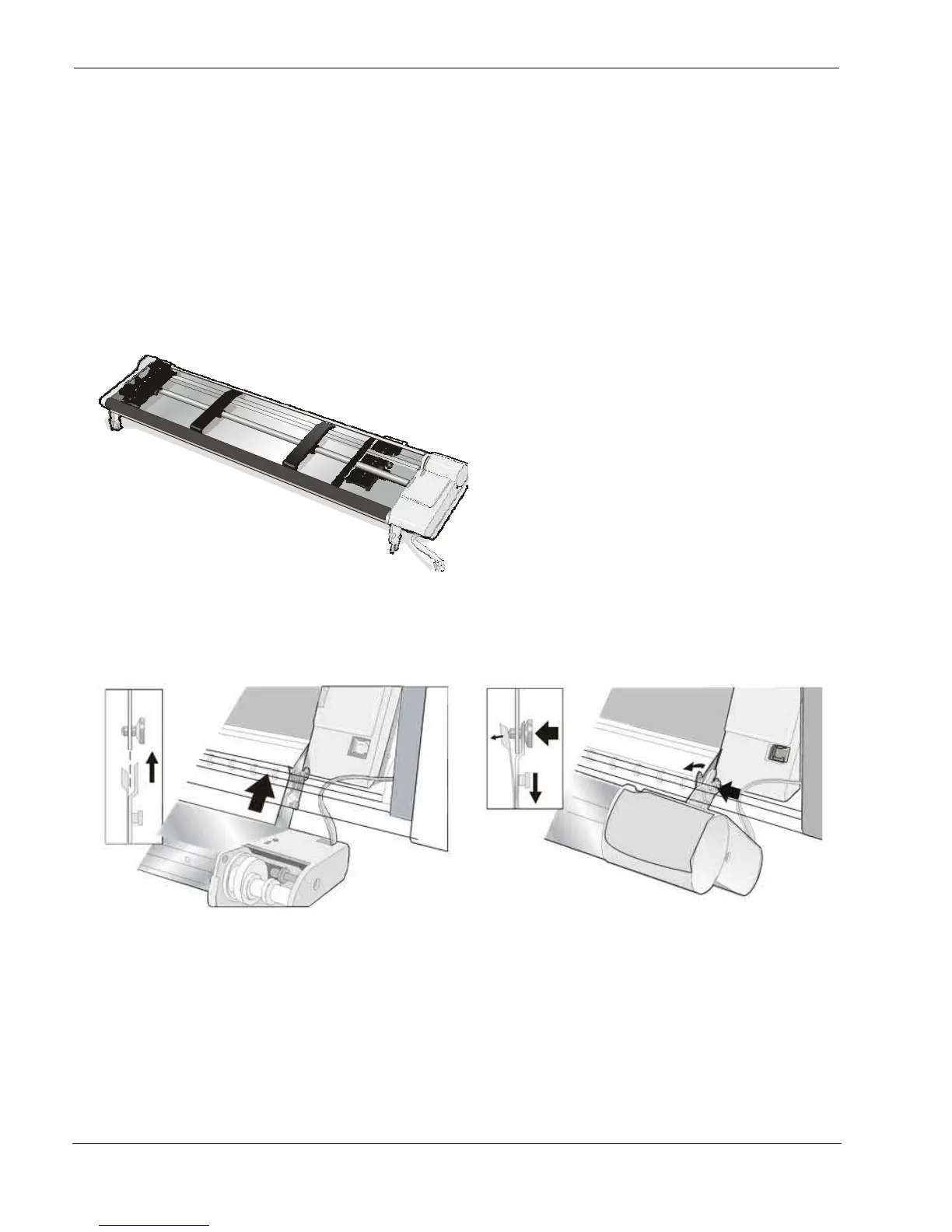
The Front2 Push Tractor
The 4 pin Front2 Push Tractor is available for the 9065plus and 9065 printer.
An optional second front push tractor can be installed on the printer model. This tractor allows the handling of a
second fanfold paper.
Installing the Front2 Push Tractor
This second push tractor can be installed in front position on the Front1 Push tractor.
4 pin Front2 Push Tractor option
1. Align the hooks on both sides of the Front2
push tractor with the pins on the Front1 push
tractor
2. Push the Front2 tractor until it is fully engaged



 To Next Page