User Manual 9065/9065plus
MAN10772-00 38
Indicators
Lit
when
the
printer
can
receive
and
print
data
(printer
online).
Blinks
when
there
is
data
in
the
buffer
and
the
printer
is
offline.
Unlit
when
the
printer
is
disabled
and
the
buffer
does
not
contain
any
data,
or during
the
initialization,
setup
or
tests
ON-LINE
Lit
when
one
of
the
printer
setup
procedures
has
been
selected:
Program
Configuration
or
Power-On
Configuration
PROGRAM
Lit when
the
alternate
function
of
the
keys
has
been
enabled
pressing
the
ALTERNATE
key
ALTERNATE
Lit
when
the
Front1
paper
path
is
selected
Unlit
when
the
Front1
paper
path
is
not
selected
FRONT 1
Lit
when
the
Front2
paper
path
is
selected
Unlit
when
the
Front2
paper
path
is
not
selected
FRONT 2
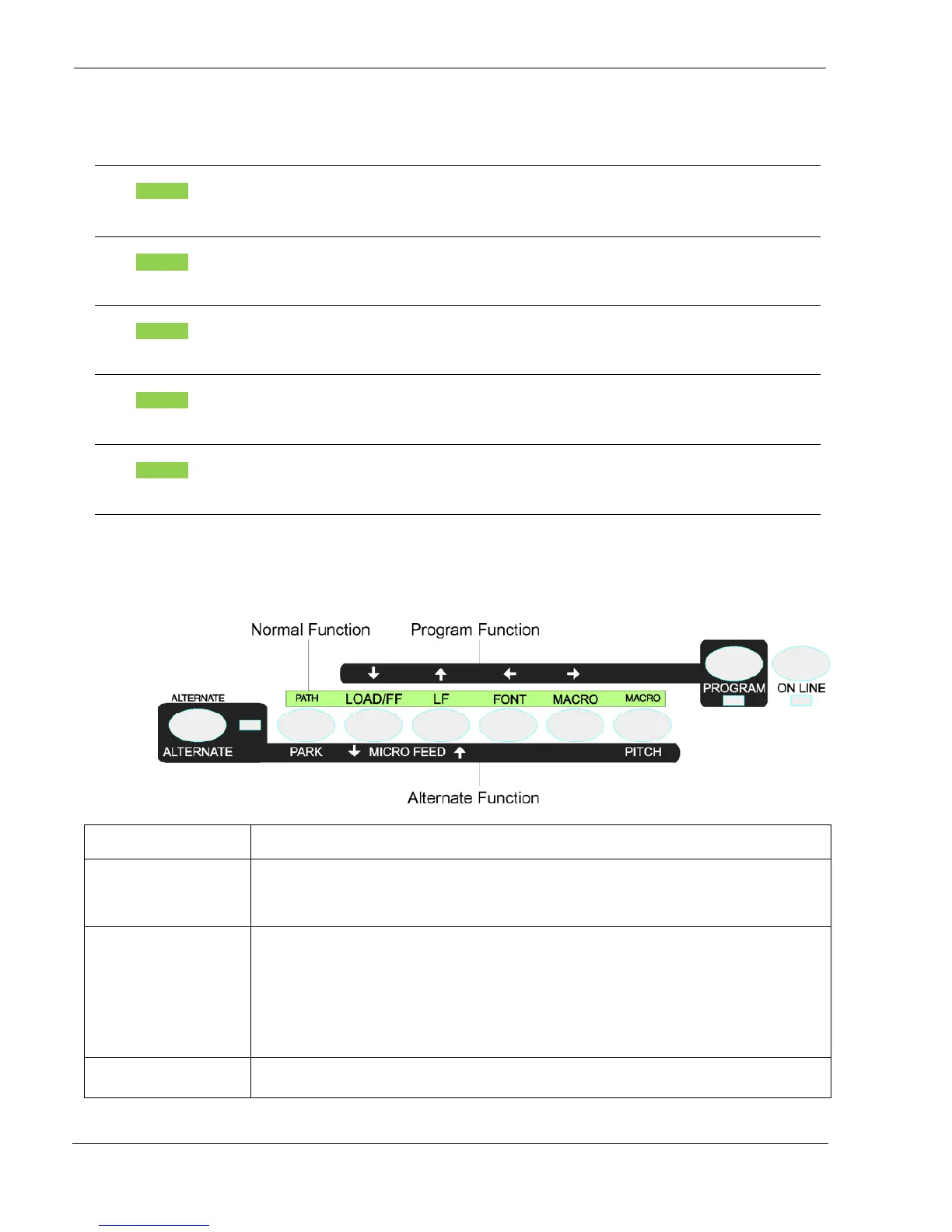
Function Keys
Pressing the function keys it is possible to activate the functions indicated by the word or symbol signed near the
key. Each key may have different functions, according to the selected function modes: Normal, Alternate or Program.
Normal
Function
The
normal
function
of
the
keys
is
written
above
the
keys
and
does
not
require
any
previous
action
to
select
it.
Alternate
Function
The alternate function of the keys is written below the keys and is selected pressing the
ALTERNATE key.
When the alternate function of the keys is selected, the ALTERNATE indicator is lit and the
display shows ALTERNATE.
Program
Function
The program function of the keys is selected pressing the PROGRAM key, where:
If you press the key while powering the printer on, the Power-On Configuration is
selected.
If you press the key when the printer is enabled without printing or disabled (ON LINE
indicator unlit), the Program Setup is selected.
In the Program Setup mode only the four arrow keys and the PROGRAM key are
enabled and the PROGRAM indicator is lit
Special
Function
The special function means a specific function of a key or a combination of two or more keys.
The detailed function can be found in the Maintenance Manual of the printer.



 To Next Page