User Manual 9065/9065plus
MAN10772-00 11
Ribbon Cartridge Installation
Make sure that you are using only Compuprint original consumables
1. Make sure that the printer is turned off.
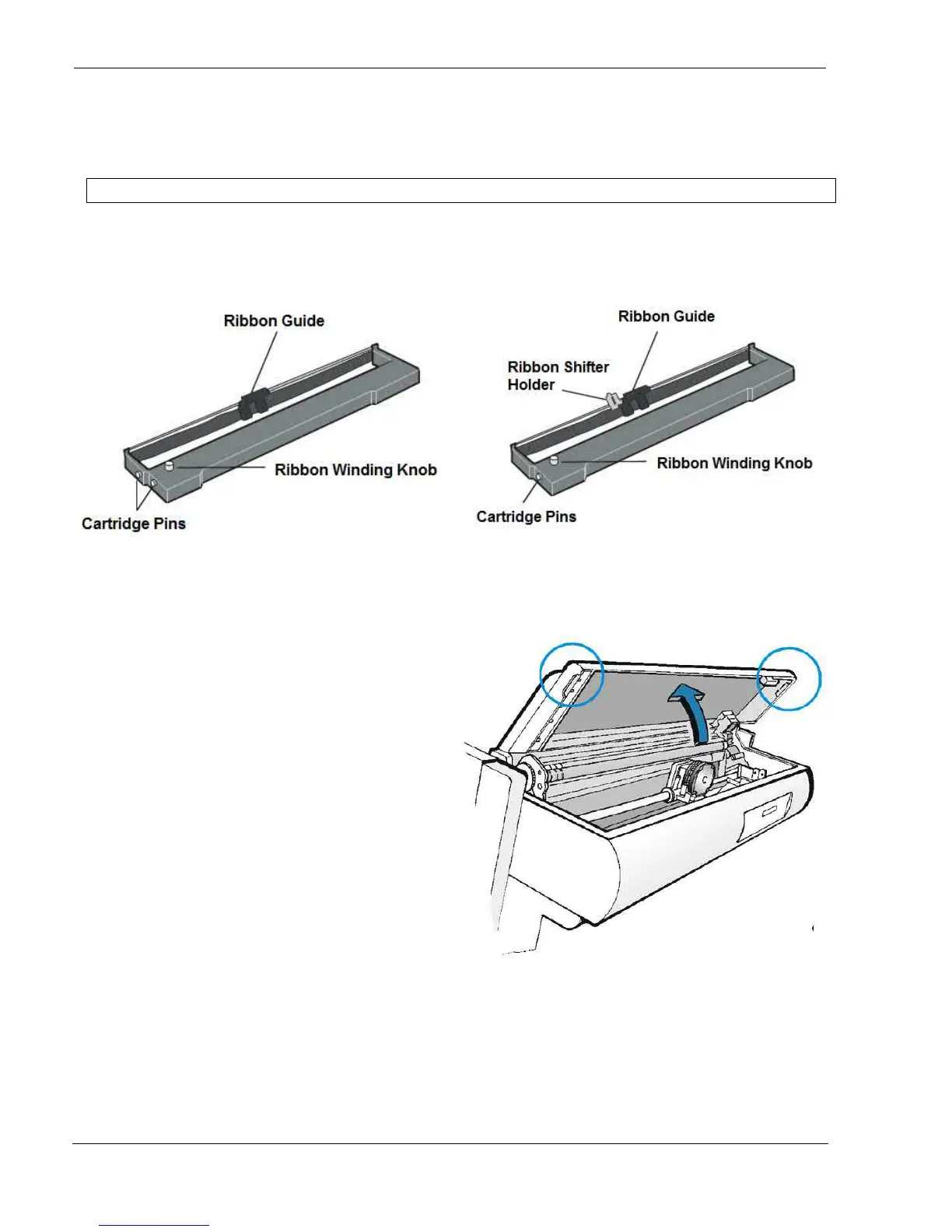
2. Find the ribbon cartridge among the accessories
To be used when the ribbon shifter option is not installed To be used when the ribbon shifter option is installed
(see later on for installation of this option)
3. Turn the printer on and wait for printer
initialization.
4. With the printer powered on, enter the OFF
LINE status pressing the ON-LINE Key and
then checking ON-LINE indicator unlit.
5. Open the top cover using the small handles
on either side of the top cover



 To Next Page