User Manual 9065/9065plus
MAN10772-00 66
Program Setup
The default values of the various functions are indicated in bold.
Entering the Program Setup
Press the
PROGRAM
key when the printer is turned on and is offline or online without printing. The following message
will be displayed:
PRINT OUT? NO
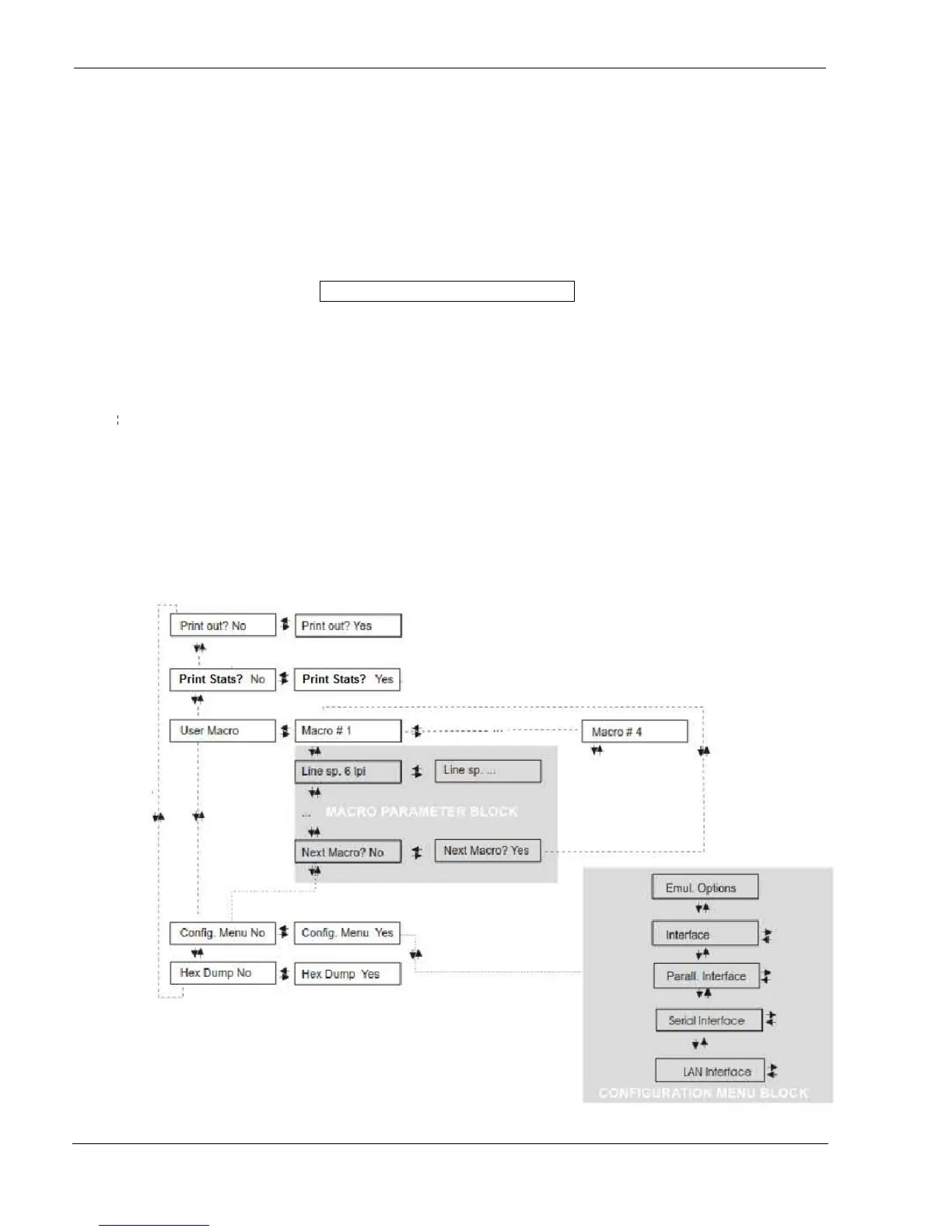
The figure in the following page shows the structure and how to move inside the Program Setup.
Main Structure
The items define the following functions:
Print Program Setup with #4 (or #8 depending by the model and FW)
Handling of the #4 or #8 user Macros
Print Statistics of the printer (from the FW Rel. 1.23)
The direct access to the Power-On Configuration
Hexadecimal printout
CONFIGURA
TION MENU
BLOCK



 To Next Page