User Manual 9065/9065plus
MAN10772-00 42
Power-On Configuration Setup
The default values of the various functions are indicated in bold.
Entering the Power-On Configuration Setup
1. Make sure that the printer is turned off.
2. Press and hold the
PROGRAM
key pressed while powering on the printer until the RELEASE KEYS message is
displayed. As soon as the
PROGRAM
key gets released, the following message will be displayed:
STARTIN
P
then
9065plus or 9065 Rel. x.yz
then
PRINT OUT? NO
Main
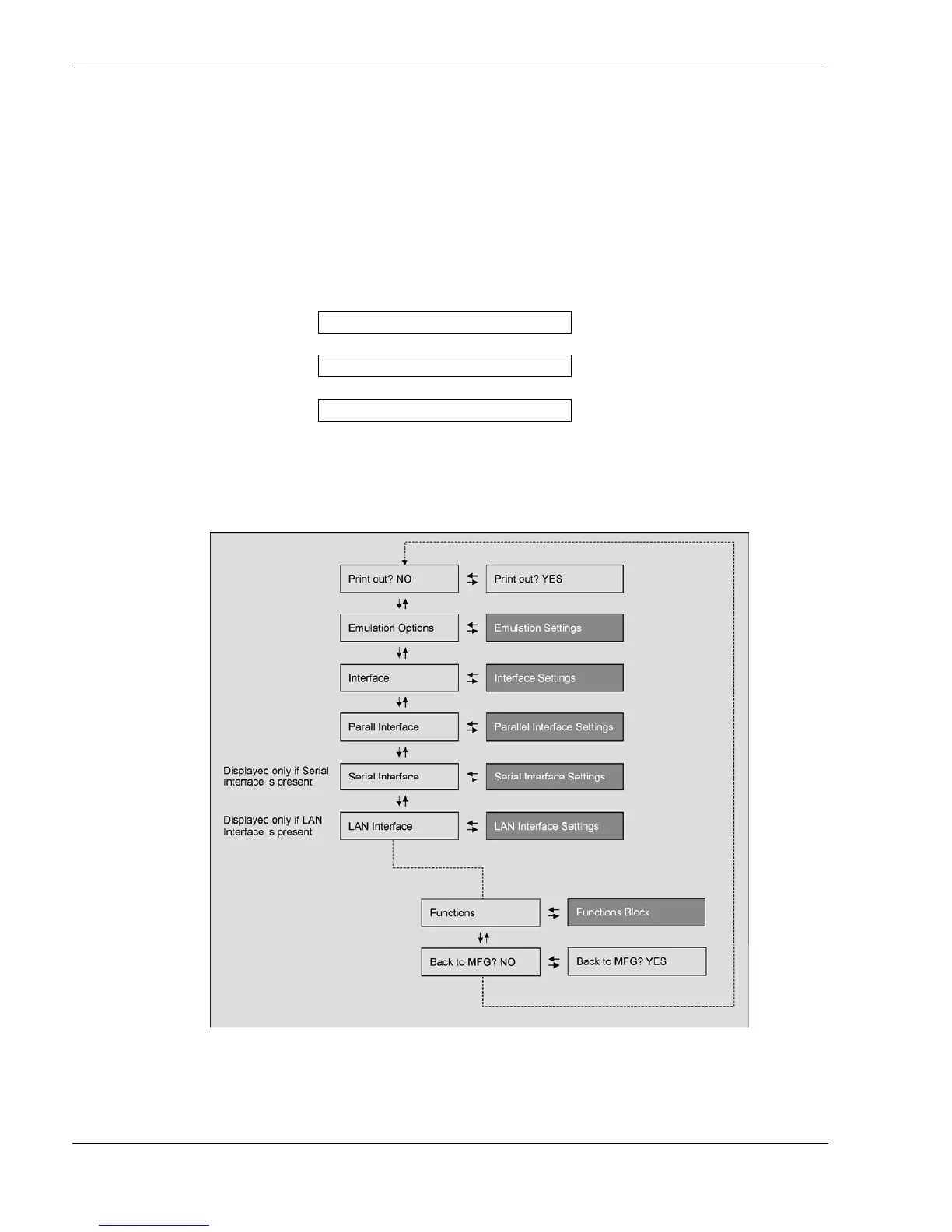
Structure
This figure shows the structure of the Power-On Configuration and how to move inside the Setup.



 To Next Page