User Manual 9065/9065plus
MAN10772-00 95
How to Handle the Paper Parking
According to the setting of the TEAR item in the Program Setup, the paper parking procedure is performed in
different ways. See the following description:
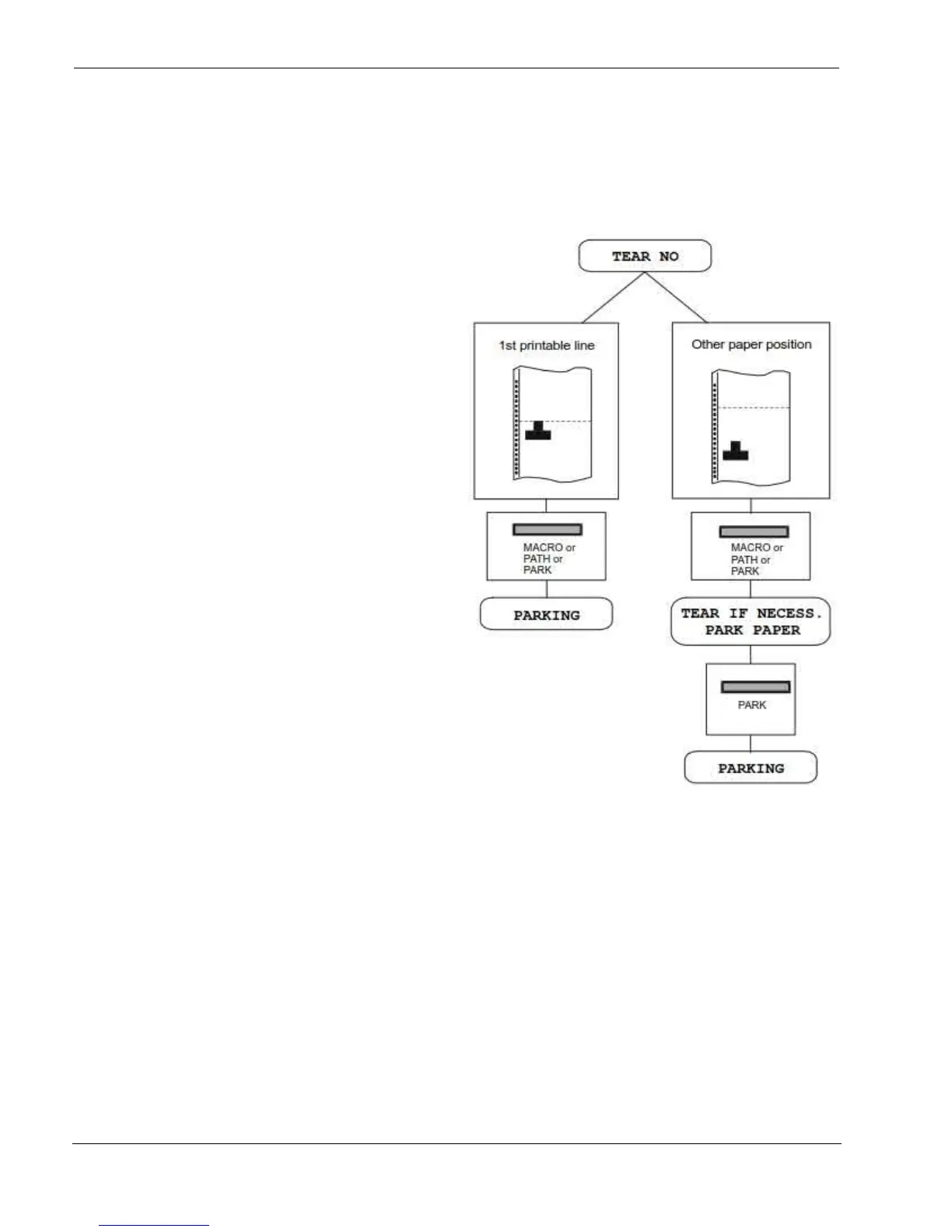
If TEAR NO is selected:
When the paper is positioned at the
first printable line and the paper
path is changed (changing the
Macro or pressing the PATH key) or
the PARK key is pressed, the printer
performs automatically the parking
procedure.
If at least one line has been
printed, or the paper has been fed
forward at least 1 line and the
paper path is changed (changing
the Macro or pressing the PATH
key) or the PARK key is pressed,
the display shows TEAR IF
NECESS./PARK PAPER.
If the paper to be parked is longer
than 18" tear it off and press the
PARK key again to perform the
parking procedure.



 To Next Page