User Manual 9065/9065plus
MAN10772-00 119
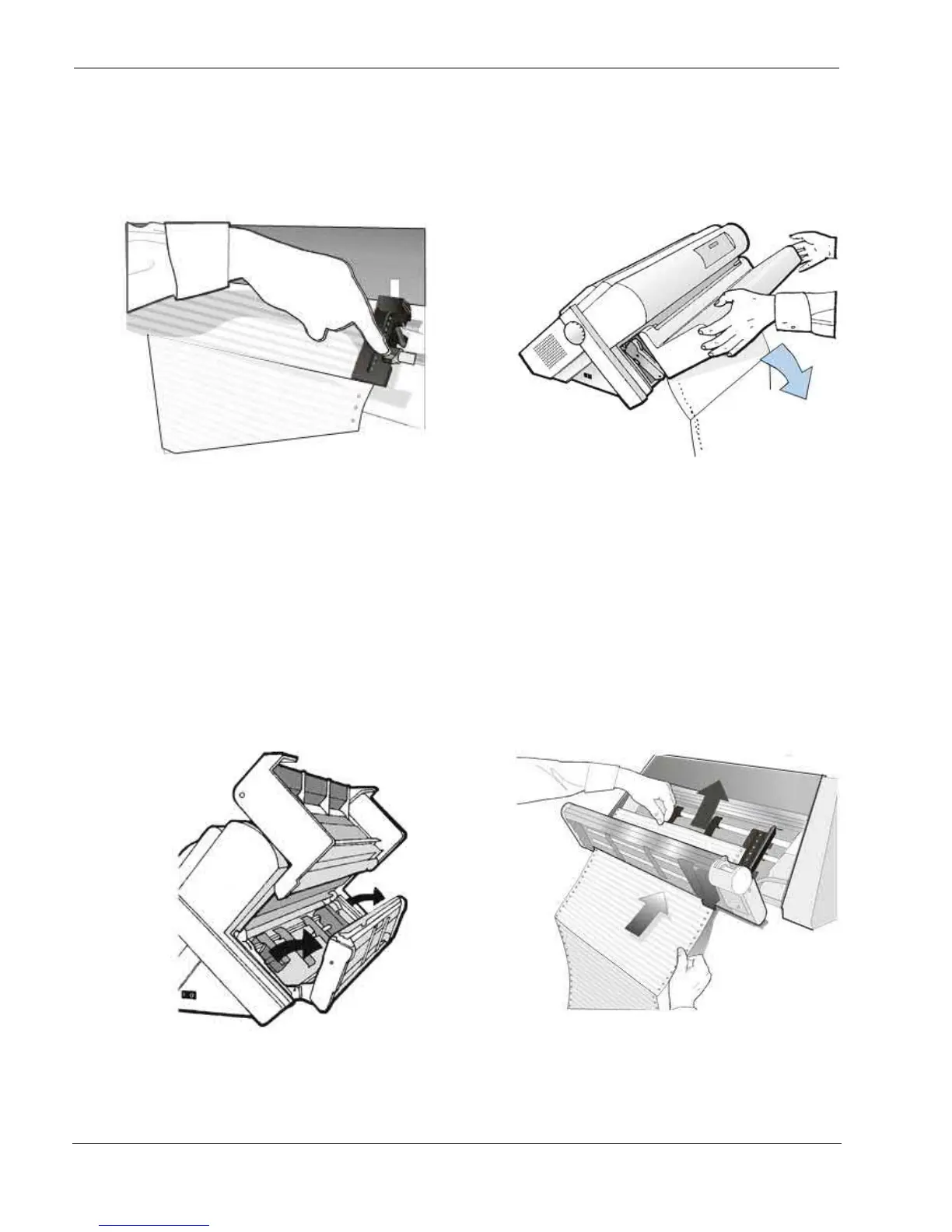
8. Adjust gently the right sprocket to remove slack
from the paper Lock the Front2 tractor sprockets
moving the sprocket levers down
9 Close the Push tractors cover. Press the
LOAD/FF
key to load the paper into the
printer
Loading Paper Using the Front1 Push Tractor when the Front2 Push Tractor (Option) is
Installed
When the Front2 push tractor option is installed and you need to load paper on the Front1 push tractor follow
this paper loading procedure:
1. Open the Push tractors cover turning it upwards
and lay it on the top of the printer. Rotate the
Front2 push tractor option outside the printer.
2. Insert the fanfold paper between the Front1
and Front2 push tractor, then proceed to
load the paper as described in the section
“Loading Paper Using the Front1 Push
Tractor”.



 To Next Page