User Manual 9065/9065plus
MAN10772-00 121
Ribbon Shifter Installation
This option can be easily installed also by a user, but it requires a little head-cross screwdriver.
It is composed by a ribbon shifter motor and two screws.
The ribbon shifter motor has a plastic ribbon shifter which is moved up and down by the firmware of the printer.
With this option installed the long life ribbon cartridge can be used.
1. Power off the printer
2. Open the top cover
3. Remove any ribbon installed.
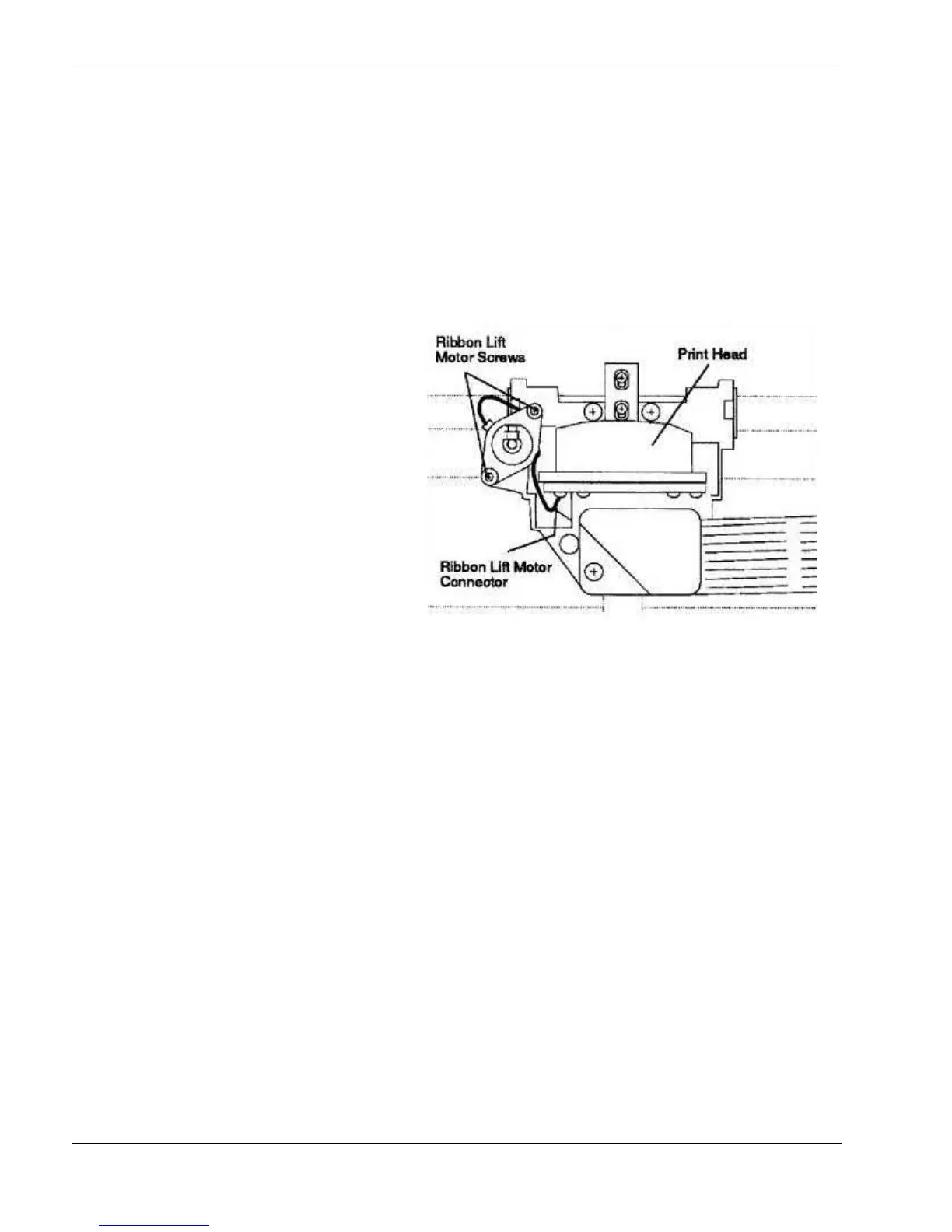
4. Connect the ribbon shifter motor connector
in the respective socket present in the print
head.
5. Position the ribbon shift motor on the two
fixing holes, Pay attention for the motor
cable path as indicated in the figure
6. Secure it using the two screw.



 To Next Page