EasyManua.ls Logo

GSD Compuprint 9065 - Power Connection

GSD Compuprint 9065
128 pages
Print Icon
To Next Page IconTo Next Page
To Previous Page IconTo Previous Page
Loading...
User Manual 9065/9065plus
MAN10772-00 34
Power Connection
DANGER
<1-11> Your country may require an approved power cord and plug. Ensure that you have
the correct power cord and plug. Use this cord and plug only with an approved, correctly-
installed power receptacle.
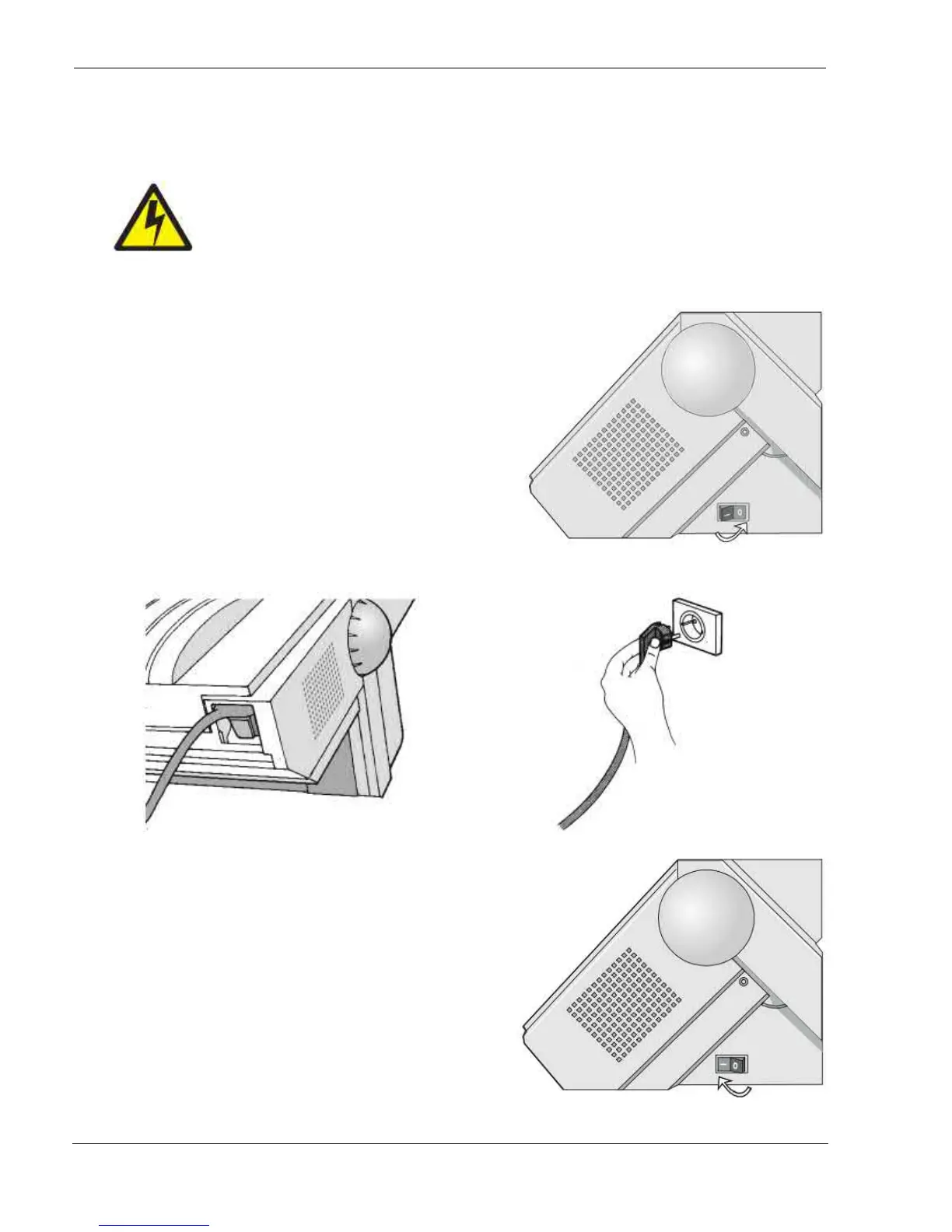
1. Make sure the
p
ower outlet is near the
p
rinter location and easil
y
accessible.
2. Make sure that the power switch is in 0
position (OFF).
3. Insert the power cable plug into the printer connector and the other power cable end into a convenient
outlet (the figure shows the European version).
4. If
ou need to turn the
rinter on,
ress the
ower switch in the I
osition
ON
.

Table of Contents