User Manual 9065/9065plus
MAN10772-00 114
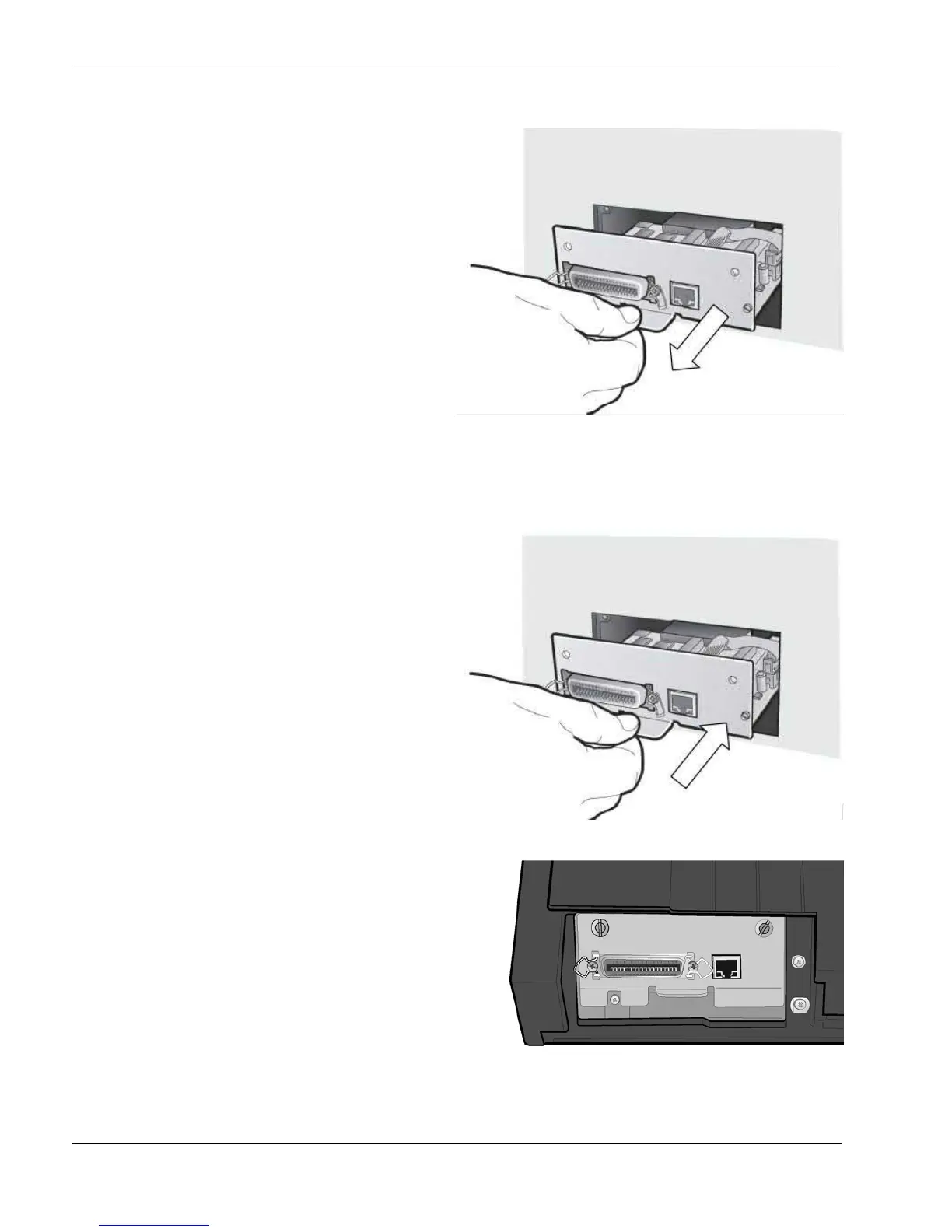
3. Use the information under “Handling the
Controller Board” on the preceding page as yo
remove the Controller Board from its shipping
box and from the protective package.
4. Align the left and right sides of the Controller
Board with the guides in the printer and slide
it into the slot.
2. Use the information under “Handling the Controller Board” on the preceding page as you remove the Controll
Board from its shipping box and from the protective package.
3. Align the left and right sides of the Controller Board with the guides in the printer and slide it into the slot.
4. Gently push the Controller Board into the
printer until it is seated in the connector
inside the printer.
The Controller Board is correctly seated in
the printer when the Controller Board metal
plate is aligned with the
back profile of the slot.
6. Attach the Controller Board with the two
screws using the screwdriver that came in the
Controller Board box.



 To Next Page