User Manual 9065/9065plus
MAN10772-00 16
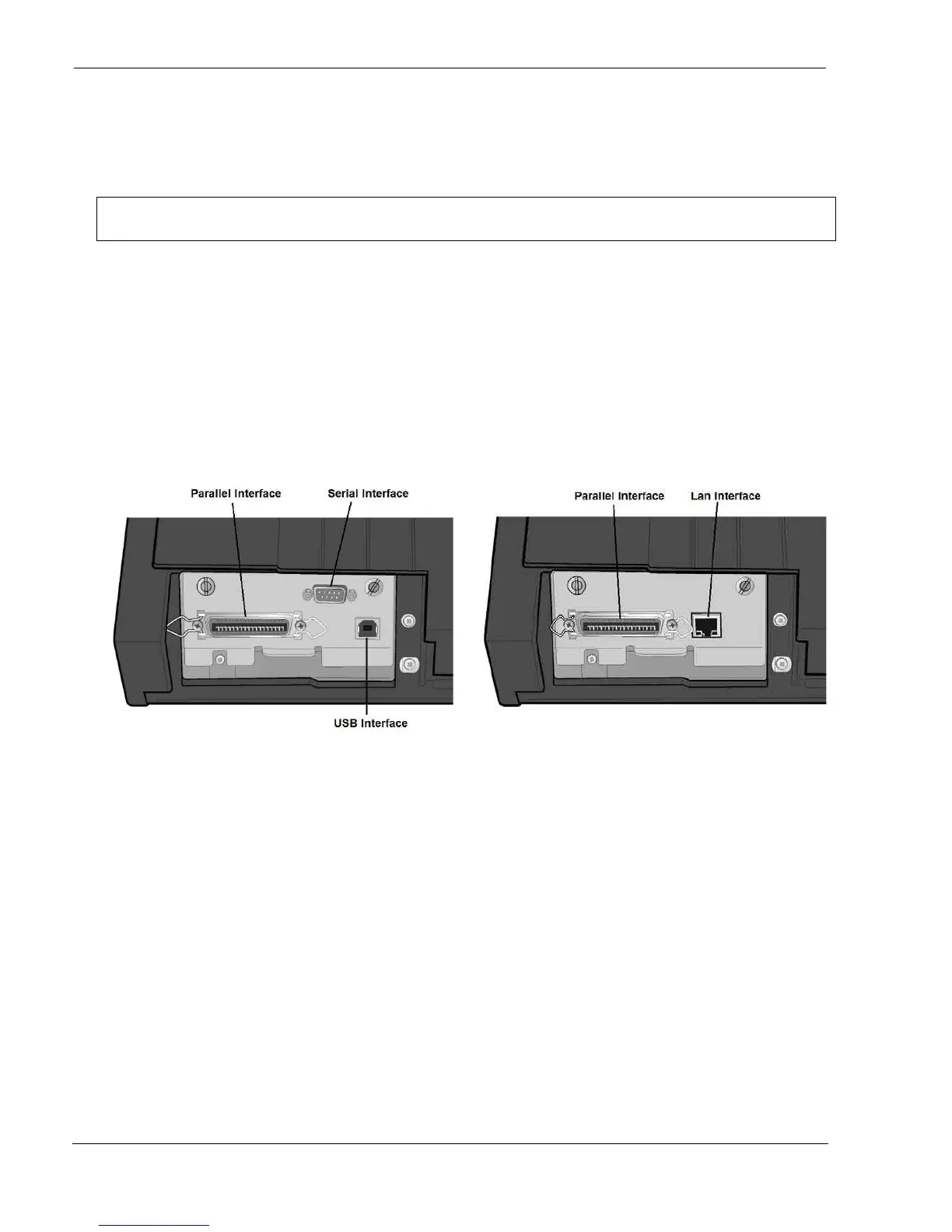
The 9065 printer can be connected to your host computer via different available interfaces on two alternative
controllers.
Before connecting the interface cable, make sure that the printer and the host computer
are turned OFF
1. First Controller: this controller provides the following three interfaces
:
:
A bidirectional IEEE1284 parallel interface
A RS-232C serial interface
An USB interface.
2. Second Controller: this controller provides the following two interfaces:
A bidirectional IEEE1284 parallel interface
An Ethernet LAN interface.
The interface connectors are located on the rear of the printer.
Insert the parallel interface cable into the parallel connector and fasten it by means of the clips.
Insert the serial interface cable into the serial connector and fasten it by means of the two screws (use the screwdriver).
Insert the USB interface cable into the USB connector
Insert the LAN interface cable into the LAN connector.



 To Next Page